HYBRID BATTERY SYSTEM PRECAUTION
-
PRECAUTIONS FOR INSPECTING HYBRID BATTERY SYSTEM
-
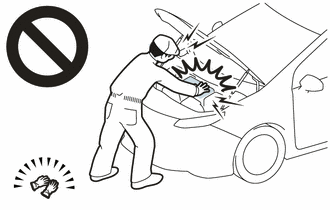
Before the following operations are conducted, take precautions to prevent electric shock by turning the power switch off, wearing insulated gloves, and removing the service plug grip from HV battery.
-
Inspecting the high-voltage system
-
Disconnecting the low voltage connector of the inverter with converter assembly
-
Disconnecting the low voltage connector of the HV battery
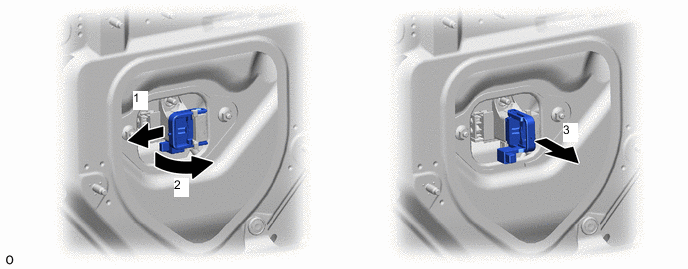
Note
-
After turning the power switch off, waiting time may be required before disconnecting the cable from the negative (-) auxiliary battery terminal. Therefore, make sure to read the disconnecting the cable from the negative (-) auxiliary battery terminal notices before proceeding with work.
-
After removing the service plug grip, turning the power switch on (READY) may cause a malfunction. Do not turn the power switch on (READY) unless instructed by the repair manual.
-
-
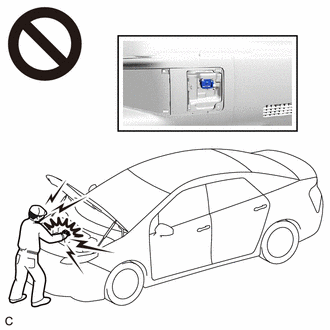
To prevent electric shock, make sure to remove the service plug grip to cut off the high voltage circuit before servicing the vehicle.
-
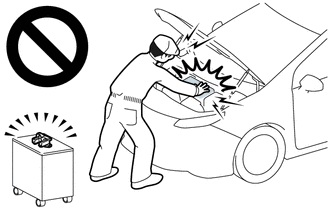
After removing the service plug grip, put it in your pocket to prevent other technicians from accidentally reconnecting it while you are working on the high-voltage system.
-
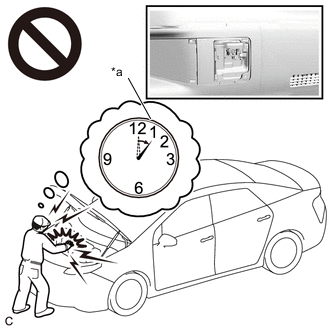
*a Without waiting for 10 minutes After removing the service plug grip, wait for at least 10 minutes before touching any of the high-voltage connectors or terminals.
Tech Tips
Waiting for at least 10 minutes is required to discharge the high-voltage capacitor inside the inverter with converter assembly.
-
Check the voltage at the terminals in the inspection point in the inverter with converter assembly.
CAUTION:
Be sure to wear insulated gloves.
-
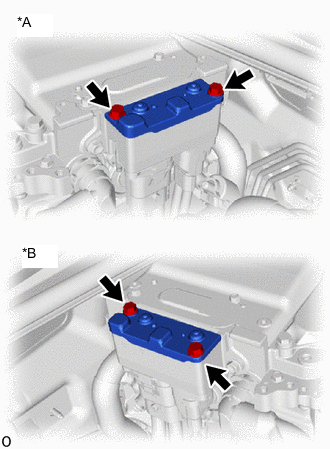
*A for LHD *B for RHD Remove the connector cover assembly from the inverter with converter assembly.
Note
-
Do not touch the connector cover assembly waterproof seal.
-
Do not allow any foreign matter or water to enter the inverter with converter assembly.
-
-
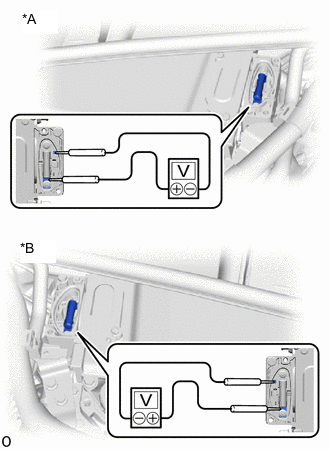
*A for LHD *B for RHD Measure the voltage according to the value(s) in the table below.
Tech Tips
Set the tester to DC750 V or more to measure the voltage.
-
Reinstall the connector cover assembly.
-
-
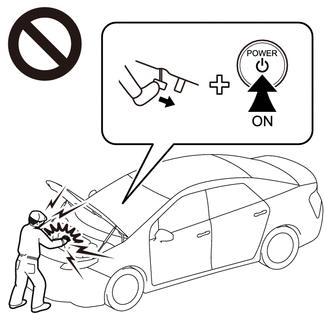
When turning the power switch on (IG) during an inspection, do not press the power switch with the brake pedal depressed.
CAUTION:
Pressing the power switch with the brake pedal depressed causes the system to enter the READY-on state. This is very dangerous because high voltage may be applied to the inspection area.
-
Turn the power switch off, wear insulated gloves, and disconnect the cable from the negative (-) terminal of the auxiliary battery before touching any of the orange-colored wires of the high-voltage system.
Note
After turning the power switch off, waiting time may be required before disconnecting the cable from the negative (-) auxiliary battery terminal. Therefore, make sure to read the disconnecting the cable from the negative (-) auxiliary battery terminal notices before proceeding with work.
-
Turn the power switch off before performing any resistance checks.
-
Turn the power switch off before disconnecting or reconnecting any connectors.
-
When performing work involving high-voltage wires, use either a tool wrapped with vinyl insulation tape or an insulated tool.
-
When high-voltage connectors are removed, wrap the connectors with insulation tape to prevent them from contacting foreign matter.
-
-
NOTICE FOR HYBRID CONTROL SYSTEM ACTIVATION
-
When the warning light is illuminated, or the auxiliary battery has been disconnected and reconnected, attempting to turn the power switch on (READY) may not start the system (the system may not enter the READY-on state) on the first attempt. If so, turn the power switch off and reattempt to start the hybrid system.
Note
After turning the power switch off, waiting time may be required before disconnecting the cable from the negative (-) auxiliary battery terminal. Therefore, make sure to read the disconnecting the cable from the negative (-) auxiliary battery terminal notices before proceeding with work.
-
-
PRECAUTIONS FOR DISCONNECTING AMD TERMINAL
Tech Tips
The AMD terminal is connected to the positive auxiliary battery terminal. To prevent damage when the AMD terminal is being disconnected, use the following procedure.
-
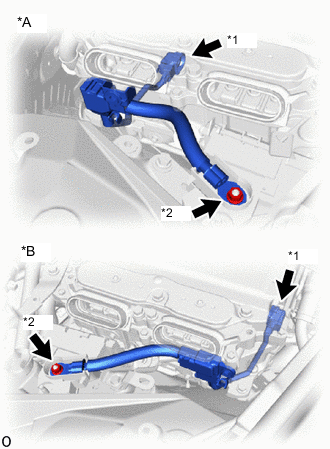
*A for LHD *B for RHD *1 AMD Terminal (Inverter with Converter Assembly Side) *2 AMD Terminal (Fusible Link Block Assembly Side) Be sure to disconnect the cable from the negative (-) auxiliary battery terminal before disconnecting the AMD terminal from the fusible link assembly.
Note
After turning the power switch off, waiting time may be required before disconnecting the cable from the negative (-) auxiliary battery terminal. Therefore, make sure to read the disconnecting the cable from the negative (-) auxiliary battery terminal notices before proceeding with work.
-
After disconnecting the AMD terminal, wrap the terminal with insulation tape.
-
Be sure to reconnect the AMD terminal to the fusible link assembly before reconnecting the cable to the negative (-) auxiliary battery terminal.
Note
A short circuit to ground may occur if the AMD terminal is disconnected before the cable is disconnected from the negative (-) auxiliary battery terminal. If a short circuit to ground occurs, a fusible link or fuse may break.
-
-
DISPOSING OF HV BATTERY AND HV SUPPLY STACK SUB-ASSEMBLY
-
When disposing of HV batteries and HV supply stack sub-assemblies, make sure to return them through an authorized collection agent who is capable of handling them safely. If they are returned via the manufacturer specified route, they will be returned properly and in a safe manner by an authorized collection agent.
CAUTION:
-
Before returning the HV battery, make sure to perform a recovery inspection.
-
Before returning the hybrid vehicle supply stack sub-assembly, make sure to perform a recovery inspection
-
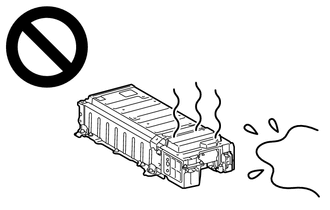
After removing the HV battery or the HV supply stack sub-assembly, keep it away from water. Exposure to water may cause the HV battery or the HV supply stack sub-assembly to produce heat, resulting in a fire.
-
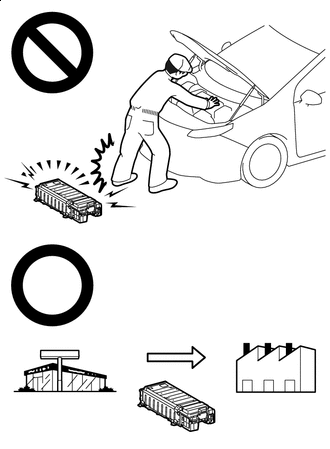
*a Dealer *b Battery Collection Agent Accidents such as electric shock may result if the HV battery or the HV supply stack sub-assembly is disposed of improperly or abandoned.
Therefore, make sure to return HV battery and all HV supply stack sub-assemblies through an authorized collection agent.
-
To reduce the risk of fire, HV battery or HV supply stack sub-assemblies must not be stored in an area where they will be exposed to fire or high temperatures.
-
If the temperature of the HV battery and HV supply stack sub-assembly is high, leave the vehicle until the temperature drops.
-
Make sure to insulate the high-voltage connectors and terminals of the HV battery or HV supply stack sub-assemblies with insulating tape after removing them.
If the HV battery stored without insulating the connectors and terminals, electric shock or fire may result.
-
-
-
PRECAUTIONS WHEN REPLACING HYBRID VEHICLE CONTROL ECU ASSEMBLY
Note
Before replacing the hybrid vehicle control ECU assembly, refer to refer to Service Bulletin.
-
PRECAUTION WHEN REPLACING BATTERY ECU ASSEMBLY AND ECM
HV battery learning values are stored in the battery ECU assembly and ECM to display "HAVE TRACTION BATTERY INSPECTED" on the multi-information display. When either of these ECUs is replaced, the new ECU receives the HV battery learning value data from the other ECU and updates the information.
Note
-
Do not replace the battery ECU assembly and ECM at the same time as it clears the HV battery learning values. However, if it is necessary to replace both ECUs at the same time, replace them by following the procedure below.
-
Do not replace the battery ECU assembly or ECM with used ones from other vehicles.
-
Procedure when replacing both battery ECU assembly and ECM:
-
Disconnect the cable from the negative (-) auxiliary battery terminal.
-
Replace either of the ECUs.
-
Connect the cable to the negative (-) auxiliary battery terminal.
-
Turn the power switch on (READY) and wait for 5 minutes or more.
-
Turn the power switch off and disconnect the cable from the negative (-) auxiliary battery terminal.
-
Replace the other ECU.
-
Connect the cable to the negative (-) auxiliary battery terminal.
-
Check that the power switch can be turned on (READY).
Tech Tips
If the battery ECU assembly and ECM are replaced at the same time without following the above procedure, replace either of the ECUs with its original one and then replace it again by following the above procedure. If the correct procedure is not followed, perform the procedure again from the beginning.
-
-