Click here
INSPECTION PROCEDURE
Click here
PROCEDURE
- Click here
CHECK CONDITION
-
Check if the system voice recognition level is low when recognizing a particular voice.
Table 1. Result Result Proceed to System voice recognition level is low with any voice. A System voice recognition level is low only for a particular voice. B Tip:System voice recognition level varies depending on voice and pronunciation. This is not a malfunction.
-
- Click here
CHECK MICROPHONE LEVEL (OPERATION CHECK)
-
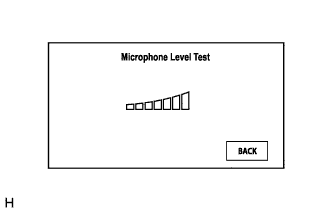
Enter the "Microphone Level Test" screen. Refer to Check Microphone Level in Operation Check (Click here).
-
When voice is input into the microphone, check that the microphone input level meter changes according to the input voice.
OK Check result is normal.
- OKClick here
- NGClick here
-
- Click here
END
- Click here
PROCEED TO NEXT SUSPECTED AREA SHOWN IN PROBLEM SYMPTOMS TABLEClick here
- Click here
REPLACE EXTENSION MODULEClick here