AUDIO AND VISUAL SYSTEM Display Signal Circuit between Multi-display and Radio Receiver
DESCRIPTION
The display image signal from the multi-media module receiver assembly is sent to the accessory meter assembly using a digital communication cable.
WIRING DIAGRAM
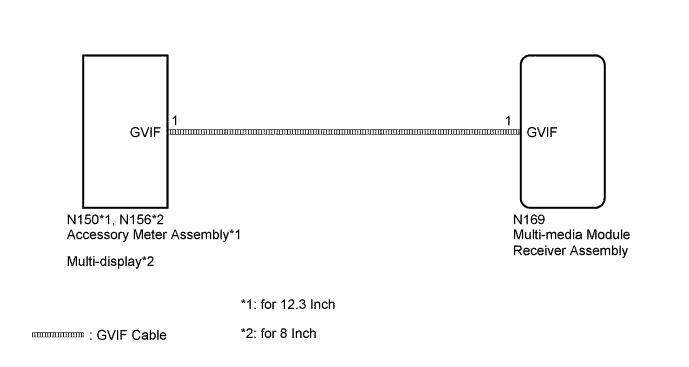
INSPECTION PROCEDURE
PROCEDURE
-
CHECK DIGITAL COMMUNICATION CABLE CONNECTOR
-
Check if the digital communication cable connectors between the multi-media module receiver assembly and the accessory meter assembly*1 or multi-display* 2 have any connection problems Click here.
-
*1: for 12.3 Inch
-
*2: for 8 Inch
-
-
Check that the screen display is normal.
OK Screen display is normal.
NG 
REPLACE ACCESSORY METER ASSEMBLY OR MULTI-DISPLAY Click here
OK 
USE SIMULATION METHOD TO CHECK Click here
-
-
REPLACE ACCESSORY METER ASSEMBLY OR MULTI-DISPLAY
-
Replace the accessory meter assembly*1 or multi-display*2 Click here.
-
*1: for 12.3 Inch
-
*2: for 8 Inch
-
-
Check that the screen display is normal.
OK Screen display is normal.
NG 
PROCEED TO NEXT SUSPECTED AREA SHOWN IN PROBLEM SYMPTOMS TABLE Click here
OK
END (ACCESSORY METER ASSEMBLY OR MULTI-DISPLAY IS DEFECTIVE)
-