STEREO JACK ADAPTER ASSEMBLY REMOVAL

-
REMOVE ENGINE ROOM SIDE COVER
-
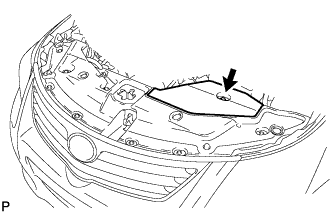
Remove the clip and engine room side cover.
-
-
DISCONNECT CABLE FROM NEGATIVE BATTERY TERMINAL
Note
-
w/ Navigation System (for HDD):
After the ignition switch is turned off, the HDD navigation system requires approximately a minute to record various types of memory and settings. As a result, after turning the ignition switch off, wait a minute or more before disconnecting the cable from the negative (-) battery terminal.
-
When disconnecting the cable, some systems need to be initialized after the cable is reconnected Click here.
-
-
REMOVE LOWER NO. 2 INSTRUMENT PANEL FINISH PANEL
-
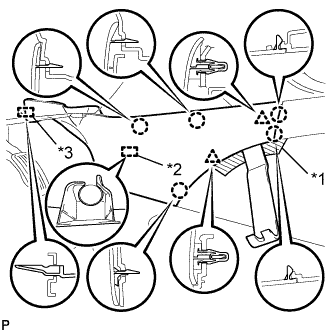
Text in Illustration *1 Protective Tape *2 Clamp *3 Guide Place protective tape as shown in the illustration.
-
Using a moulding remover B, detach the 2 clips and 5 claws.
-
Detach the clamp.
-
Detach the guide near the front of the vehicle and remove the finish panel.
-
-
REMOVE LOWER NO. 1 INSTRUMENT PANEL FINISH PANEL
-
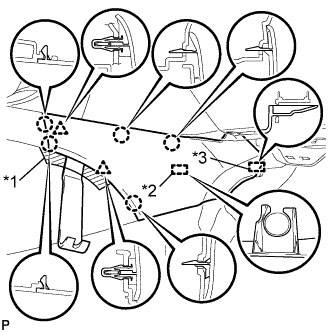
Text in Illustration *1 Protective Tape *2 Clamp *3 Guide Place protective tape as shown in the illustration.
-
Using a moulding remover B, detach the 2 clips and 5 claws.
-
Detach the clamp.
-
Detach the guide near the front of the vehicle and remove the finish panel.
-
-
REMOVE NO. 3 BOX PANEL (w/ Console Box Lid)
-
Place protective tape as shown in the illustration.
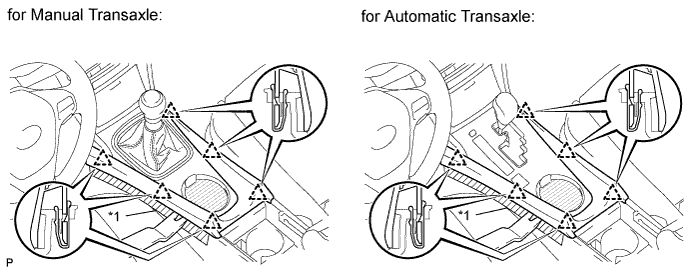
Text in Illustration *1 Protective Tape -
Using a moulding remover B, detach the 6 clips and remove the box panel.
-
-
REMOVE NO. 3 BOX PANEL (w/o Console Box Lid)
-
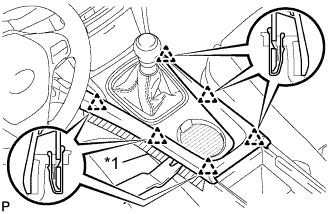
Text in Illustration *1 Protective Tape Place protective tape as shown in the illustration.
-
Using a moulding remover, detach the 6 clips and remove the box panel.
-
-
REMOVE INSTRUMENT PANEL FINISH PANEL END LH
-
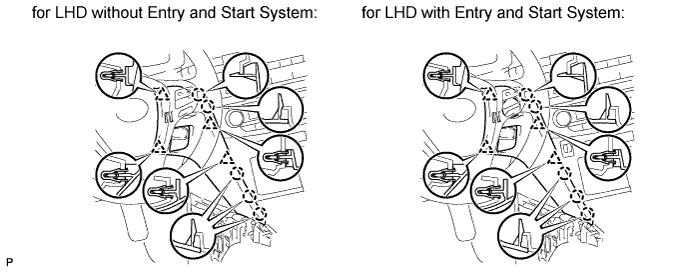
Using a moulding remover B, detach the 4 clips and 5 claws and remove the panel end.
-
-
REMOVE INSTRUMENT PANEL FINISH PANEL END RH (for LHD)
-
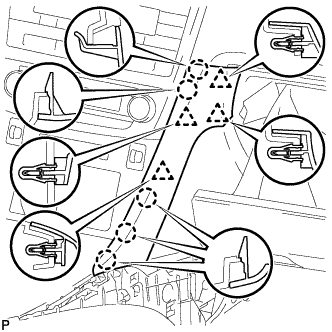
Using a moulding remover B, detach the 4 clips and 5 claws and remove the panel end.
-
-
REMOVE INSTRUMENT PANEL FINISH PANEL END RH (for RHD)
-
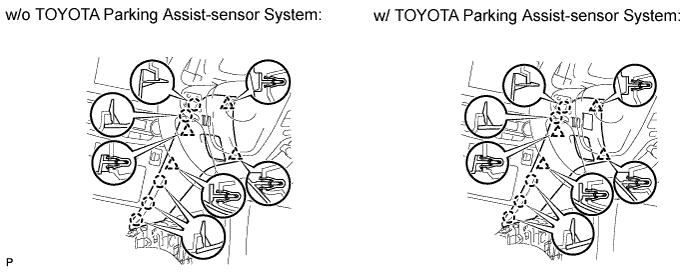
w/o TOYOTA Parking Assist-sensor System:
-
Using a moulding remover B, detach the 4 clips and 5 claws and remove the panel end.
-
-
w/ TOYOTA Parking Assist-sensor System:
-
Using a moulding remover B, detach the 4 clips and 5 claws.
-
Remove the panel end and then disconnect the connector.
-
-
-
REMOVE SHIFT LEVER KNOB SUB-ASSEMBLY
-
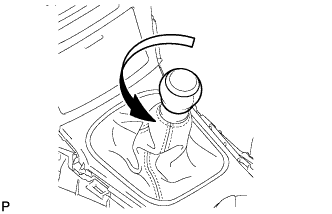
Twist the shift lever knob in the direction indicated by the arrow and remove it.
-
-
REMOVE REAR UPPER CONSOLE PANEL SUB-ASSEMBLY
-
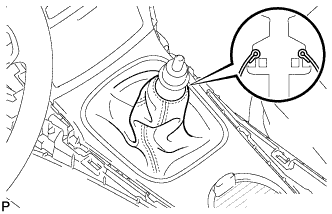
Detach the cover.
-
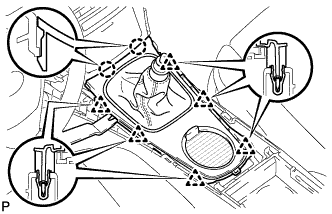
Using a moulding remover B, detach the 2 claws.
-
Detach the 6 clips and remove the console panel.
-
-
REMOVE BOX BOTTOM PANEL
-
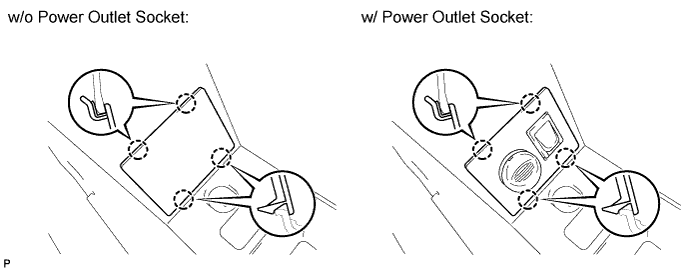
Detach the 4 claws and remove the panel.
-
-
REMOVE NO. 1 STEREO JACK ADAPTER ASSEMBLY
-
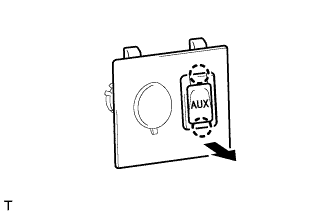
Detach the 2 claws and remove the stereo jack adapter.
-