- Click here
INSTALL ANTENNA CORD SUB-ASSEMBLY (w/o Multi-display)
-
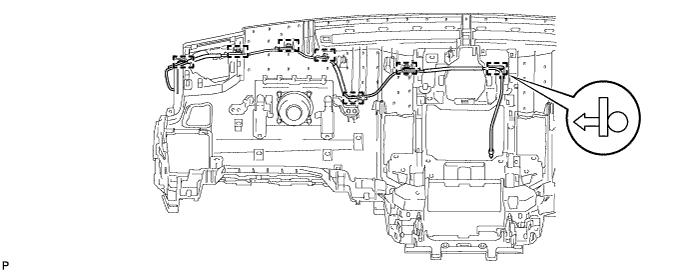
for LHD:
Attach the 7 clamps to install the antenna cord.
-
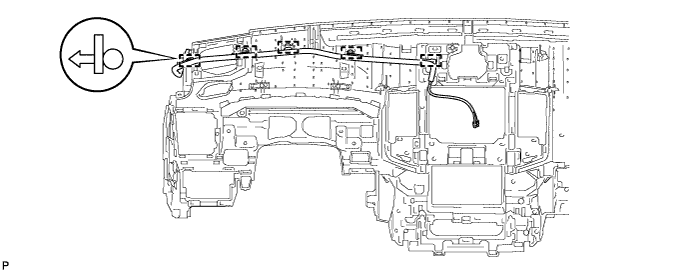
for RHD:
Attach the 5 clamps to install the antenna cord.
-
- Click here
INSTALL ANTENNA CORD SUB-ASSEMBLY (w/ Multi-display)
-
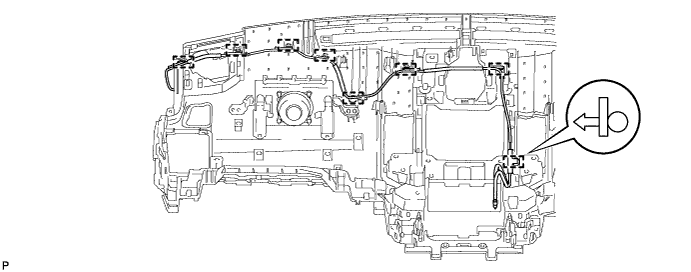
for LHD:
Attach the 8 clamps to install the antenna cord.
-
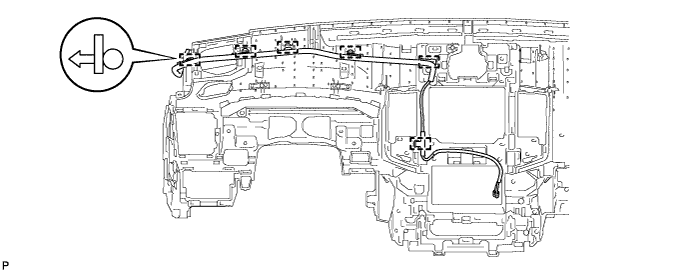
for RHD:
Attach the 6 clamps to install the antenna cord.
-
- Click here
INSTALL INSTRUMENT PANEL SAFETY PAD ASSEMBLY
-
Install the instrument panel safety pad (Click here).
-
- Click here
INSTALL ANTENNA CORD SUB-ASSEMBLY
-
w/o Sliding Roof:
-
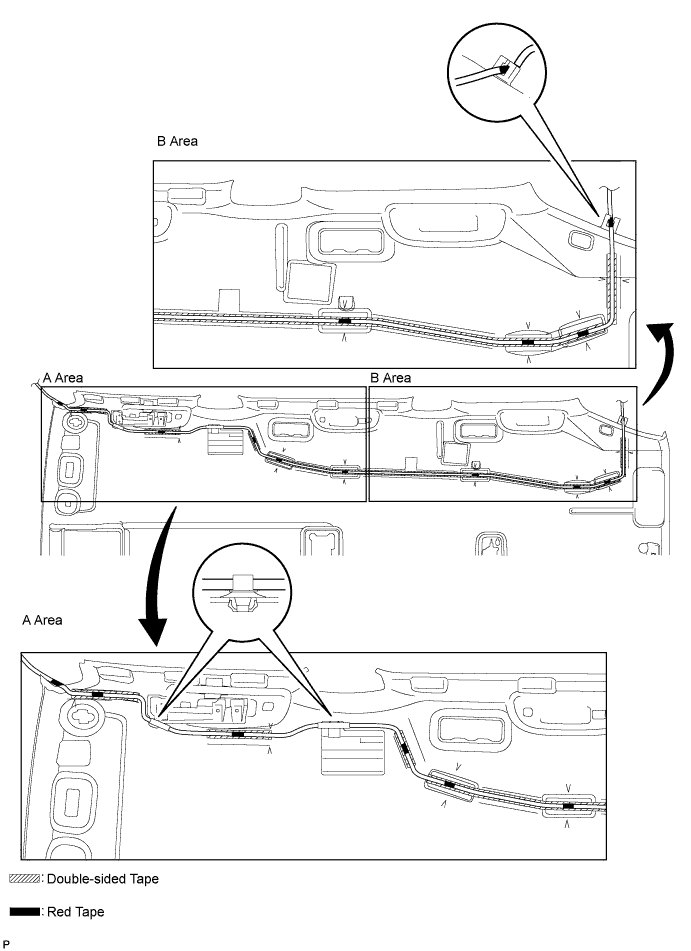
Apply new double-sided tape as shown in the illustration.
Tip:Attach double-sided tape to the hatched areas shown in the illustration below.
-
Align the red tape wound around the antenna cord with the V markings on the roof headlining and the notch at the rear of the headlining, and attach the antenna cord to the double-sided tape.
-
Attach the 2 clamps and fit the antenna into the notch.
-
-
w/ Sliding Roof:
-
Apply new double-sided tape as shown in the illustration.
Tip: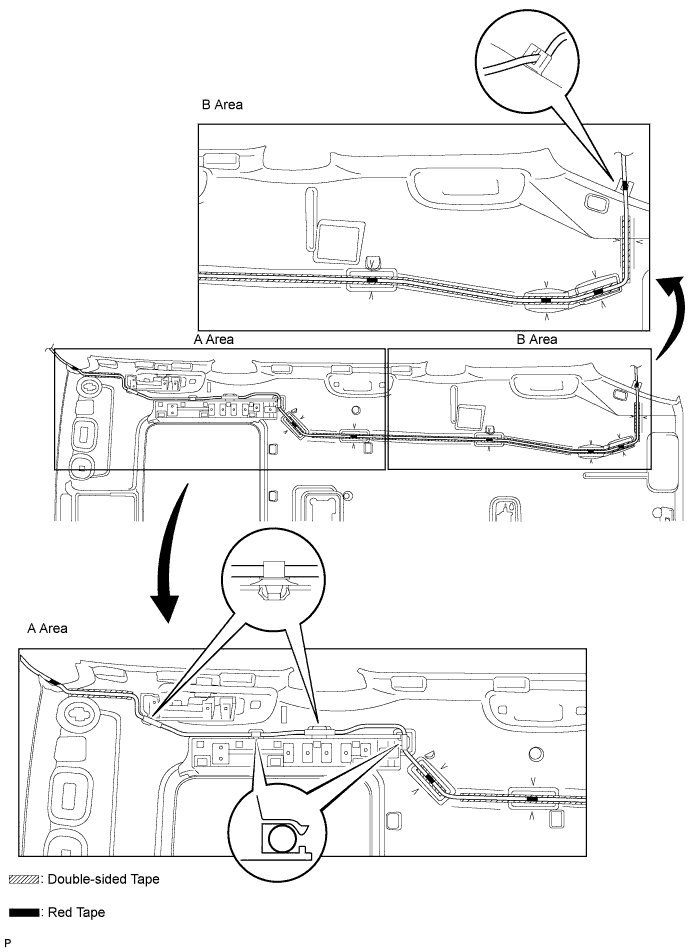
Attach double-sided tape to the hatched areas shown in the illustration below.
-
Align the red tape wound around the antenna cord with the V markings on the roof headlining and the notch at the rear of the headlining, and attach the antenna cord to the double-sided tape.
-
Attach the 4 clamps and fit the antenna into the notch.
-
-
- Click here
INSTALL ROOF HEADLINING ASSEMBLY
-
w/o Sliding Roof:
Install the roof headlining (Click here).
-
w/ Sliding Roof:
Install the roof headlining (Click here).
-
- Click here
CONNECT CABLE TO NEGATIVE BATTERY TERMINAL
Note:When disconnecting the cable, some systems need to be initialized after the cable is reconnected (Click here).
- Click here
CHECK SRS WARNING LIGHT
-
Check the SRS warning light (Click here).
-