SKID CONTROL BUZZER INSTALLATION

-
INSTALL SKID CONTROL BUZZER ASSEMBLY (for LHD)
-
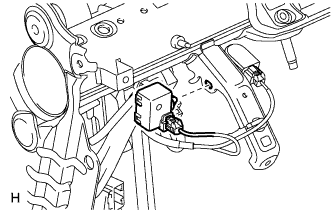
Connect the buzzer connector.
Note
Securely connect the connector.
-
Attach the clamp to install the buzzer.
Note
-
Securely insert the clamp into the bracket.
-
If the buzzer is dropped, replace it.
-
-
-
INSTALL SKID CONTROL BUZZER ASSEMBLY (for RHD)
-
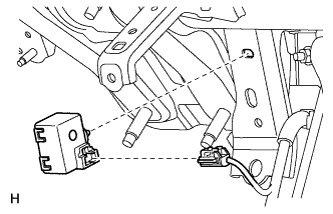
Connect the buzzer connector.
Note
Securely connect the connector.
-
Attach the clamp to install the buzzer.
Note
-
Securely insert the clamp into the bracket.
-
If the buzzer is dropped, replace it.
-
-
-
INSTALL NO. 1 SWITCH HOLE BASE
-
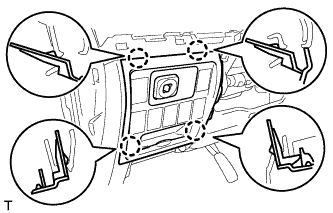
Connect the connectors.
-
Attach the 4 claws to install the No. 1 switch hole base.
-
-
INSTALL LOWER NO. 1 INSTRUMENT PANEL FINISH PANEL
-
Connect the connectors.
-
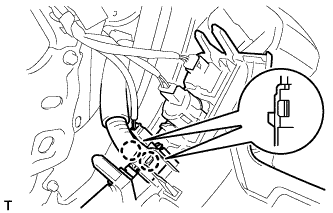
for Automatic Air Conditioning System:
-
Attach the 2 claws to install the room temperature sensor.
-
-
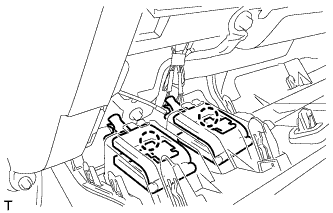
Attach the 2 claws to connect the 2 control cables.
-
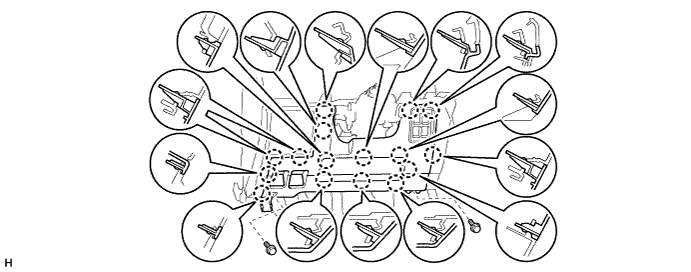
w/ Driver Side Knee Airbag:
-
Attach the 16 claws to install the lower No. 1 instrument panel finish panel.
-
Install the 2 bolts.
-
-
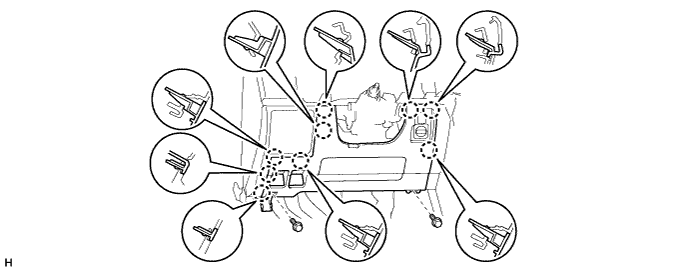
w/o Driver Side Knee Airbag:
-
Attach the 9 claws to install the lower No. 1 instrument panel finish panel.
-
Install the 2 bolts.
-
-
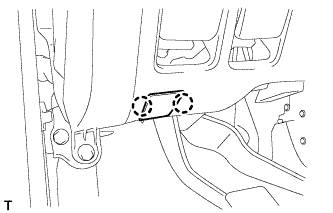
Attach the 2 claws to close the hole cover.
-
-
INSTALL COWL SIDE TRIM BOARD
-
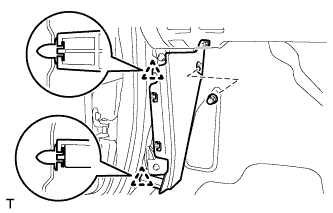
Attach the 2 clips to install the cowl side trim board.
-
Install the cap nut.
-
-
INSTALL NO. 1 INSTRUMENT PANEL UNDER COVER SUB-ASSEMBLY
-
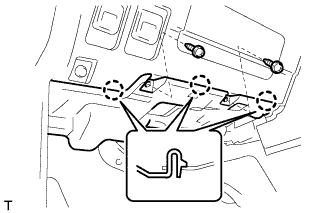
Connect the connectors.
-
Attach the 3 claws to install the No. 1 instrument panel under cover.
-
Install the 2 screws.
-
-
INSTALL FRONT DOOR SCUFF PLATE
-
CONNECT CABLE TO NEGATIVE BATTERY TERMINAL
Note
When disconnecting the cable, some systems need to be initialized after the cable is reconnected Click here.