- Click here
INSTALL DECELERATION SENSOR (for Automatic Transmission)
-
Connect the sensor connector, and then attach the clamp to the hole of the sensor bracket.
Note:Securely connect the connector.
-
Install the sensor with the 2 bolts.
15 N*m 148 kgf*cm 11 ft.*lbf Note:
-
Make sure that the sensor is oriented correctly.
-
If the sensor is dropped, replace it.
-
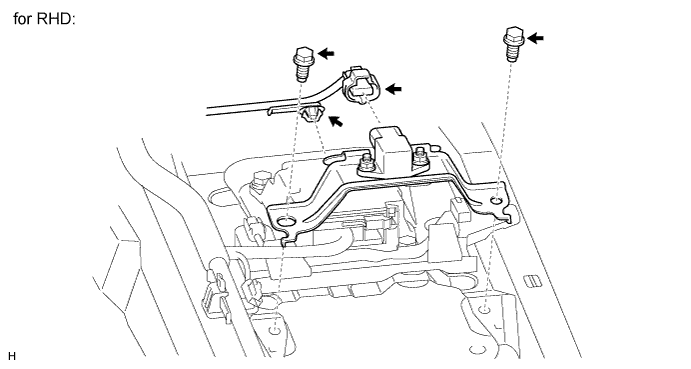
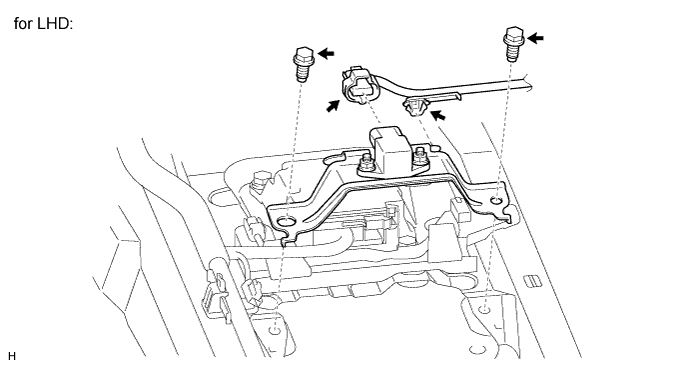
When installing the sensor, make sure to avoid impacts to the sensor.
-
-
- Click here
INSTALL DECELERATION SENSOR (for Manual Transmission)
-
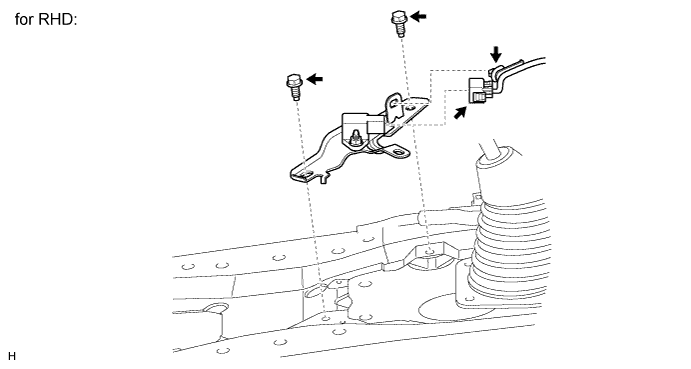
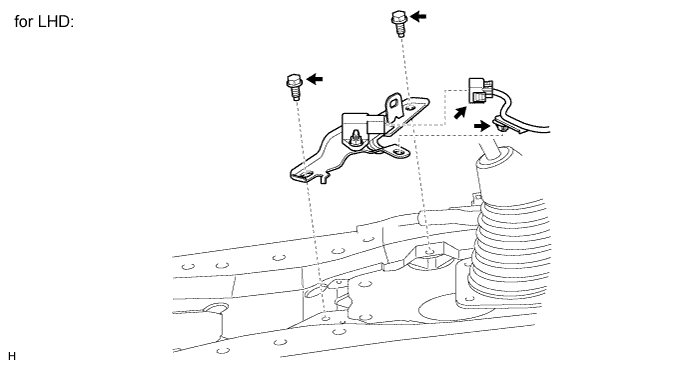
Connect the sensor connector, and then attach the clamp to the hole of the sensor bracket.
-
Install the sensor with the 2 bolts.
15 N*m 148 kgf*cm 11 ft.*lbf Note:
-
Make sure that the sensor is oriented correctly.
-
If the sensor is dropped, replace it.
-
Securely connect the connector.
-
When installing the sensor, make sure to avoid impacts to the sensor.
-
-
- Click here
INSTALL LOWER CONSOLE BOX (w/o Console Box Lid)
- Click here
INSTALL COOLING BOX ASSEMBLY (w/ Cool Box)
- Click here
INSTALL REAR CONSOLE BOX SUB-ASSEMBLY (w/o Cool Box)
- Click here
CONNECT CABLE TO NEGATIVE BATTERY TERMINAL
Note:When disconnecting the cable, some systems need to be initialized after the cable is reconnected (Click here).
- Click here
PERFORM G SENSOR ZERO POINT CALIBRATION
-
Perform the G sensor zero point calibration (Click here).
-
- Click here
CHECK G SENSOR SIGNAL
-
Check the G sensor signal (Click here).
-