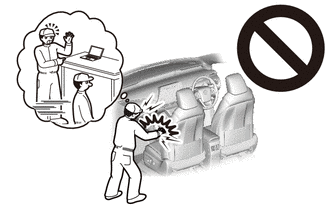
SHIFT CONTROL ECU REMOVAL
CAUTION / NOTICE / HINT
The necessary procedures (adjustment, calibration, initialization or registration) that must be performed after parts are removed and installed, or replaced during shift control ECU removal/installation are shown below.
| Replaced Part or Performed Procedure | Necessary Procedure | Effect/Inoperative Function when Necessary Procedure not Performed | Link |
|---|---|---|---|
| Auxiliary battery terminal is disconnected/reconnected | Memorize steering angle neutral point | LKA/LDA system | |
| Pre-collision system | |||
| Parking assist monitor system | |||
| Steering sensor zero point calibration | Variable gear ratio steering system |
Note
After the power switch is turned off, the navigation system requires approximately a minute to record various types of memory and settings. As a result, after turning the power switch off, wait a minute or more before disconnecting the cable from the negative (-) auxiliary battery terminal.
PROCEDURE
-
REMOVE NO. 2 DECK BOARD
-
PRECAUTION
Note
After turning the power switch off, waiting time may be required before disconnecting the cable from the negative (-) auxiliary battery terminal. Therefore, make sure to read the disconnecting the cable from the negative (-) auxiliary battery terminal notices before proceeding with work.
-
DISCONNECT CABLE FROM NEGATIVE AUXILIARY BATTERY TERMINAL
Note
It is necessary to remove the shift control ECU while no power is being supplied from the sub-battery. Therefore, perform the following procedures.
-
Turn the power switch off.
-
Check that the ODO meter display has turned off.
Tech Tips
The ODO meter continues to display for 30 seconds after turning off. Therefore, allow sufficient time for the shift control ECU to enter sleep mode and for the sub-battery power supply to end. In addition to monitoring the sub-battery voltage directly, the only other method for checking on the vehicle is to use the ODO meter display.
-
Check that the voltage between the terminals of the sub-battery assembly with control is 0 V.
-
Disconnect the cable from the negative (-) auxiliary battery terminal.
Note
When disconnecting the cable, some systems need to be initialized after the cable is reconnected.
-
-
REMOVE GLOVE COMPARTMENT DOOR ASSEMBLY
-
REMOVE NO. 2 AIR DUCT (for LHD)
-
REMOVE NO. 1 AIR DUCT (for RHD)
-
REMOVE SHIFT CONTROL ECU
-
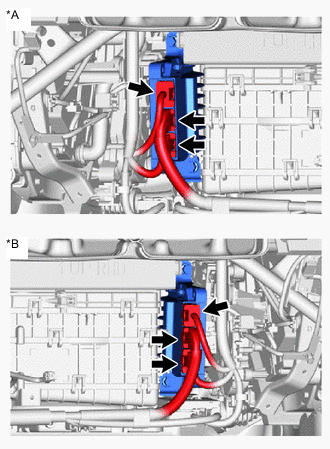
*A for LHD *B for RHD Disconnect the 3 shift control ECU connectors.
-
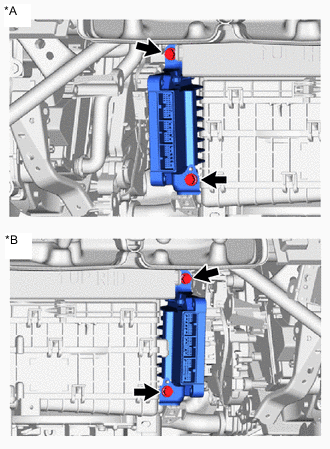
*A for LHD *B for RHD Remove the 2 bolts and shift control ECU.
-
-
REMOVE NO. 1 SHIFT CONTROL ECU BRACKET
-
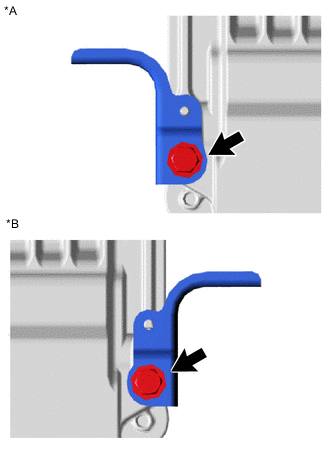
*A for LHD *B for RHD Remove the bolt and No. 1 shift control ECU bracket from the shift control ECU.
-
-
REMOVE NO. 2 SHIFT CONTROL ECU BRACKET
-
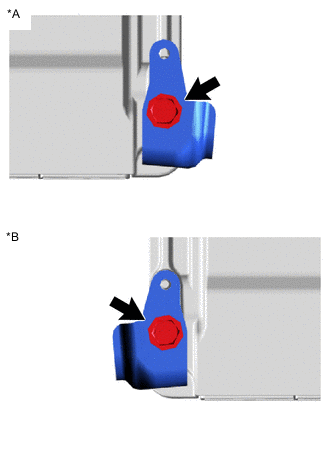
*A for LHD *B for RHD Remove the bolt and No. 2 shift control ECU bracket from the shift control ECU.
-