NAVIGATION SYSTEM(for SD) Voice is not Recognized
| DTC Code | DTC Name |
|---|---|
| Voice is not Recognized |
PROCEDURE
CHECK CONDITION
Check if the system voice recognition success rate is low when recognizing a particular voice.
Result
Result
Proceed to
System voice recognition success rate is low with any voice
A
System voice recognition success rate is low only for a particular voice
B
Tip:System voice recognition success rate varies depending on voice and pronunciation. This is not a malfunction.
When the voice recognition training function is enabled via the vehicle settings, it becomes easier to recognize the particular voice of a user.
B CONFIRM VEHICLE SETTINGS (TRAIN VOICE RECOGNITION)
CHECK MICROPHONE AND VOICE RECOGNITION (OPERATION CHECK)
-
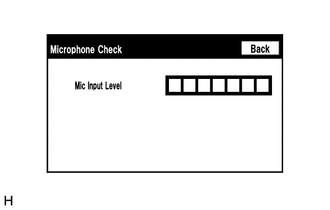
Enter the "Microphone Check" screen. [Refer to Check Mic & Voice Recognition] in Operation Check.
When voice is input into the microphone, check that the microphone input level meter changes according to the input voice.
OK
All check results are normal.
Result
Proceed to
OK
NG
-