SLIDING ROOF HOUSING(for Panoramic Moon Roof) DISASSEMBLY
PROCEDURE
-
REMOVE ROOF WIND DEFLECTOR PANEL SUB-ASSEMBLY
-
Detach the claw.
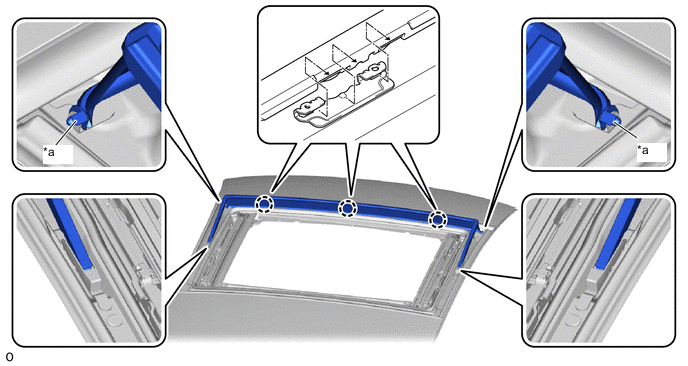
*a Guide - - -
Detach the guide.
-
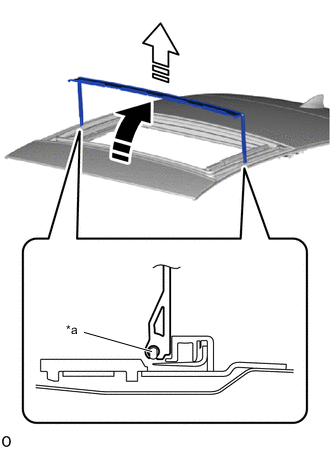
*a Guide 
Remove in this Direction (1) 
Remove in this Direction (2) Move the roof wind deflector panel sub-assembly in the direction indicated by the arrow (1) shown in the illustration.
-
Detach the guide and remove the roof wind deflector panel sub-assembly in the direction indicated by the arrow (2) shown in the illustration.
-
-
REMOVE SLIDING ROOF HOUSING SUB-ASSEMBLY
-
Remove the tape as shown in the illustration.
Note
Be sure to replace the tape with a new one.
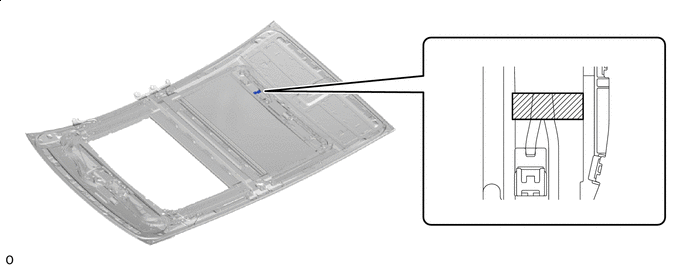

Tape - - -
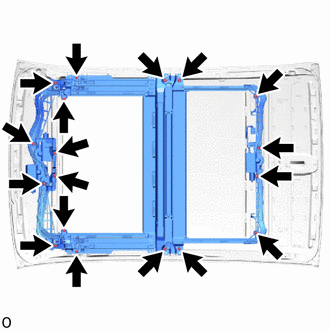
Remove the 18 nuts and slide roof housing sub-assembly.
Note
If the removed nut is the same shape as that shown in the illustration, replace it the supplied replacement part.
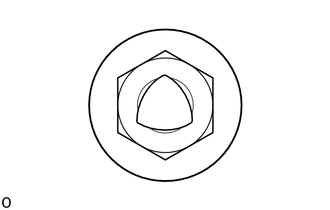
-
-
REMOVE NO. 2 ROOF WIRE
-
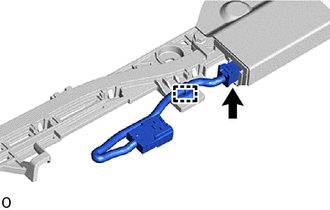
Disconnect the connector.
-
Detach the clamp to remove the No. 2 roof wire.
-
-
REMOVE NO. 2 SLIDING ROOF HOUSING PAD (for sliding roof)
-
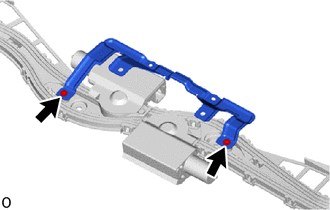
Remove the 2 screws and the room light bracket.
-
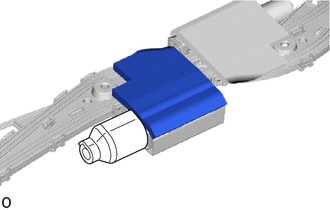
Remove the No. 2 sliding roof housing pad.
-
-
REMOVE SLIDING ROOF HOUSING PAD (for sliding roof)
-
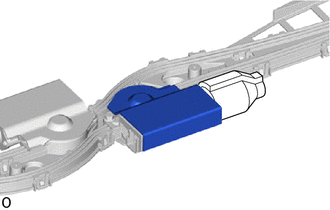
Remove the sliding roof housing pad.
-
-
REMOVE SLIDING ROOF DRIVE GEAR SUB-ASSEMBLY (for sliding roof)
-
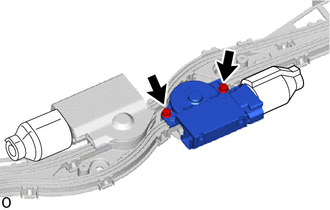
Remove the 2 bolts and sliding roof drive gear sub-assembly.
-
-
REMOVE NO. 2 SLIDING ROOF HOUSING PAD (for front roof sunshade)
-
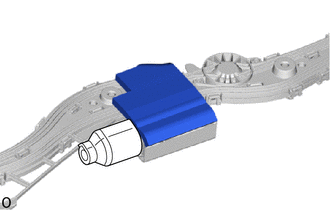
Remove the No. 2 sliding roof housing pad.
-
-
REMOVE SLIDING ROOF HOUSING PAD (for front roof sunshade)
-
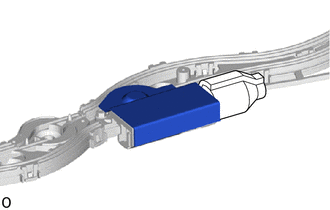
Remove the sliding roof housing pad.
-
-
REMOVE SLIDING ROOF DRIVE GEAR ASSEMBLY (for front roof sunshade)
-
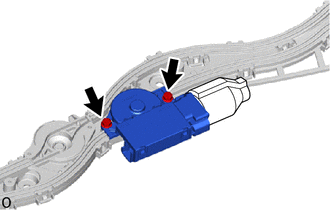
Remove the 2 bolts and sliding roof drive gear assembly.
-
-
REMOVE NO. 2 SLIDING ROOF HOUSING PAD (for rear roof sunshade)
-
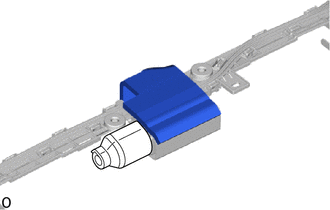
Remove the No. 2 sliding roof housing pad.
-
-
REMOVE SLIDING ROOF HOUSING PAD (for rear roof sunshade)
-
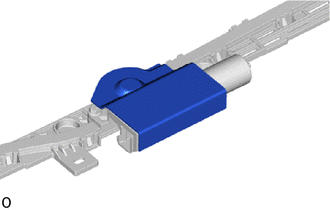
Remove the sliding roof housing pad.
-
-
REMOVE SLIDING ROOF DRIVE GEAR ASSEMBLY (for rear roof sunshade)
-
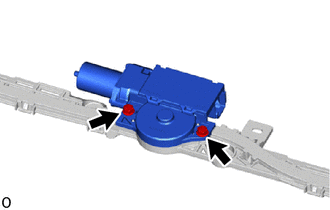
Remove the 2 bolts and sliding roof drive gear assembly.
-
-
REMOVE SUNSHADE TRIM SUB-ASSEMBLY
-
Using a screwdriver, detach the claw and remove part A as shown in the illustration.
Tech Tips
Tape the screwdriver tip before use.
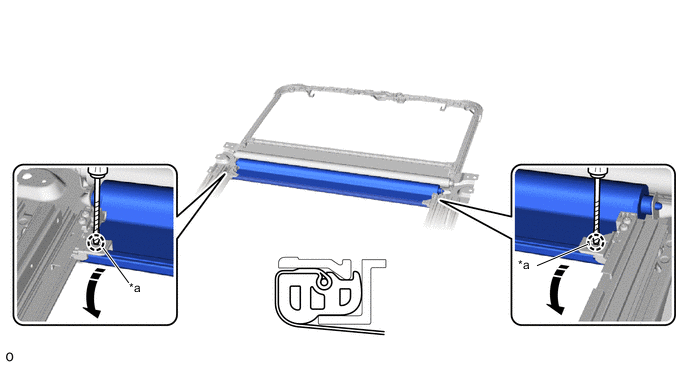
*a Part A - - Remove in this Direction Protective Tape -
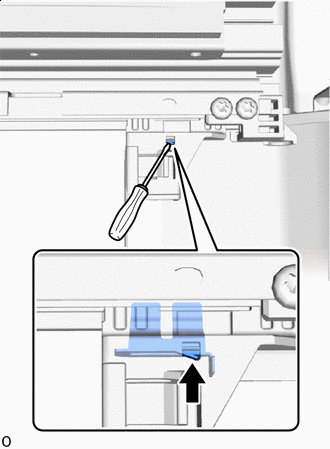

Claw Using a screwdriver, push it in the direction shown in the illustration to detach the claw.
Tech Tips
Use the same procedure for the other side.
-
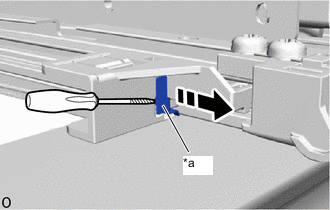
*a Clip Remove in this Direction Protective Tape Using a screwdriver, remove the clip in the direction shown in the illustration.
Tech Tips
-
Tape the screwdriver tip before use.
-
Use the same procedure for the other side.
-
-
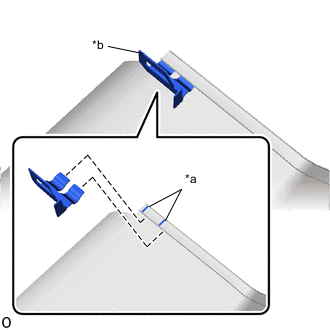
*a String *b Clip Remove the clip as shown in the illustration.
-
Pull out the stopper to lock the sunshade trim sub-assembly as shown in the illustration.
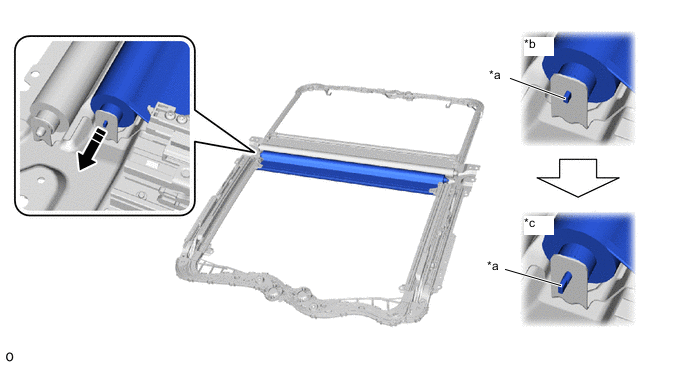
*a Stopper *b Unlock *c Lock - - Pull in this direction - - -
Insert the retractor cap, lift up the sunshade trim sub-assembly in the direction of the arrow (1) and then remove it in the direction of the arrow (2) as shown in the illustration.
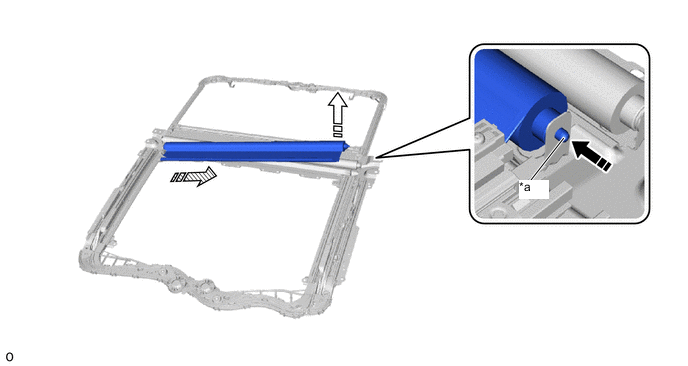
*a Retractor Cap - - Insert retractor cap Remove in this Direction (1) 
Remove in this Direction (2) - -
-
-
REMOVE NO. 2 SUNSHADE TRIM SUB-ASSEMBLY
-
Using a screwdriver, detach the claw and remove part A as shown in the illustration.
Tech Tips
Tape the screwdriver tip before use.
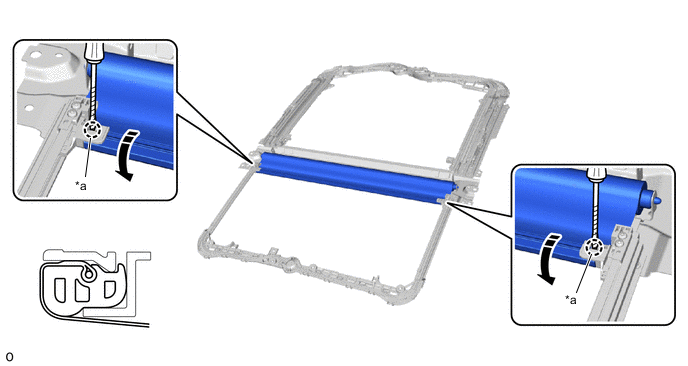
*a Part A - - Remove in this Direction Protective Tape -
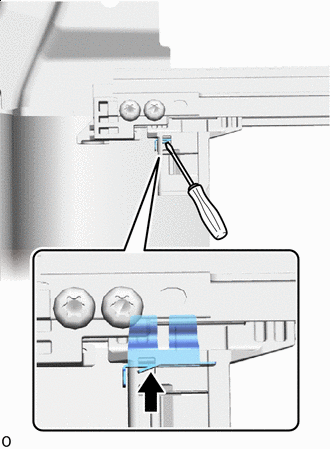
Claw Using a screwdriver, push it in the direction shown in the illustration to detach the claw.
Tech Tips
Use the same procedure for the other side.
-
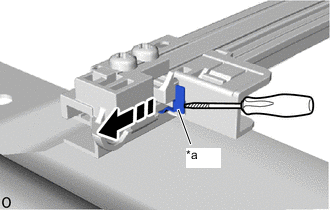
*a Clip Remove in this Direction Protective Tape Using a screwdriver, remove the clip in the direction shown in the illustration.
Tech Tips
-
Tape the screwdriver tip before use.
-
Use the same procedure for the other side.
-
-
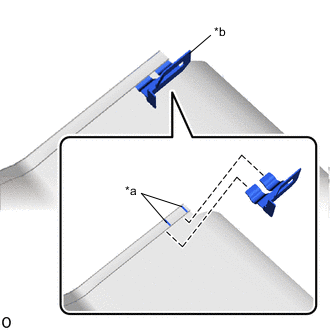
*a String *b Clip Remove the clip as shown in the illustration.
-
Pull out the stopper to lock the No. 2 sunshade trim sub-assembly as shown in the illustration.
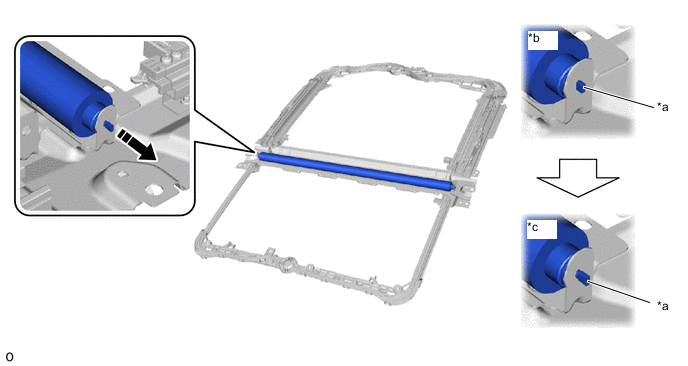
*a Stopper *b Unlock *c Lock - - Pull in this direction - - -
Insert the retractor cap, lift up the No. 2 sunshade trim sub-assembly in the direction of the arrow (1) and then remove it in the direction of the arrow (2) as shown in the illustration.
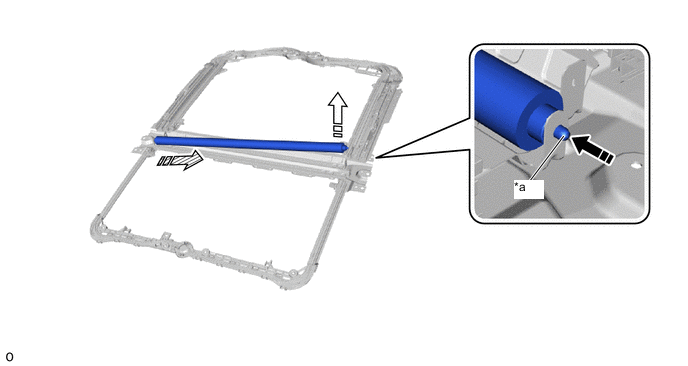
*a Retractor Cap - - Insert retractor cap Remove in this Direction (1) Remove in this Direction (2) - -
-