NAME PLATE ATTACHMENT POSITION
-
Heat the double-sided tape remaining on the body with an infrared lamp or equivalent.
Tech Tips
Heat the tape to 40 to 60°C for approximately 1 to 2 minutes.
-
Wipe off the remaining double-sided tape using a clean cloth or equivalent.
Note
If a name plate is installed without thoroughly removing the remaining double-sided tape from the body, the name plate will not adhere properly. Make sure to thoroughly wipe off the double-sided tape.
-
After cleaning the installation area of the body with degreasing agent, attach the name plate to the position shown in the illustration.
Tech Tips
The working environment should be 20°C when installing the name plate. If the working environment is below 20°C, heat the installation area of the body to 20 to 30°C and then install the name plate.
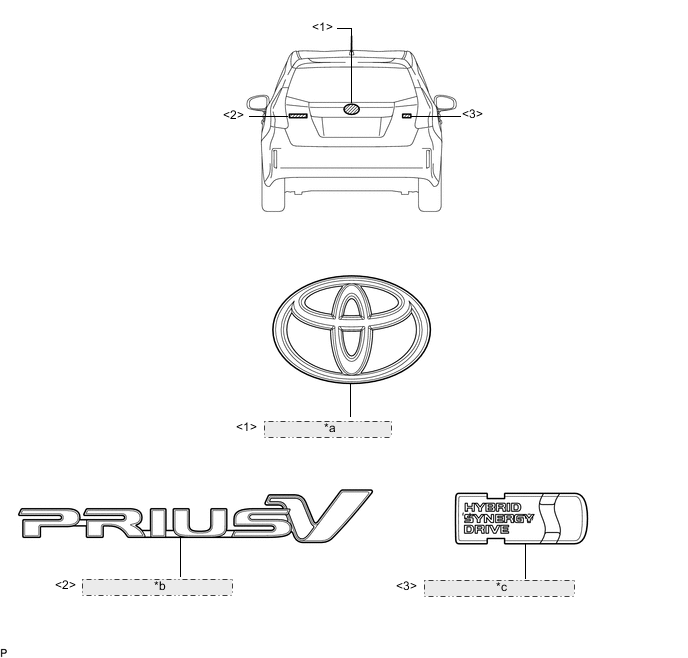
| *a | NO. 1 BACK DOOR EMBLEM |
| *b | NO. 2 BACK DOOR NAME PLATE |
| *c | NO. 1 BACK DOOR NAME PLATE |
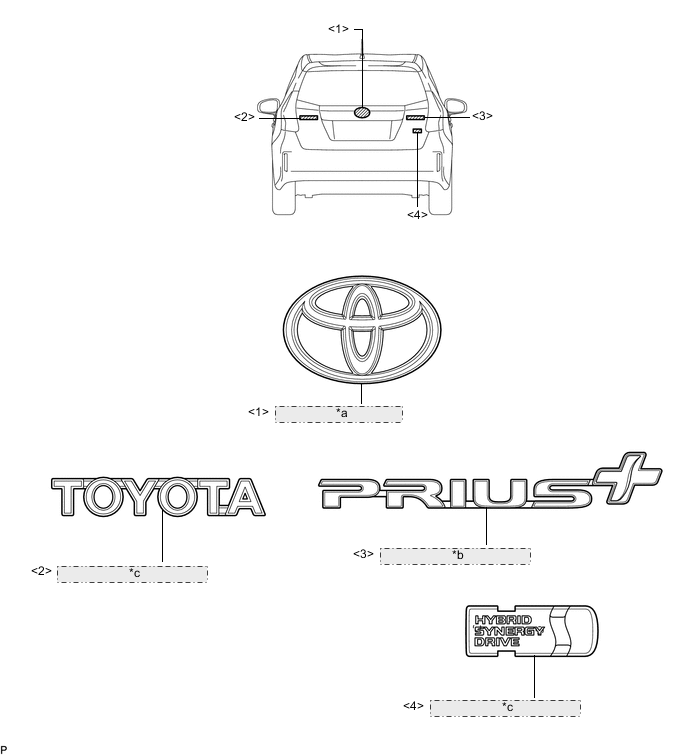
| *a | NO. 1 BACK DOOR EMBLEM |
| *b | NO. 2 BACK DOOR NAME PLATE |
| *c | NO. 1 BACK DOOR NAME PLATE |
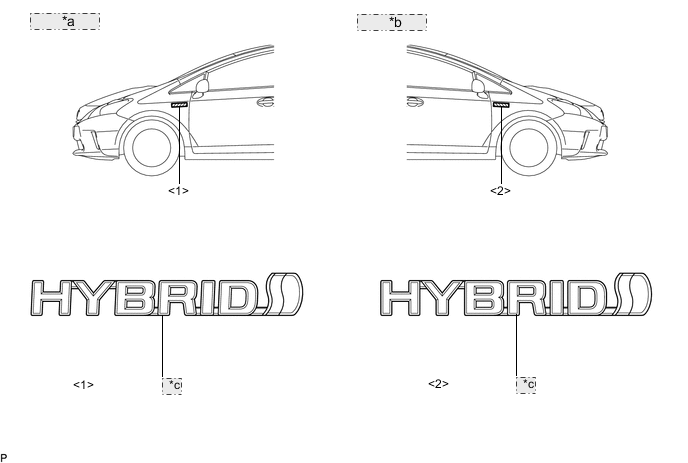
| *a | for LH Side: |
| *b | for RH Side: |
| *c | SIDE PANEL EMBLEM |
-
INSTALL NO. 2 BACK DOOR NAME PLATE
-
Install the No. 2 back door name plate as shown in the illustration.
Type A:
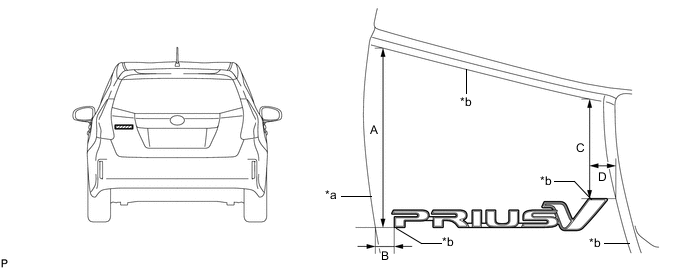
Text in Illustration *a Profile of Back Door Panel *b Edge of Curved Surface Type B:
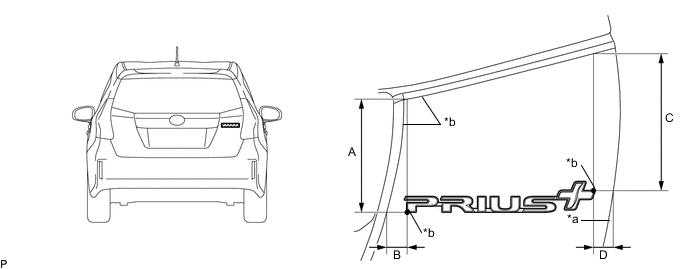
Text in Illustration *a Profile of Back Door Panel *b Edge of Curved Surface
-
-
INSTALL NO. 1 BACK DOOR NAME PLATE
-
Install the No. 1 back door name plate as shown in the illustration.
for Hybrid Plate (Type A):
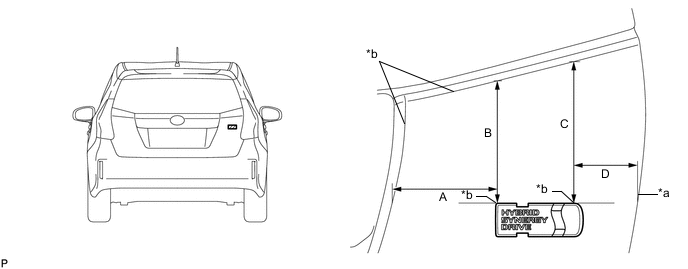
Text in Illustration *a Profile of Back Door Panel *b Edge of Curved Surface for TOYOTA Plate (Type B):
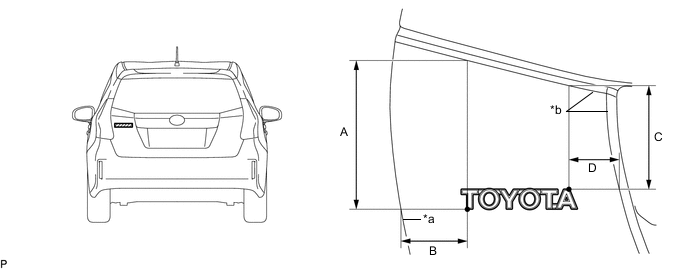
Text in Illustration *a Profile of Back Door Panel *b Edge of Curved Surface for Hybrid Plate (Type B):
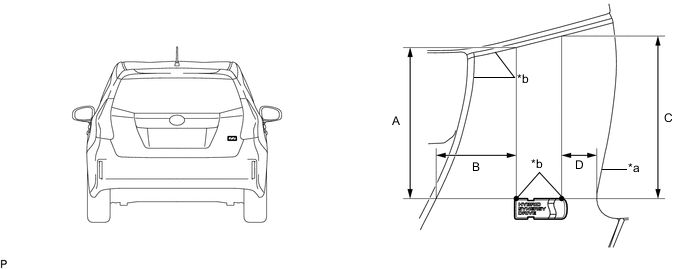
Text in Illustration *a Profile of Back Door Panel *b Edge of Curved Surface
-
-
INSTALL SIDE PANEL EMBLEM
-
Install the side panel emblem as shown in the illustration.
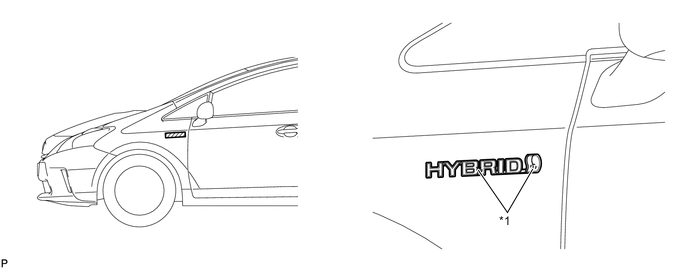
Text in Illustration *1 Location Pin - - Tech Tips
Use the same procedure for the RH side and LH side.
-