NAVIGATION SYSTEM(for DVD) Voice Recognition Difficulty
| DTC Code | DTC Name |
|---|---|
| Voice Recognition Difficulty |
PROCEDURE
CHECK CONDITION
Check if the system's voice recognition level is low when recognizing a particular voice.
OK
System's voice recognition level is low with any voice.
Tip:System's voice recognition level varies depending on voice and pronunciation. This is not a malfunction.
Result
Result
OK
NG
NG END
CHECK MAP DISC
-
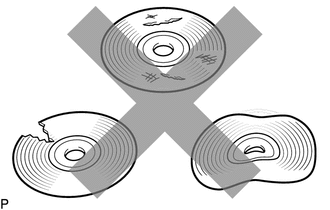
Check that the map disc is not deformed or cracked.
OK
No deformations or cracks on the map disc
Result
Result
OK
NG
NG REPLACE MAP DISC
-
CHECK MAP DISC
-
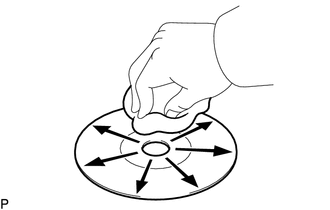
Check for dirt on the map disc surface.
OK
No dirt is on the map disc surface.
Note:Do not use a conventional record cleaner or antistatic preservative.
Tip:If the disc is dirty, clean the disc by wiping the disc surface radially with a soft cloth.
Result
Result
OK
NG
NG CLEAN MAP DISC
-
CHECK MICROPHONE (NAVIGATION CHECK MODE)
-
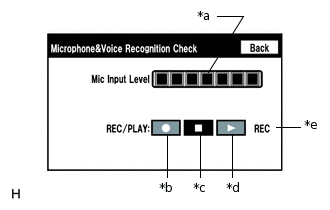
*a
Microphone Input Level Meter
*b
Recording Switch
*c
Stop Switch
*d
Play Switch
*e
Recording Indicator
Enter the "Microphone & Voice Recognition Check" (Check Mic & Voice Recognition).
When voice is input into the microphone, check that the microphone input level meter changes according to the input voice.
Push the recording switch and perform voice recording.
Tip:Select the recording switch with the blower motor of the air conditioning system stopped. If an outlet of the air conditioning system is facing the microphone, noise may be recorded.
Voice can be recorded for up to 5 seconds.
Check that the recording indicator remains on while recording and that the recorded voice is played normally without noise or distortion.
OK
All check results are normal.
Result
Result
OK
NG
OK END
-