AUDIO AND VISUAL SYSTEM(except Sedan Radio and Display Type) No Sound can be Heard from Speakers
| DTC Code | DTC Name |
|---|---|
| No Sound can be Heard from Speakers |
PROCEDURE
CHECK AUDIO SETTINGS
-
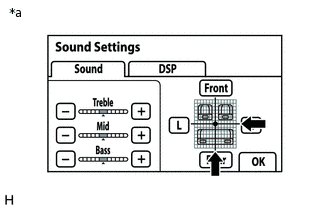
*a
Example
Display the "Sound Settings" screen.
Set volume, fader and balance to the initial values and check that the sound is normal.
OK
Audio system returns to normal.
Tip:Sound quality adjustment measures vary according to the type of amplifier.
Result
Proceed to
OK
NG
OK END
-