PARKING ASSIST MONITOR SYSTEM Guide Lines are Displayed with Vehicle Center Line
| DTC Code | DTC Name |
|---|---|
| Guide Lines are Displayed with Vehicle Center Line |
DESCRIPTION
The television camera assembly can create parking guide lines. Since this function is not necessary on vehicles with the parking assist monitor system, the guide line creation function of the television camera assembly is disabled.
WIRING DIAGRAM
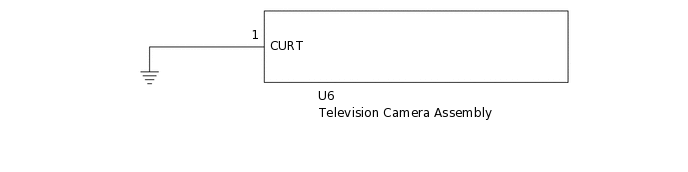
CAUTION / NOTICE / HINT
When "System initializing" is displayed on the navigation ECU sub-assembly after disconnecting the cable from the negative (-) battery terminal, correct the steering angle neutral point (Click here).
Depending on the parts that are replaced or operations that are performed during vehicle inspection or maintenance, calibration of other systems as well as the parking assist monitor system may be needed (Click here).
PROCEDURE
CHECK SCREEN MODE
-
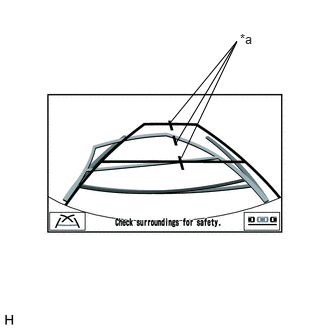
Check the back guide monitor screen.
Result
Result
Proceed to
Guide lines are displayed with vehicle center line.
A
Guide lines are displayed without vehicle center line.
B
-
CHECK HARNESS AND CONNECTOR (TELEVISION CAMERA ASSEMBLY - BODY GROUND)
Disconnect the U6 television camera assembly connector.
Measure the resistance according to the value(s) in the table below.
Standard Resistance
Tester Connection
Condition
Specified Condition
U6-1 (CURT) - Body ground
Always
Below 1 Ω
Result
Proceed to
OK
NG
NG REPAIR OR REPLACE HARNESS OR CONNECTOR