FRONT CONSOLE BOX REMOVAL
PROCEDURE
-
REMOVE NO. 1 METER HOOD CLUSTER
-
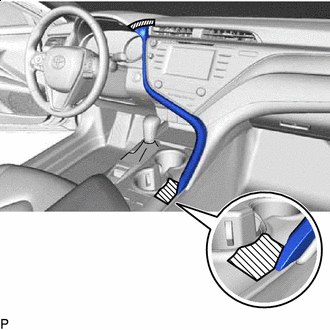

Protective Tape Apply protective tape to the area shown in the illustration.
-
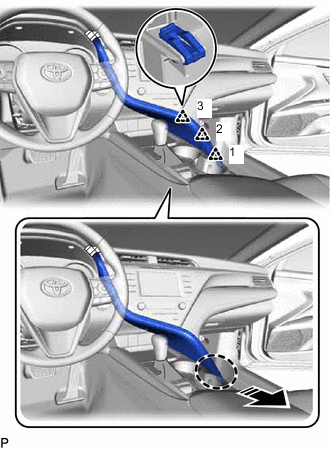

Place Hand Here 
Remove in this Direction Disengage the 3 clips in the order shown in the illustration.
-
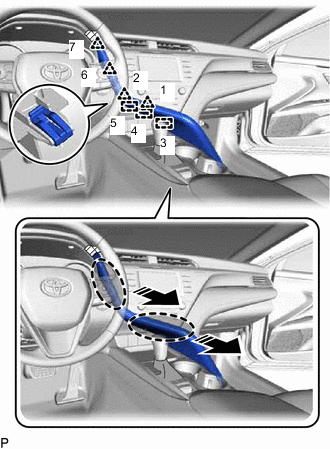
Place Hand Here Remove in this Direction Disengage the 4 clips and 3 guides in the order shown in the illustration.
-
Disconnect the connector to remove the No. 1 meter hood cluster.
-
-
REMOVE NO. 2 INSTRUMENT PANEL GARNISH SUB-ASSEMBLY
-
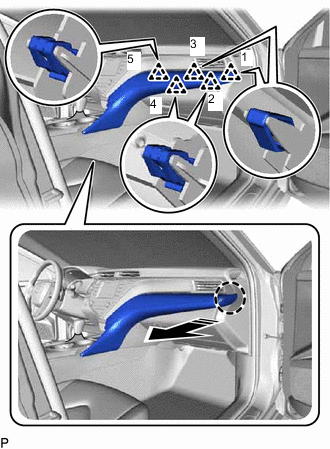
Place Hand Here Remove in this Direction Disengage the 5 clips in the order shown in the illustration.
-
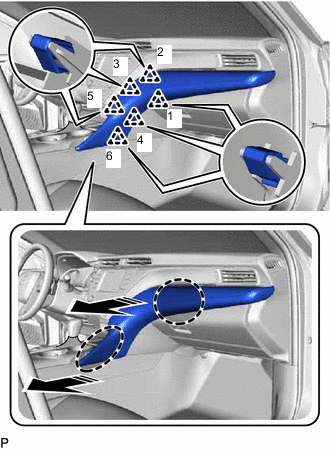
Place Hand Here Remove in this Direction Disengage the 6 clips in the order shown in the illustration to remove the No. 2 instrument panel garnish sub-assembly.
-
-
REMOVE INSTRUMENT PANEL FINISH PLATE GARNISH
-
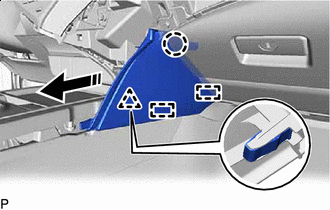
Remove in this Direction Disengage the clip, claw and 2 guides to remove the instrument panel finish plate garnish as shown in the illustration.
-
-
REMOVE LOWER CENTER INSTRUMENT PANEL FINISH PANEL
-
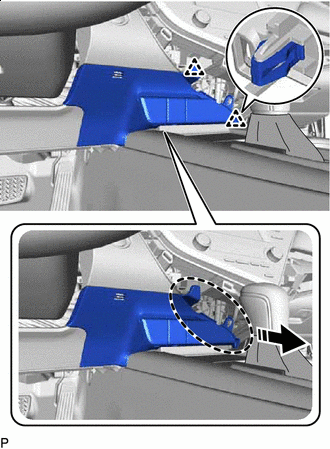
Place Hand Here Remove in this Direction Disengage the 2 clips as shown in the illustration.
-
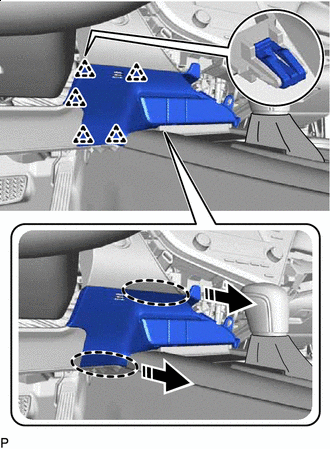
Place Hand Here Remove in this Direction Disengage the 5 clips as shown in the illustration.
-
Disengage the clamp.
-
Disconnect each connector to remove the lower center instrument panel finish panel.
-
-
REMOVE SHIFT LOCK RELEASE BUTTON COVER
for UA80E:
for UB80E:
for U760E:
for U761E:
-
REMOVE SHIFT LEVER KNOB SUB-ASSEMBLY
for UA80E:
for UB80E:
for U760E:
for U761E:
-
REMOVE REAR UPPER CONSOLE PANEL SUB-ASSEMBLY
-
Move the shift lever to N.
-
Using a moulding remover, disengage the 2 claws and 2 clips as shown in the illustration.
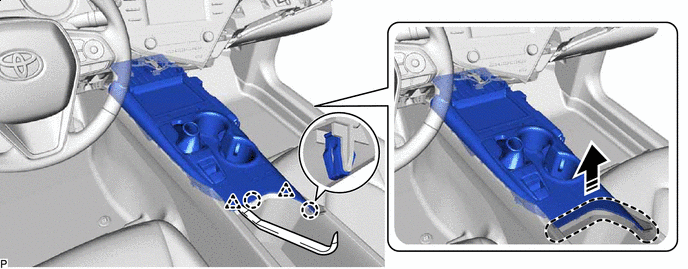
Place Hand Here Remove in this Direction -
Disengage the 5 claws and 4 clips as shown in the illustration.
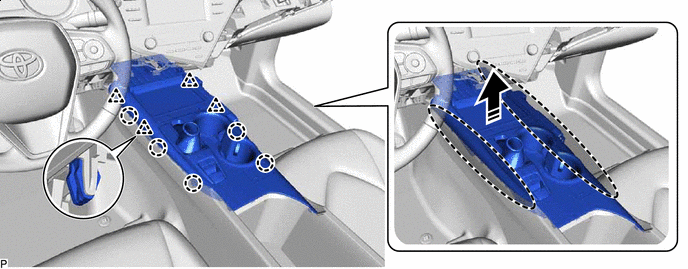
Place Hand Here Remove in this Direction -
Disengage the clamp.
-
Disconnect each connector to remove the rear upper console panel sub-assembly.
-
-
REMOVE SHIFT POSITION INDICATOR
for UA80E:
for UB80E:
for U760E:
for U761E:
-
REMOVE FRONT CONSOLE BOX INSERT SUB-ASSEMBLY
-
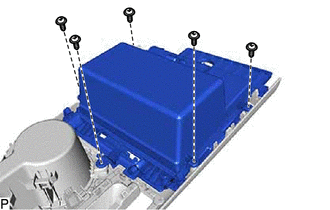
Remove the 5 screws and front console box insert sub-assembly.
-
-
REMOVE INSTRUMENT PANEL CUP HOLDER
-
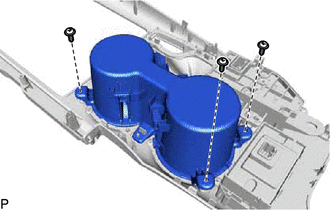
Remove the 3 screws.
-
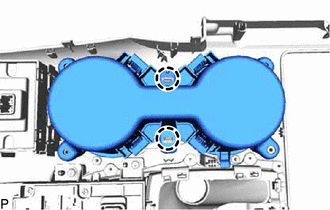
Disengage the 2 claws to remove the instrument panel cup holder.
-
-
REMOVE CONSOLE REAR END PANEL SUB-ASSEMBLY
-
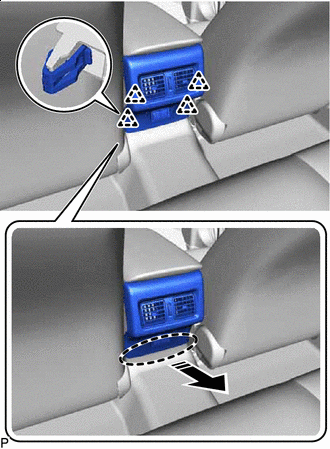
Place Hand Here Remove in this Direction Disengage the 4 clips as shown in the illustration.
-
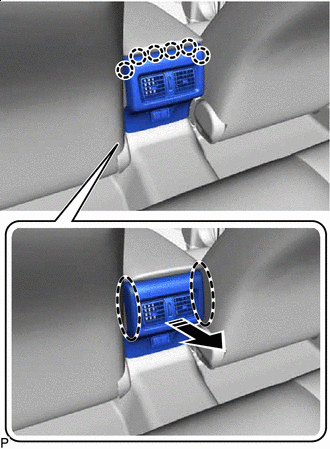
Place Hand Here Remove in this Direction Disengage the 6 claws to remove the console rear end panel sub-assembly as shown in the illustration.
-
w/ Power Outlet Socket:
-
Disconnect the connector.
-
-
-
REMOVE CONSOLE BOX CARPET
-
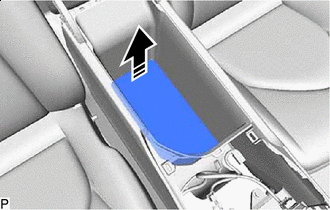
Remove in this Direction Remove the console box carpet as shown in the illustration.
-
-
REMOVE CONSOLE BOX ASSEMBLY
-
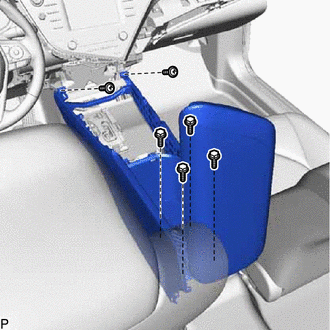
Remove the 4 bolts, 2 screws and console box assembly.
-