METER / GAUGE SYSTEM
-
FUNCTION
-
Except Models with TFT LCD Type Multi-information Display
-
Buzzer Function
-
The table below shows the warning and reminder functions of the buzzer in the combination meter assembly.
Priority Item 1 Speed Limiter Warning*1
2 Front Seat Belt Warning 3 EPS Warning 4 Key Reminder 5 Hill Start Assist Control Warning 6 Engine Immobiliser Matching Completion Report 7 Shift Operation Reject Warning*2
8 Rev/Red Zone Warning*3
9 Light Reminder Tech Tips
*1: Models for G.C.C. countries
*2: Models with A/T
*3: Models with rev indicator/red zone indicator
-
-
Multi-information Display Function
Display Display Item Outline 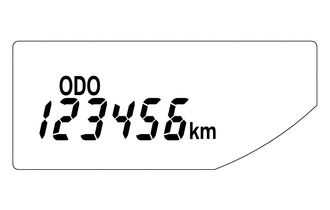
Odometer Display Displays the odometer. 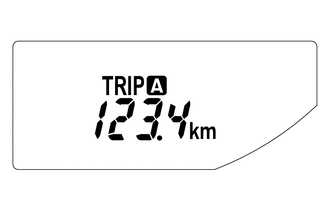
Trip Meter A Display Displays the trip meter A. 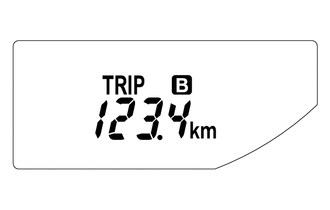
Trip Meter B Display Displays the trip meter B. 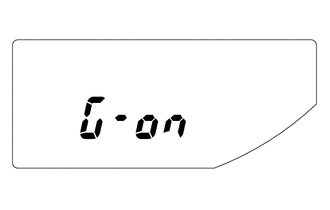
M/T Shift and Shift-up Indicator Customize Display*1
(While IG OFF)
-
Displays whether M/T shift and shift-up indicator display control is off or on.
-
When the ignition is off and the trip meter B is being displayed, pressing the ODO/TRIP switch quickly changes the display mode to M/T shift and shift-up indicator customize. Holding the ODO/TRIP switch down can toggle it between off and on.
-
Initial setup is off.
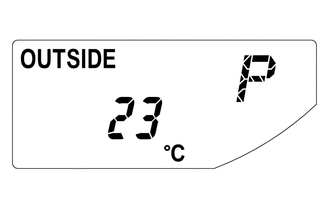
Outside Temperature Display Displays the temperature outside.*2
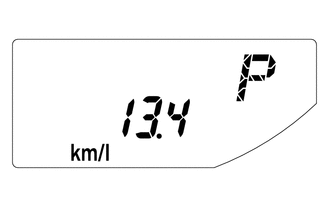
Instant Fuel Consumption Display
-
Displays the value that has been calculated by the combination meter assembly, which is based on the distance driven and the fuel consumption volume.
-
The display updates constantly.
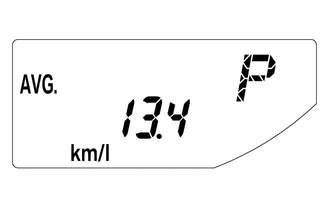
Average Fuel Consumption After Refueling Display
-
Displays the value that has been calculated by the combination meter assembly, which is based on the distance driven after reset and the fuel consumption.
-
Holding down the DISP switch will reset the fuel consumption meter.
-
The display updates every 10 seconds.
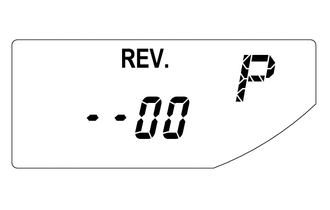
Rev Indicator/Red Zone Indicator Customize Display*3
(While a Vehicle Stop)
-
Displays the starting engine revolution count for rev indicator light-up.
-
While rev indicator/red zone indicator customize is indicated, holding down the DISP switch changes it to setup mode. The starting engine revolution count for rev indicator light-up (2000 to 7400 revolutions) and rev/red zone buzzer on/off can be set.
-
When setting the rev indicator, the rev indicator will light up and the tachometer will display the set engine revolution count for 1 second with the ignition on.
-
The initial setup is the function off state.
Tech Tips
*1: Models with M/T shift and shift-up indicator customize display function for M/T
*2: The indication of the outside temperature is influenced by vehicle speed, and the indication during a stop (low vehicle speed) is not updated, but is not abnormal.
*3: Models with rev indicator/red zone indicator
-
-
-
Models with TFT LCD Type Multi-information Display
-
Buzzer Function
-
The table below shows the warning and reminder functions of the buzzer in the combination meter assembly.
Priority Item 1 Speed Limiter Warning*1
2 Front Seat Belt Warning 3 EPS Warning 4 Entry and Start System Warning 5 Hill Start Assist Control Warning 6 Multi-information Display Warning 7 Engine Immobiliser Matching Completion Report 8 Shift Operation Reject Warning*2
9 Rev/Red Zone Warning 10 Light Reminder Tech Tips
*1: Models for G.C.C. countries
*2: Models with A/T
-
-
Setting Function
-
The items displayed on the multi-information display can be customized.
-
The items can be selected on the information setting screen.
Item Available Setting Initial Performance The videos display on the multi-information display can be switched:
-
ON (Default)
-
OFF
Tech Tips
-
1 of 3 opening videos is played at random each time the ignition is switched on.
-
1 of 3 ending videos is played at random each time the ignition is switched off.
REV Indicator
-
The rev indicator setting on the multi-information display can be adjusted:
Tech Tips
The engine speed for rev indicator activation can be set at increments of 100 rpm between 2000 rpm and 7400 rpm.
-
The rev zone warning buzzer can be switched:
-
ON
-
OFF (Default)
GSI Customize*
The GSI (Gear Shift Indicator) customize setting on the multi-information display can be switched: Language The language used on the multi-information display can be selected:
-
English
-
French
-
Spanish
-
German
-
Italian
-
Russian
-
Chinese ( - 2017/10)
-
Turkish
-
Arabic (2017/10 - )
Tech Tips
The selectable language may differ depending on the model or region.
Unit The unit displayed on the multi-information display can be selected:
-
miles (MPG (US))
-
miles (MPG (Imperial))
-
km (L/100 km)
-
km (km/L)
Tech Tips
The selectable units may differ depending on the model.
Initialization The setting items on the multi-information display can be in initialized. Tech Tips
*: Shown or hidden according to the destination.
-
-
-
Warning Mode Function
-
When a warning is necessary, the warning display interrupts the display in the multi-information display.
-
The master warning light may illuminate or blink and the buzzer in the combination meter assembly may sound depending on the item displayed on the multi-information display.
Priority Display Master Warning light Buzzer 1 Brake Malfunction Illuminates Sounds 2 Door Open (While Driving) Blinks - 3 Door Open - - 4 Auto Power Off to Conserve Battery - - 5 Shift to P position when parked Blinks Sounds 6 Check Power Steering System Illuminates Sounds 7 Key not detected Blinks Sounds 8 Check SRS Airbag System Illuminates Sounds 9 Check ABS - Sounds 10 Engine Coolant High Temperature Illuminates Sounds 11 Check Access System with Elec. Key Blinks Sounds 12 Transmission Fluid High Temperature Illuminates Sounds 13 Turn Power Off Blinks Sounds 14 Key detected in vehicle Blinks Sounds 15 Turn Light Off Blinks Sounds 16 Depress brake pedal, touch engine switch with key Blinks Sounds 17 Depress clutch pedal, touch engine switch with key Blinks Sounds 18 Depress brake pedal and push engine switch to start Blinks Sounds 19 Depress clutch pedal and push engine switch to start Blinks Sounds 20 Shift to P position to Start Blinks Sounds 21 Steering Lock active Blinks Sounds 22 Key Battery Low Illuminates Sounds 23 Fuel Low - - 24 Roads may be icy - - 25 No Messages - -
-
-
-
-
OPERATION
-
Except Models with TFT LCD Type Multi-information Display
-
Switching the Multi-information Display
-
The multi-information display changes in the order shown below by pressing the ODO/TRIP switch or DISP switch.
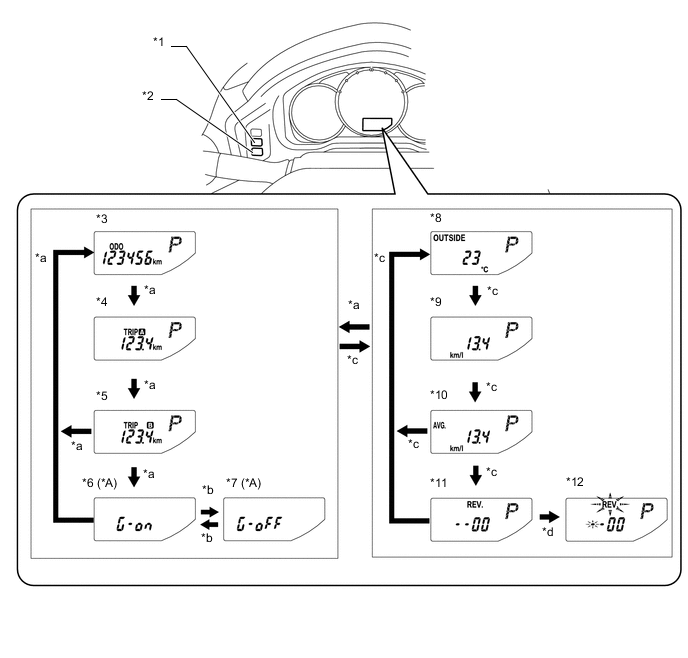
Text in Illustration *A Models with M/T Shift and Shift-up Indicator Customize Display Function for M/T - - *1 ODO/TRIP Switch *2 DISP Switch *3 Odometer Display *4 Trip Meter A Display *5 Trip Meter B Display *6 M/T Shift and Shift-up Indicator Customize Display: G-On (While IG OFF) *7 M/T Shift and Shift-up Indicator Customize Display: G-Off (While IG OFF) *8 Outside Temperature Display *9 Instant Fuel Consumption Display *10 Average Fuel Consumption After Refueling Display *11 Rev Indicator/Red Zone Indicator Customize Display (Models with Rev Indicator/Red Zone Indicator) (While a Vehicle Stop) *12 Rev Indicator/Red Zone Indicator Customize Display Setup Mode (Models with Rev Indicator/Red Zone Indicator) (While a Vehicle Stop) *a ODO/TRIP switch short press *b ODO/TRIP switch long press *c DISP switch short press *d DISP switch long press
-
-
Rev Indicator/Red Zone Indicator Customize Setup Mode Display
-
The starting engine revolution count for rev indicator light-up (2000 to 7400 revolutions) and rev/red zone buzzer on/off can be set.
-
When average fuel consumption is indicated while the vehicle is stopped, pressing the DISP switch quickly displays the rev indicator/red zone indicator customize mode. Holding down the DISP switch changes it to setup mode.
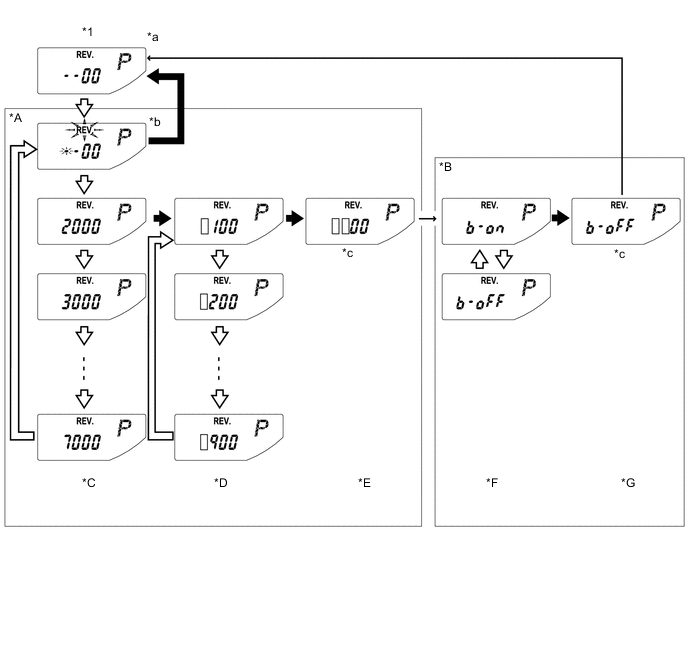
*A Rev Indicator Revolution Count Setup Mode *B Rev/Red Zone Buzzer On/Off Setup Mode *C Thousands-Digit Setup Screen *D Hundreds-Digit Setup Screen *E Revolution Count Confirmation Screen *F Buzzer On/Off Setup Screen *G Buzzer Setup Confirmation Screen - - *1 Rev Indicator/Red Zone Indicator Customize Display - - *a Initial display. Displays previous revolution setting if a previous setting value exists. *b "REV." and setable area blink during setup mode. *c Switch input invalid (1 second indication) - - 
DISP switch short press 
DISP switch long press → Automatic transition [] Setting value
-
-
-
Models with TFT LCD Type Multi-information Display
-
Switching the Multi-information Display
-
Display Function Flow
-
The multi-information display flow can be switched as shown in the flow chart below:
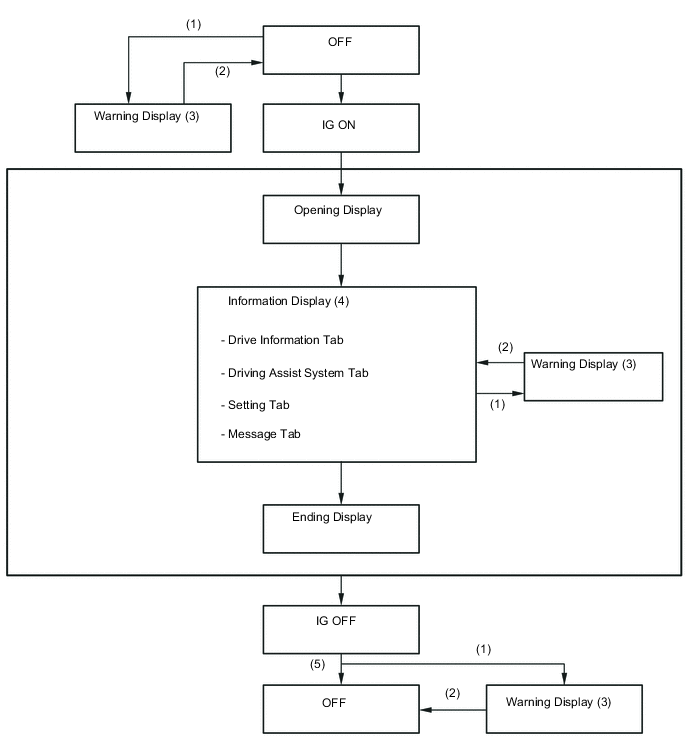
Item Display Change Condition (1) Conditions are met. (2) Conditions are not met. (3) If there are multiple display requests, items will be displayed in sequence. (4) Item or display is selected by operating the steering pad switch assembly switch. (5) ODO and remaining fuel display is displayed for a certain period of time after the ignition switch is turned off and the ODO/TRIP switch is pressed. -
Display Tab Operation
-
The information currently displayed can be switched using the RIGHT/LEFT switch on the steering pad switch assembly.
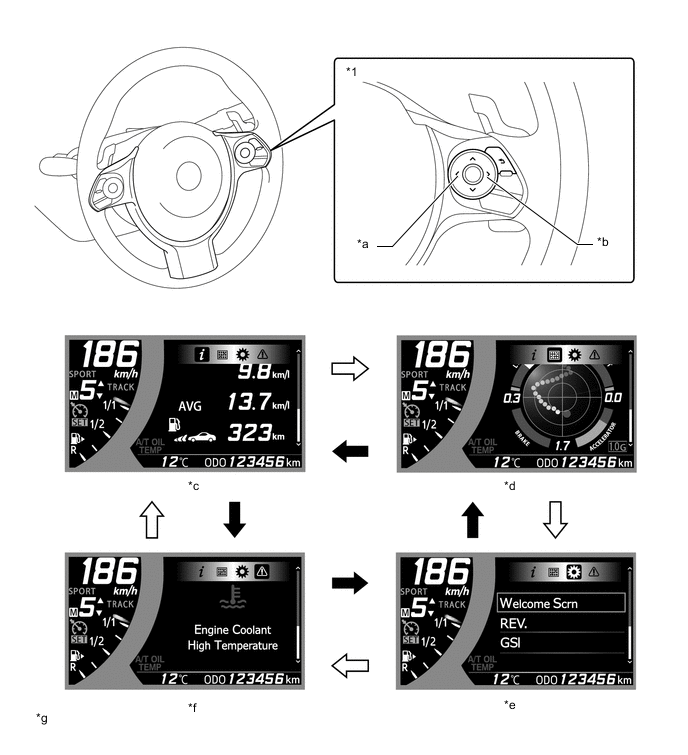
Text in Illustration *1 Steering Pad Switch Assembly - - *a LEFT Switch *b RIGHT Switch *c Drive Information *d Driving Assist System Information *e Setting *f Message *g The illustrations shown are examples only. - - Pressing the LEFT switch Pressing the RIGHT switch -
The information currently displayed can be switched using the UP/DOWN switch and BACK switch on the steering pad switch assembly.
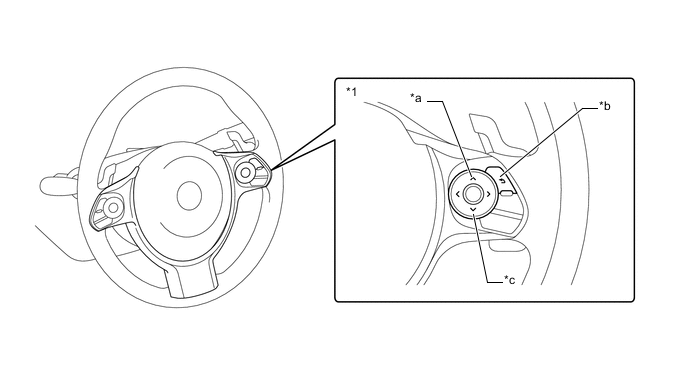
Text in Illustration *1 Steering Pad Switch Assembly - - *a UP Switch *b BACK Switch *c DOWN Switch - - Information Tab Tab Display Drive information Drive information 1
-
Instantaneous fuel consumption
-
Average fuel consumption
-
Cruising distance
Drive information 2
-
Average vehicle speed
-
Continuous operation time
-
Continuous operation distance
Drive information 3
-
Coolant temperature gauge
-
Oil temperature gauge
-
Voltage gauge
Driving Assist System Information G meter
-
G ball (past 20 items)*
-
Steering angle gauge
-
Brake pedal force
-
Accelerator position
G meter and peak hold
-
G ball (with peak hold)*
-
Steering angle gauge
-
Brake pedal force
-
Accelerator position
Torque curve
-
Torque curve
-
Power curve
Stop watch (Lap timer) Tech Tips
*: This display is intended for use as a guideline. Depending on factors such as the road surface condition, temperature and vehicle speed, the display may not show the actual condition of the vehicle.
-
-
-
-