TELEMATICS SYSTEM(w/ Telematics Transceiver for G-BOOK) REGISTRATION
PROCEDURE
-
VEHICLE CONTRACT SETTING
Tech Tips
-
When replacing the navigation ECU, it is not necessary to cancel the G-BOOK contract. (If canceled, a new G-BOOK contract needs to be created after replacement.)
-
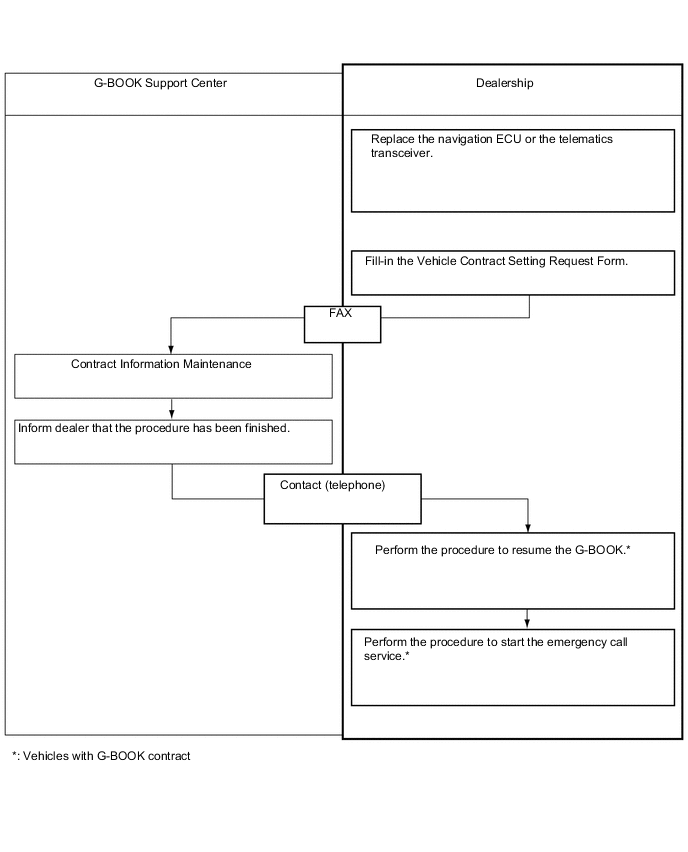
If the navigation ECU or telematics transceiver is replaced on vehicles that do not have a contract for the G-BOOK, perform the vehicle contract setting.
-
If the navigation ECU or telematics transceiver is replaced on vehicles that have a contract for the G-BOOK, perform the vehicle contract setting and the procedure to resume the G-BOOK and to start the emergency call service.
-
Check the ID before replacement (when diagnosis can be activated).
Tech Tips
-
If the telematics transceiver is replaced, check the DCM ID.
-
If the navigation ECU is replaced, check the G-BOOK ID.
-
Enter diagnostic mode.
-
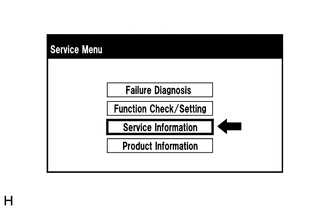
Select "Service Information" on the "Service Menu" screen.
-
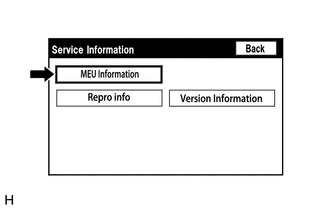
Select "MEU Information" from the "Service Information" screen.
-
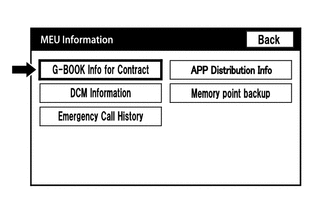
Select "G-BOOK Info for Contract" on the "MEU Information" screen.
-
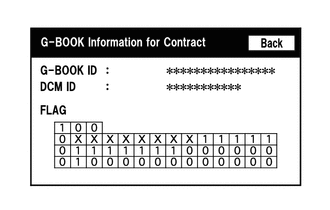
Check the G-BOOK ID or DCM ID.
Tech Tips
The DCM ID is also specified on the telematics transceiver label.
-
-
Replace the navigation ECU or telematics transceiver.
-
Replace the navigation ECU or telematics transceiver at a dealership.
-
-
Check the ID after replacement.
Tech Tips
-
If the telematics transceiver is replaced, check the DCM ID.
-
If the navigation ECU is replaced, check the G-BOOK ID.
-
Enter diagnostic mode.
-
Select "Service Information" on the "Service Menu" screen.
-
Select "MEU Information" from the "Service Information" screen.
-
Select "G-BOOK Info for Contract" on the "MEU Information" screen.
-
Check the G-BOOK ID or DCM ID.
Tech Tips
The DCM ID is also specified on the telematics transceiver label.
-
-
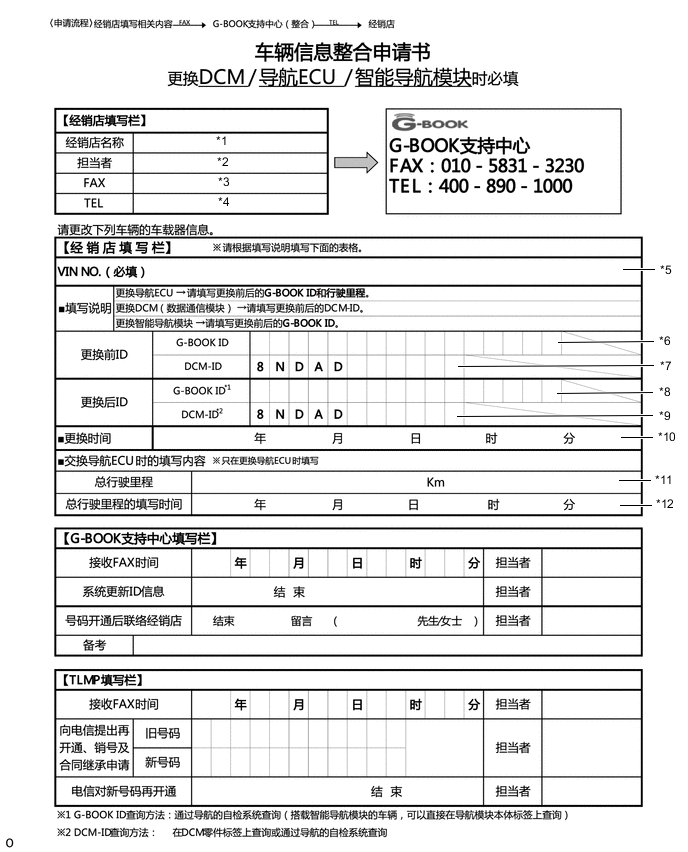
Fill-in the Vehicle Contract Setting Request Form.
-
After filling in the Vehicle Contract Setting Request Form, fax it to the G-BOOK center.
Item Information to Enter Note *1 Enter the dealership name. Dealership information *2 Enter the name of the applicant. Applicant information *3 Enter the fax number of the dealership. Dealership information *4 Enter the phone number of the dealership. Dealership information *5 Enter the VIN of the vehicle. Vehicle information *6
-
Enter the G-BOOK ID of the old unit.
-
Left-align the number.
-
If the navigation ECU has not been replaced, it is not necessary to enter this item.
Used as change-request information from the dealership *7
-
Enter the DCM ID of the old unit.
-
Left-align the number.
-
If the telematics transceiver has not been replaced, it is not necessary to enter this item.
Used as change-request information from the dealership *8
-
Enter the G-BOOK ID of the new unit installed to the vehicle.
-
Left-align the number.
-
If the navigation ECU has not been replaced, it is not necessary to enter this item.
Used as change-request information from the dealership *9
-
Enter the DCM ID of the new unit installed to the vehicle.
-
Left-align the number.
-
If the telematics transceiver has not been replaced, it is not necessary to enter this item.
Used as change-request information from the dealership *10
-
Enter the date when the telematics transceiver is replaced.
-
If the telematics transceiver has not been replaced, it is not necessary to enter this item.
Used as change-request information from the dealership *11 Enter the mileage on the odometer when the navigation ECU is replaced. Used as change-request information from the dealership *12 Enter the date that the mileage was recorded. Used as change-request information from the dealership -
-
-
Perform the procedure to resume the G-BOOK.
-
Select G-BOOK.com.
-
After the guidance screen is displayed, perform the procedure to resume the G-BOOK by following the instructions on the screen.
-
-
Perform the procedure to start the emergency call service.
-
After completing the procedure to resume the G-BOOK, perform the procedure to start the emergency call service by following the instructions on the screen.
Tech Tips
The emergency call service will be available when the procedure is completed successfully.
-
-