MAYDAY BATTERY INSTALLATION
PROCEDURE
-
INSTALL MAYDAY BATTERY (for G-BOOK)
-
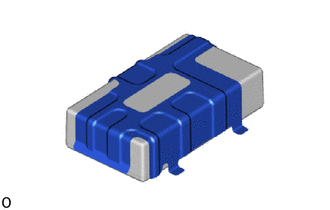
Set the mayday battery into place on the No. 2 telephone bracket.
-
Temporarily install the mayday battery with bracket as shown in the illustration.
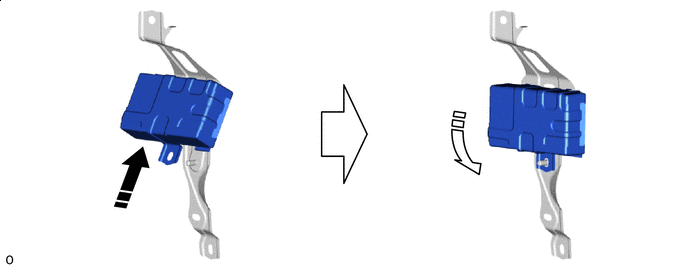

Install in this Direction (1) 
Install in this Direction (2) -
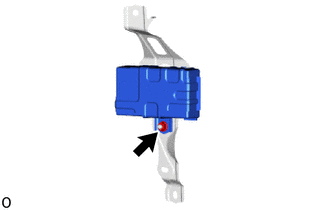
Install the nut.
-
-
INSTALL MAYDAY BATTERY WITH BRACKET (for G-BOOK)
-
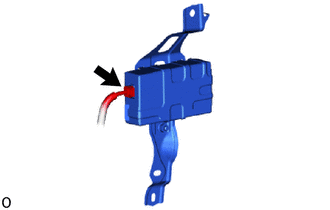
Connect the connector.
-
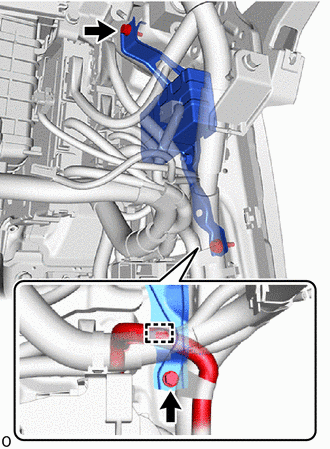
Insert the guide and install the mayday battery with bracket with the 2 bolts.
-
Connect the clamp.
-
-
INSTALL PASSENGER SIDE JUNCTION BLOCK ASSEMBLY WITH NETWORK GATEWAY ECU (for G-BOOK)
-
INSTALL LOWER NO. 2 INSTRUMENT PANEL AIRBAG ASSEMBLY (for G-BOOK)
-
INSTALL MOBILEPHONE BATTERY (for ERA-GLONASS)
-
Connect the connector and install the mobilephone battery as shown in the illustration.
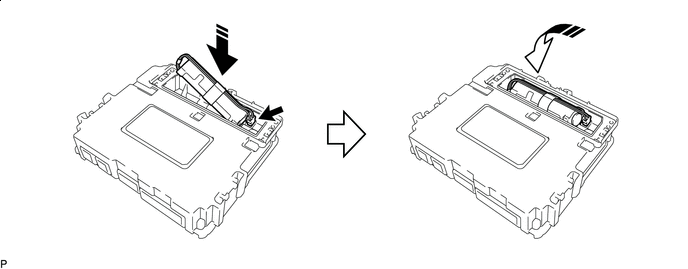
Install in this Direction (1) Install in this Direction (2) Note
Check that the connector is securely connected.
-
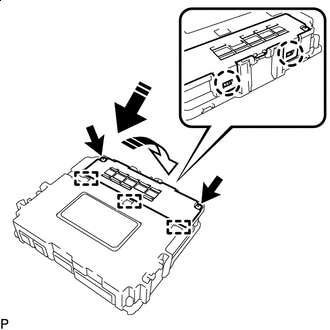
Install in this Direction (1) Install in this Direction (2) Insert the guide and attach the claw as shown in the illustration.
-
Install the battery cover with the 2 screws.
Note
Check that the battery cover does not lift up.
-
-
INSTALL TELEMATICS TRANSCEIVER (for ERA-GLONASS)
-
CONNECT CABLE TO NEGATIVE BATTERY TERMINAL
-
for 8GR-FKS:
-
for V35A-FTS:
Note
When disconnecting the cable, some systems need to be initialized after the cable is reconnected.
-
-
INSTALL LUGGAGE COMPARTMENT MAT SUB-ASSEMBLY
-
REGISTRATION TELEMATICS TRANSCEIVER
-
for ERA-GLONASS:
-
for G-BOOK:
-