NAVIGATION SYSTEM(except Sedan) Voice Guidance does not Function
| DTC Code | DTC Name |
|---|---|
| Voice Guidance does not Function |
PROCEDURE
CHECK VOICE GUIDANCE SETTING
Display the "Navigation Prompt Volume" screen.
-
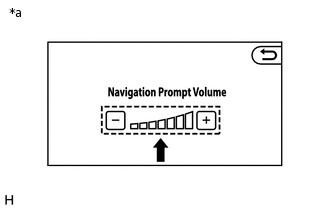
*a
Example
Check that the volume level is not set to low.
OK
The level is not set to low.
Result
Proceed to
OK
NG
NG SET VOLUME TO HIGH
CHECK AUDIO FUNCTION
Check that sound can be heard from a front speaker.
OK
Sound can be heard.
Result
Proceed to
OK
NG