FRONT CONSOLE BOX(w/ Console Box Lid) REMOVAL
CAUTION / NOTICE / HINT
Tech Tips
-
Use the same procedure for the RH and LH sides.
-
The procedure listed below is for the LH side.
PROCEDURE
-
REMOVE UPPER NO. 1 CONSOLE PANEL GARNISH
-
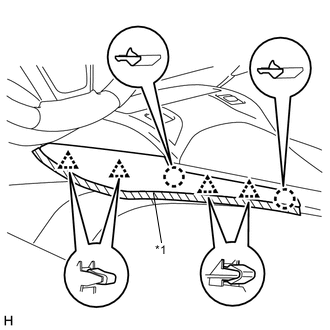
Text in Illustration *1 Protective Tape Put protective tape around the upper No. 1 console panel garnish.
-
Detach the 4 clips and 2 claws and remove the upper No. 1 console panel garnish.
-
-
REMOVE UPPER NO. 2 CONSOLE PANEL GARNISH
-
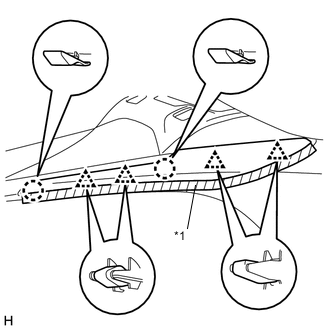
Text in Illustration *1 Protective Tape Put protective tape around the upper No. 2 console panel garnish.
-
Detach the 4 clips and 2 claws and remove the upper No. 2 console panel garnish.
-
-
REMOVE LOWER NO. 2 INSTRUMENT PANEL FINISH PANEL
-
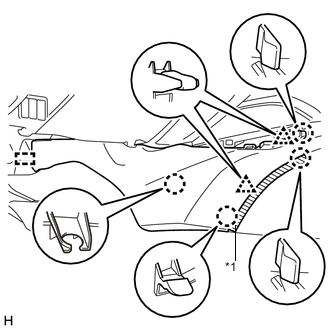
Text in Illustration *1 Protective Tape Put protective tape around the lower No. 2 instrument panel finish panel.
-
Detach the 2 clips, 4 claws and guide and remove the lower No. 2 instrument panel finish panel.
-
-
REMOVE LOWER NO. 1 INSTRUMENT PANEL FINISH PANEL
-
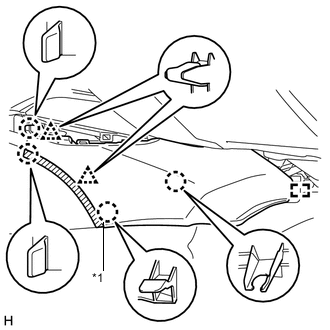
Text in Illustration *1 Protective Tape Put protective tape around the lower No. 1 instrument panel finish panel.
-
Detach the 2 clips, 4 claws and guide and remove the lower No. 1 instrument panel finish panel.
-
-
REMOVE NO. 3 BOX PANEL
-
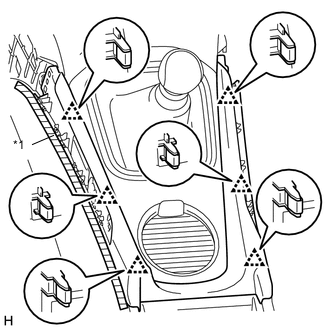
Text in Illustration *1 Protective Tape Put protective tape around the No. 3 box panel.
-
Detach the 6 clips and remove the No. 3 box panel.
-
-
REMOVE SHIFT LEVER KNOB SUB-ASSEMBLY
-
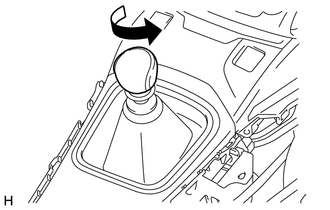
Twist the shift lever knob sub-assembly in the direction indicated by the arrow and remove it.
-
-
REMOVE UPPER REAR CONSOLE PANEL SUB-ASSEMBLY
-
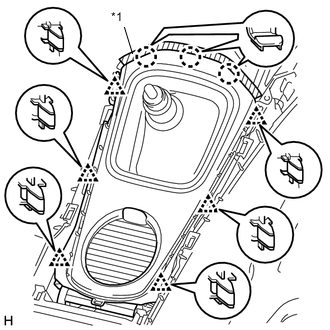
Text in Illustration *1 Protective Tape Put protective tape around the upper rear console panel sub-assembly.
-
Detach the 6 clips and 3 claws and remove the upper rear console panel sub-assembly.
-
-
REMOVE UPPER CONSOLE PANEL SUB-ASSEMBLY
-
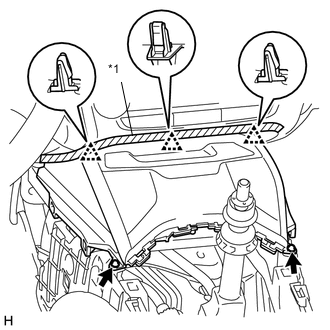
Text in Illustration *1 Protective Tape Put protective tape around the upper console panel sub-assembly.
-
Remove the 2 clips.
-
Detach the 3 clips.
-
Disconnect the connectors and remove the upper console panel sub-assembly.
-
-
REMOVE REAR CONSOLE BOX HOLDER CUP
-
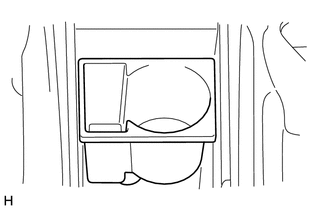
Remove the rear console box holder cup.
-
-
REMOVE CONSOLE BOX CARPET
-
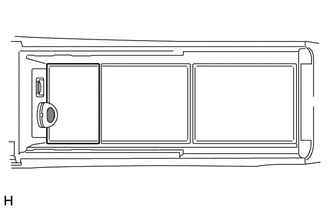
Remove the console box carpet.
-
-
REMOVE CONSOLE BOX CARPET
-
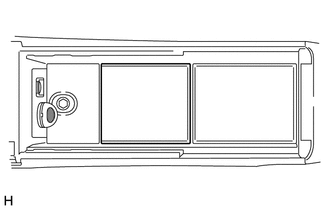
Remove the console box carpet.
-
-
REMOVE CONSOLE BOX CARPET
-
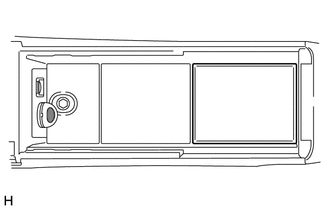
Remove the console box carpet.
-
-
REMOVE CONSOLE BOX ASSEMBLY
-
Remove the 2 screws and 4 bolts.
-
Disconnect the connector and remove the console box assembly.
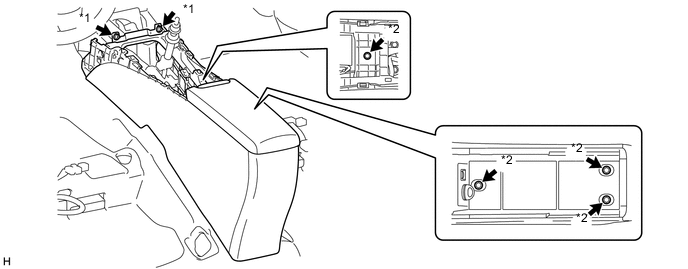
Text in Illustration *1 Screw *2 Bolt
-