METER / GAUGE SYSTEM CUSTOMIZE PARAMETERS
-
CUSTOMIZE METER / GAUGE SYSTEM
Tech Tips
The following items can be customized.
Note
-
When the customer requests a change in a function, first make sure that the function can be customized.
-
Record the current settings before customizing.
-
Customizing driver side seat belt warning buzzer (w/ Driver Side Seat Belt Warning Buzzer)
Tech Tips
-
To accommodate users who cannot use a seat belt due to special circumstances, the driver side seat belt warning buzzer can be disabled at the dealer.
-
Even if the driver side seat belt warning buzzer is disabled, the driver side seat belt warning light blinks when the driver side seat belt is not fastened.
-
Turn the ignition switch to ON and press the ODO/TRIP switch to change the ODO/TRIP meter to the ODO display.
-
Turn the ignition switch off.
-
Turn the ignition switch to ON, and then, within 6 seconds, press and hold the ODO/TRIP switch for 10 seconds or more.
-
Fasten the driver side seat belt to enter buzzer cancel mode.
-
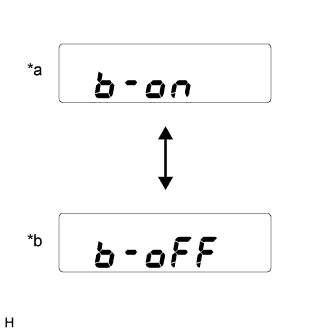
Text in Illustration *a Driver side seat belt warning buzzer is enabled *b Driver side seat belt warning buzzer is disabled Press the ODO/TRIP switch to switch between on and off.
-
Wait 10 seconds without pressing the ODO/TRIP switch, or turn the ignition switch off to end buzzer cancel mode.
Tech Tips
When a cable is disconnected from the battery, the buzzer setting is reset and the buzzer becomes enabled again.
-
-
Customizing fuel consumption (w/ Accessory Meter Assembly)
Tech Tips
The units for the average fuel consumption and current fuel consumption can be switched between "L/100km" and "km/l".
-
Press the INFO switch to display the average fuel consumption or current fuel consumption display.
-
Press and hold the INFO switch for 2.3 seconds or more.
-
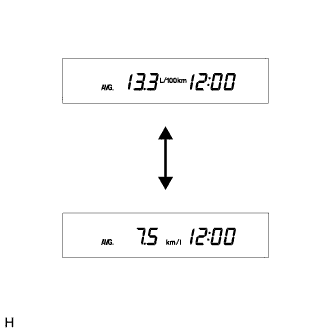
Press the RESET switch and select "L/100km" or "km/l".
Tech Tips
The initial setting is "km/l".
-
Press the INFO switch to end fuel consumption customize mode.
-
-