CLUTCH UNIT (for 2KD-FTV) REMOVAL

-
REMOVE MANUAL TRANSMISSION UNIT ASSEMBLY
-
REMOVE CLUTCH RELEASE FORK SUB-ASSEMBLY
-
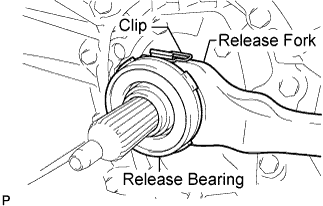
Remove the clutch release fork with the clutch release bearing from the transmission unit.
-
Remove the release bearing and clip from the clutch release fork.
-
-
REMOVE CLUTCH RELEASE FORK BOOT
-
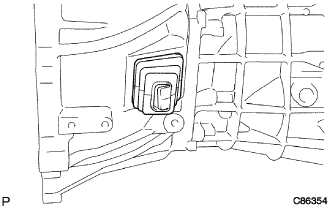
Remove the clutch release fork boot from the transmission unit.
-
-
REMOVE CLUTCH RELEASE FORK DUST SEAL
-
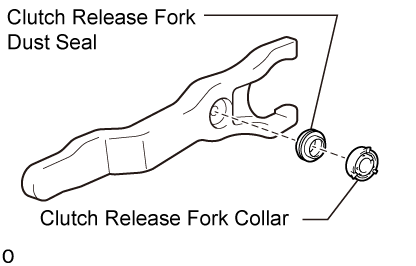
Remove the clutch release fork collar from the clutch release fork sub-assembly
-
Remove the clutch release fork dust seal from the clutch release fork sub-assembly.
-
-
REMOVE RELEASE FORK SUPPORT
-
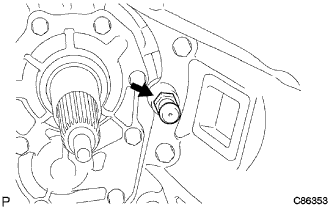
Remove the release fork support from the transmission unit.
-
-
REMOVE CLUTCH COVER ASSEMBLY
-
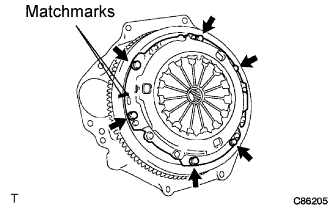
Put matchmarks on the clutch cover assembly and the flywheel sub-assembly.
-
Loosen each set bolt one turn at a time until spring tension is released.
-
Remove the set bolts, and pull off the clutch cover assembly.
Note
Do not drop the clutch disc assembly.
-
-
REMOVE CLUTCH DISC ASSEMBLY
Note
Keep the lining part of the clutch disc assembly, the pressure plate and surface of the flywheel sub-assembly away from oil and foreign matter.
-
INSPECT INPUT SHAFT BEARING
-
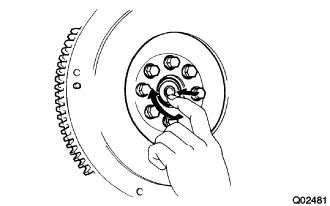
Turn the bearing by hand while applying force in the direction of the rotation.
If the bearing is stuck or difficult to turn, replace the input shaft bearing.
Tech Tips
The bearing is permanently lubricated and requires no cleaning or lubrication.
-
-
REMOVE INPUT SHAFT BEARING
-
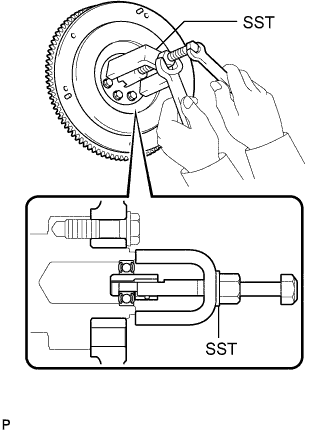
Remove the 2 bolts at symmetrically opposite points.
-
Using SST, remove the input shaft bearing.
- SST
- 09303-35011
-