HARD DISK DRIVE INSTALLATION
PROCEDURE
INSTALL HARD DISC
-
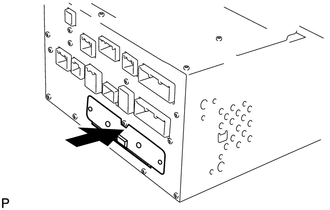
Push the hard disc in the direction of the arrow shown in the illustration to install it.
Install the 2 screws.
-
INSTALL DISPLAY AND NAVIGATION MODULE DISPLAY
Install the display and navigation module display (Click here).
CONNECT CABLE TO NEGATIVE BATTERY TERMINAL
Note:When disconnecting the cable, some systems need to be initialized after the cable is reconnected (Click here).