AUTOMATIC LIGHT CONTROL SENSOR ADJUSTMENT
-
ADJUST AUTOMATIC LIGHT CONTROL SENSOR
-
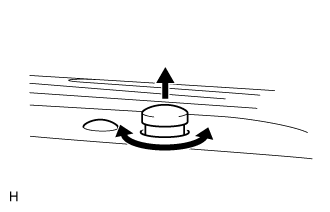
Pull the automatic light control sensor up. Turn the filter part of the sensor, without pressing the upper surface, to adjust the brightness of the automatic lights.
Automatic light brightness Filter turning direction Brighten Clockwise Darken Counterclockwise -
Push the automatic light control sensor in.
Tech Tips
Degrease the filter.
Note
Do not press the filter part of the sensor too hard.
-