NAVIGATION SYSTEM(for DVD) Touch Panel Switch does not Function
| DTC Code | DTC Name |
|---|---|
| Touch Panel Switch does not Function |
PROCEDURE
CHECK TOUCH PANEL
Check for foreign matter on the display.
OK
The display is clean.
Result
Result
OK
NG
NG CLEAN DISPLAY AND RECHECK TOUCH PANEL
CHECK TOUCH SWITCH (OPERATION CHECK)
-
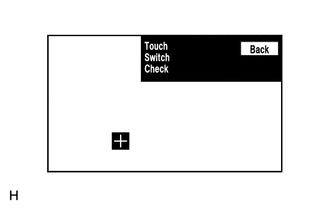
Enter the "Display Check" mode and select "Touch Switch Check".
Touch the display in the area where the switch malfunction occurs.
OK
A "+" mark appears at the touched position.
Result
Result
OK
NG
-