PARKING SUPPORT ALERT SYSTEM
-
OPERATION
-
Lexus parking assist-sensor Display
-
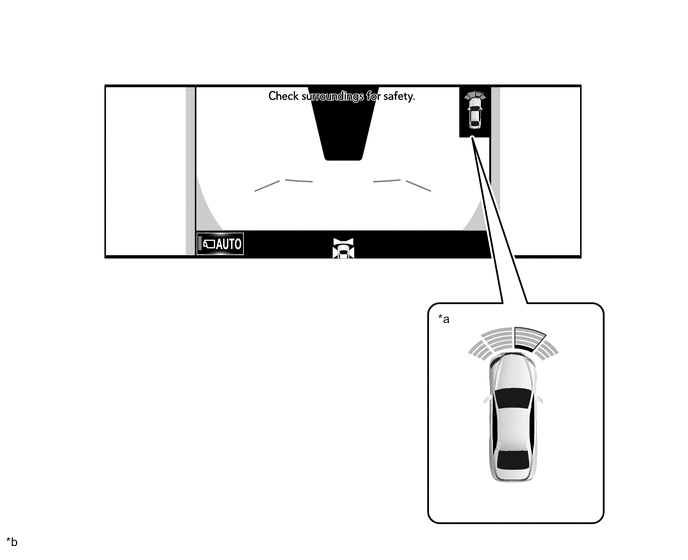
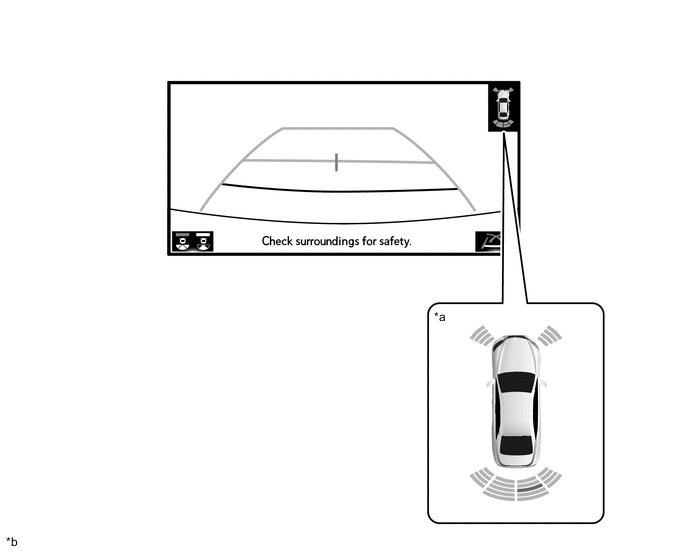
While the panoramic view monitor system*1 or parking assist monitor system*2 is operating, if Lexus parking assist-sensor detects an stationary object, the panoramic view cooperative display*3 or the Lexus parking assist-sensor icon display*4 is used to display the detection location and the approximate distance to the stationary object on the multi-display.
-
*1: Models with panoramic view monitor system
-
*2: Models without panoramic view monitor system
-
*3: When panoramic view vehicle icon is displayed
-
*4: When panoramic view vehicle icon is not displayed or models without panoramic view monitor system
Figure 1. Panoramic View Cooperative Display (Models with Panoramic View Monitor System)
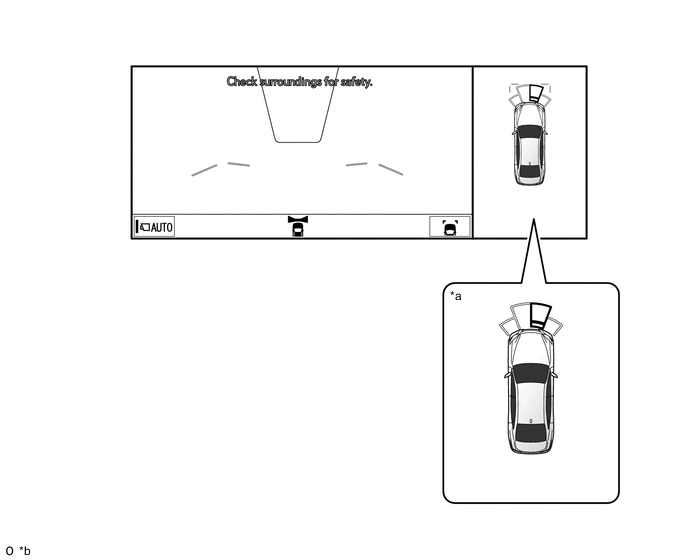
*a Panoramic View Cooperative Display *b The illustration is a representative example. Figure 2. Lexus Parking Assist-sensor Icon Display (Models with Panoramic View Monitor System)
*a Lexus Parking Assist-sensor Icon Display *b The illustration is a representative example. Figure 3. Lexus Parking Assist-sensor Icon Display (when Backing Up) (Models without Panoramic View Monitor System)
*a Lexus Parking Assist-sensor Icon Display *b The illustration is a representative example. Figure 4. Lexus Parking Assist-sensor Icon Display (when Driving Forward) (Models without Panoramic View Monitor System)

*a Lexus Parking Assist-sensor Icon Display *b The illustration is a representative example. -
-
Lexus parking assist-sensor detection display (panoramic view cooperative display)
-
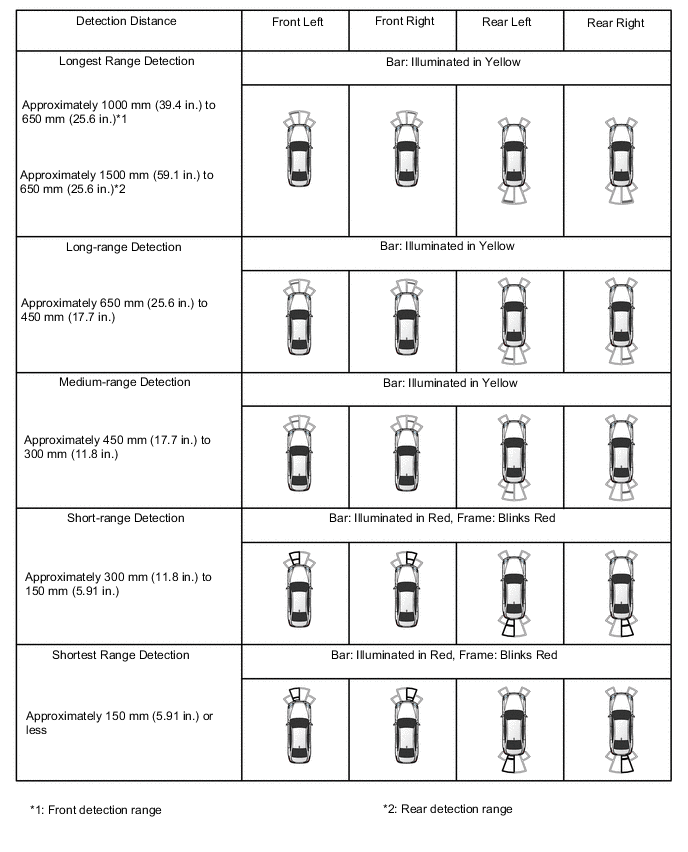
When the panoramic view vehicle icon is displayed, if the front center sensor and rear center sensor detect an stationary object, the detection location and the approximate distance to the stationary object are displayed on the multi-display at 5 levels (longest range, long-range, medium-range, short-range and shortest range).
Figure 5. Center Sensors
-
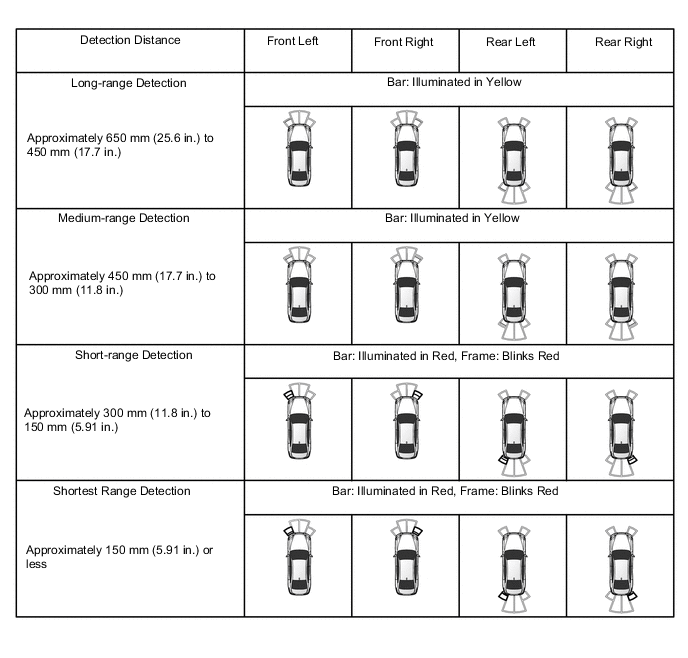
When the panoramic view vehicle icon is displayed, if the front corner sensor and rear corner sensor detect an stationary object, the detection location and the approximate distance to the stationary object are displayed on the multi-display at 4 levels (long-range, medium-range, short-range and shortest range).
Figure 6. Corner Sensors
-
-
Lexus parking assist-sensor detection display (Lexus parking assist-sensor icon display)
-
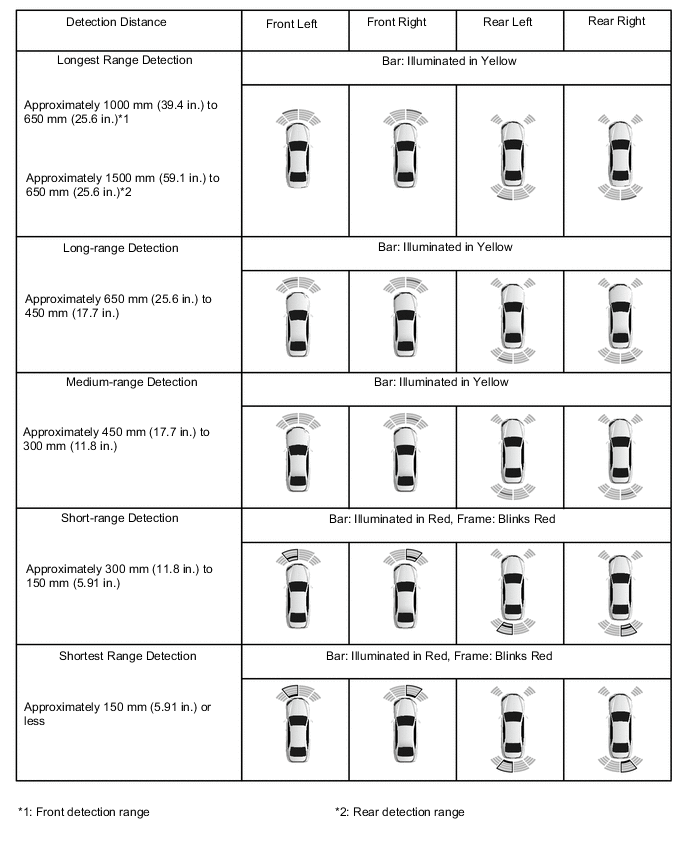
When the panoramic view vehicle icon is not displayed*1 or the assist monitor system is operating*2, if the front center sensor and rear center sensor detect an stationary object, the detection location and the approximate distance to the stationary object are displayed on the multi-display at 5 levels (longest range, long-range, medium-range, short-range and shortest range).
Figure 7. Center Sensors
-
*1: Models with panoramic view monitor system
-
*2: Models without panoramic view monitor system
-
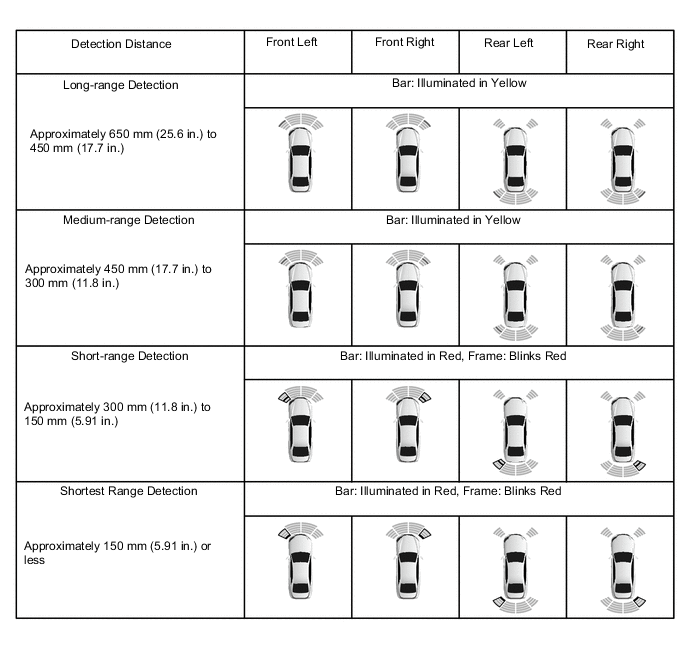
When the panoramic view vehicle icon is not displayed*1 or the parking assist monitor system is operating*2, if the front corner sensor and rear corner sensor detect an stationary object, the detection location and the approximate distance to the stationary object are displayed on the multi-display at 4 levels (long-range, medium-range, short-range and shortest range).
Figure 8. Corner Sensors
-
*1: Models with panoramic view monitor system
-
*2: Models without panoramic view monitor system
-
-
-
RCTA Display (Models with Blind Spot Monitor System)
-
When vehicle rear video is displayed, if the blind spot sensor detects an applicable vehicle, the RCTA indicator that shows the direction of the applicable vehicle is displayed on the multi-display.
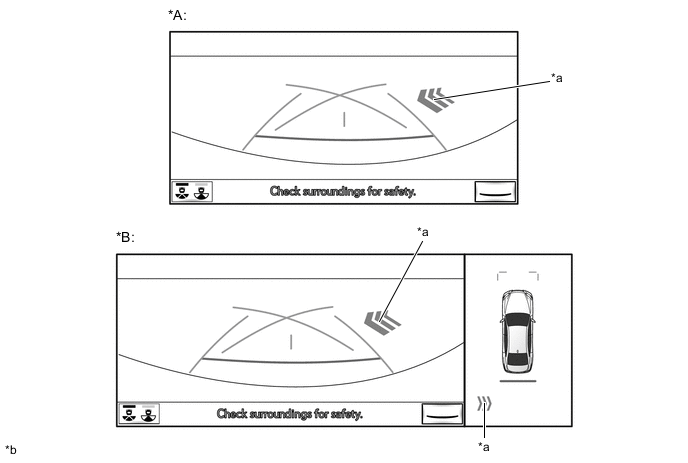
*A Models without Panoramic View Monitor System *B Models with Panoramic View Monitor System *a RCTA Indicator *b The illustration is a representative example.
-
-
RCD Display (Models with Panoramic View Monitor System)
-
When vehicle rear video is displayed, if the television camera assembly detects a pedestrian, the pedestrian detection icon is displayed on the multi-display.
-
When the warning begins, it blinks 3 times and then stays illuminated while the warning is in effect.
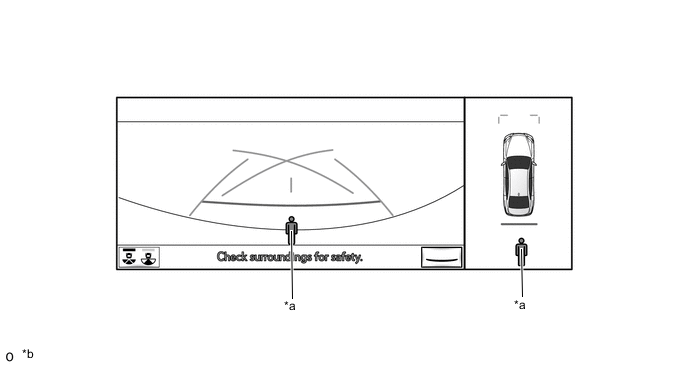
*a Pedestrian Detection Icon *b The illustration is a representative example. -
-
-
RCD OFF Indicator (Models with Panoramic View Monitor System)
-
When rear camera detection is off, the RCD OFF indicator is displayed on the multi-display.
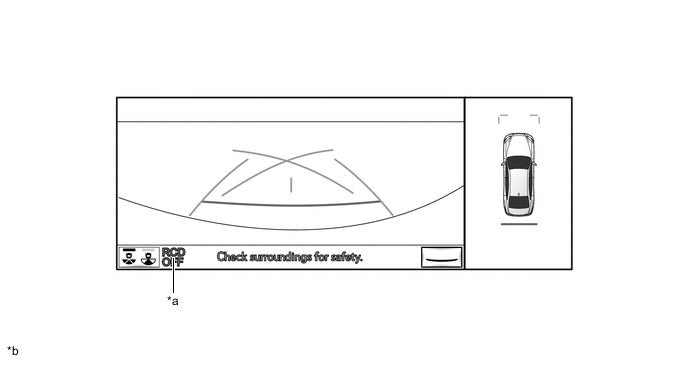
*a RCD OFF Indicator *b The illustration is a representative example.
-
-