BRAKE CONTROL SYSTEM(w/ Vacuum Brake Booster)
-
FUNCTION
-
Operation of the VSC and TRC systems can be disabled using the VSC OFF switch. Disabling the VSC and TRC systems may be useful when attempting to drive in mud or snow. The modes can be changed between Normal mode, TRC OFF mode and VSC OFF mode by pressing the VSC OFF switch.
-
Briefly pressing the VSC OFF switch in Normal mode selects TRC OFF mode. The TRC OFF information message in the multi-information display shows to inform the driver that TRC OFF mode is currently selected.
-
Pressing and holding the VSC OFF switch for 3 seconds or more with the vehicle stopped selects VSC OFF mode which disables the TRC and VSC systems. The VSC OFF indicator in the combination meter assembly illuminates to inform the driver that VSC OFF mode is currently selected.
-
Briefly pressing the VSC OFF switch in TRC OFF mode or VSC OFF mode, or turning the engine switch off, returns to Normal mode. Also, when the speed increases, TRC OFF mode automatically switches to Normal mode.
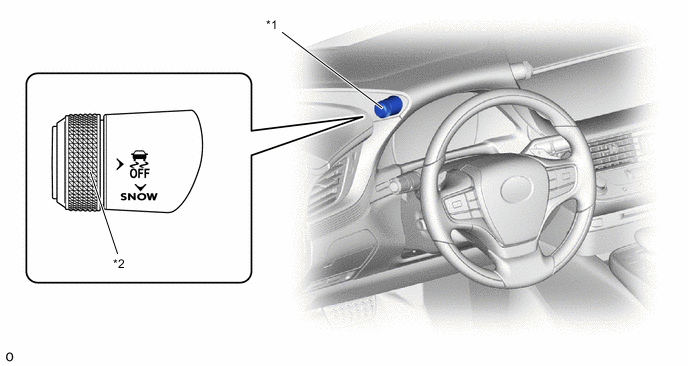
*1 Satellite Switch Set *2 VSC OFF Switch Tech Tips
The TRC and VSC systems ensure traction and vehicle stability. Do not disable the TRC or VSC functions unless necessary.
-