TOYOTA PARKING ASSIST-SENSOR SYSTEM
-
OPERATION
-
The location of an obstacle and the approximate distance between the vehicle and the obstacle are displayed on the multi-display of the navigation receiver assembly*1 or radio and display receiver assembly*2.
-
*1: Models with navigation receiver assembly
-
*2: Models with radio and display receiver assembly
Figure 1. Models with Navigation Receiver Assembly
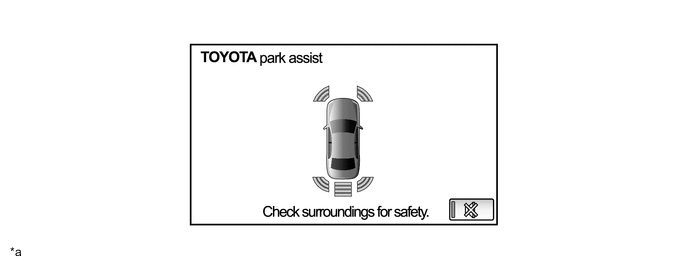
*a The illustration shown is an example only. The illustration may differ from the actual vehicle screen. - - Parking Assist-sensor System Obstacle Detection Display Detection Range (mm (in.)) Example of Display Longest 1500 +/- 150 to 600 +/- 60 (59.1 +/- 5.91 to 23.6 +/- 2.36) 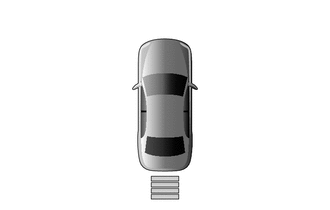
-
4 Bars
-
Illuminated Yellow
Long 600 +/- 60 to 450 +/- 50 (23.6 +/- 2.36 to 17.7 +/- 2.00) 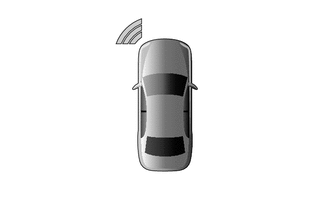
-
3 Bars
-
Illuminated Yellow
Middle 450 +/- 50 to 350 +/- 40 (17.7 +/- 2.00 to 13.8 +/- 1.57) 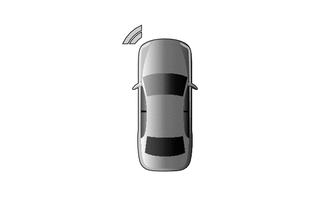
-
2 Bars
-
Illuminated Yellow
Short 350 +/- 40 or less (13.8 +/- 1.57 or less) 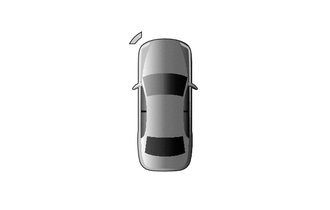
-
1 Bar
-
Illuminated Red
-
-
For vehicles with the panoramic view monitor system, if the TOYOTA parking assist-sensor system detects an obstacle while the panoramic view monitor system screen is being displayed, the parking assist-sensor system cooperative icon or cooperative display will interrupt the current display.
Figure 2. Models with Panoramic View Monitor System
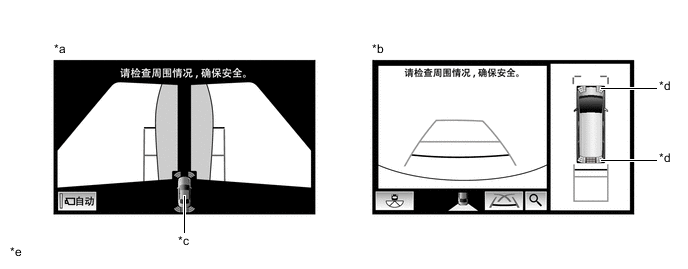
*a Side Simultaneous View *b Panoramic View and Rear View *c Parking Assist-sensor System Cooperative Icon *d Parking Assist-sensor System Cooperative Display *e The illustrations shown are examples only. The illustrations may differ from the actual vehicle screens. - - -
Screens displaying warning messages relating to an ultrasonic sensor malfunction, ultrasonic sensor freezing, or presence of foreign matter on the ultrasonic sensor are displayed on the multi-display of the navigation receiver assembly*1 or radio and display receiver assembly*2. The warning message appears in the same language that has been selected by the language selector of the navigation receiver assembly*1 or radio and display receiver assembly*2.
-
*1: Models with navigation receiver assembly
-
*2: Models with radio and display receiver assembly
Figure 3. Models with Navigation Receiver Assembly
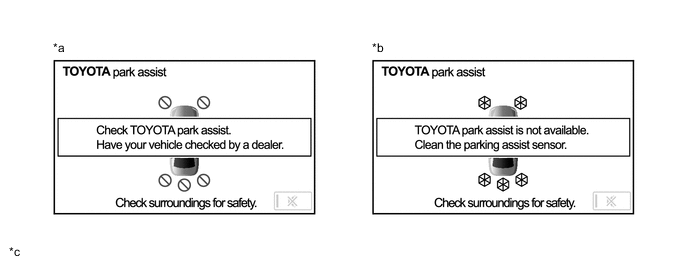
*a Malfunctioning *b Frozen/Dirty *c The illustrations shown are examples only. The illustrations may differ from the actual vehicle screens. - - -
-
The display timing and detection distance can be customized using the navigation receiver assembly*1 or radio and display receiver assembly*2.
-
*1: Models with navigation receiver assembly
-
*2: Models with radio and display receiver assembly
Figure 4. Models with Navigation Receiver Assembly
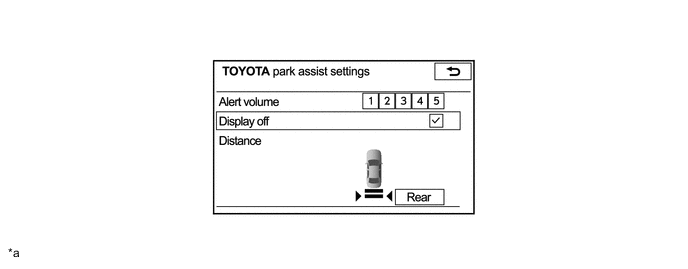
*a The illustrations shown are examples only. The illustrations may differ from the actual vehicle screens. - - -
-