NAVIGATION SYSTEM / MULTI INFORMATION SYSTEM
-
FUNCTION
-
The remote touch consists of the switches and touchpad.
-
A stabilizer structure is used to distribute force evenly when the surface of the touchpad is pressed. No matter what area of the touchpad is pressed, the operation is recognized without misoperation.
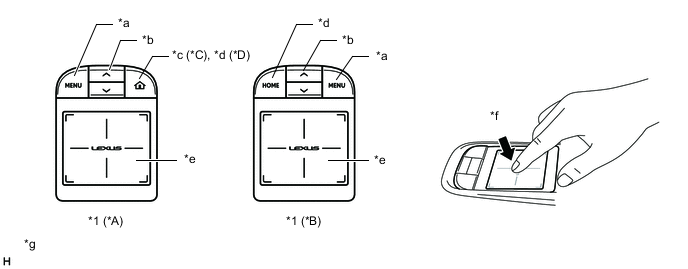
*A LHD Models *B RHD Models *C Models for Russia *D Except Models for Russia *1 Remote Touch - - *a MENU *b Seesaw Switch *c Home Mark *d HOME *e Touchpad *f Press (Enter) *g The illustrations are examples only. The illustrations may differ from the actual vehicle screens. - - -
Vibration Control
-
To provide feedback to the user's hand, the remote touch uses an internal motor to generate vibrations for the touchpad when selected icons or buttons change.
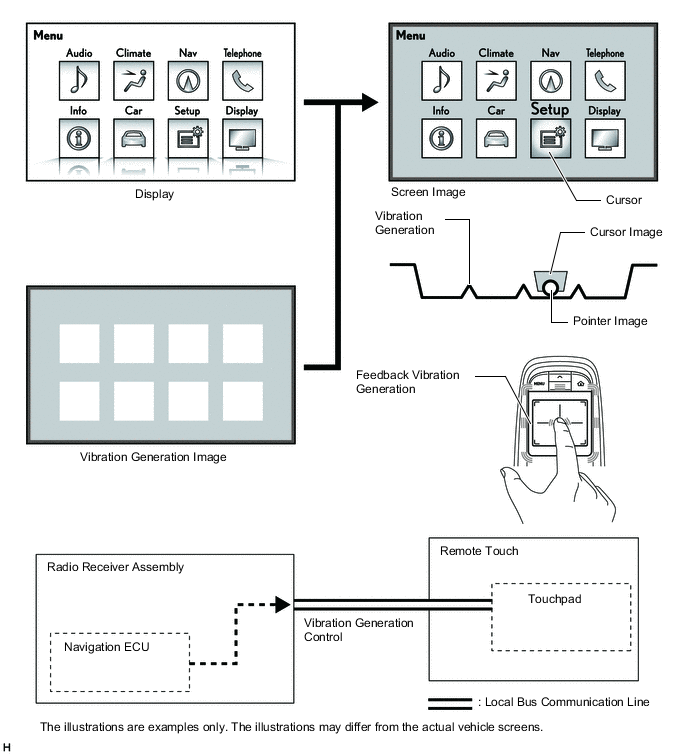
-
-
Pull-in Control
-
The icon whose center is closest to the current pointer position is judged to be the pull-in icon, which pulls the pointer toward the center of the icon.
-
In the following illustration, since the distance between the current pointer position and the center of icon A is smaller than the distance between the current pointer position and the center of icon B, the pointer is pulled to icon A.
-
When the pointer position changes as shown in the following illustration, the vibrations are generated on the touchpad.
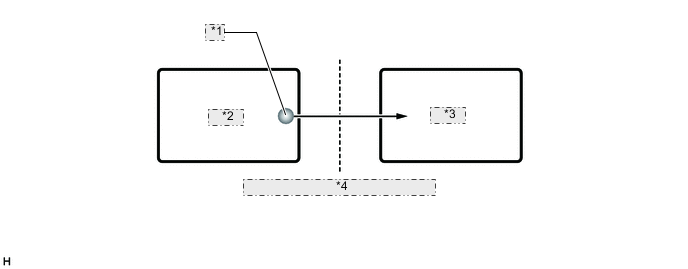
*1 Pointer *2 Icon B *3 Icon A *4 Vibration generated on touchpad
-
-
Frame Area Control
-
A frame area surrounds all screens. The frame area prevents the pointer from moving outside the screen.
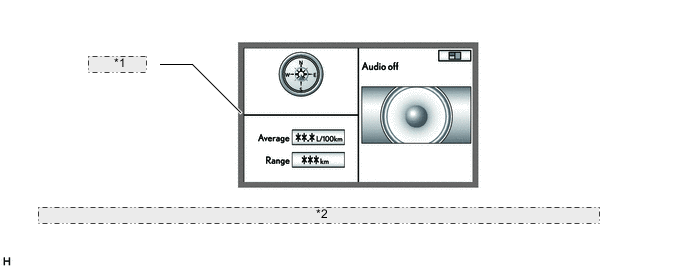
*1 Frame area *2 The illustrations are examples only. The illustrations may differ from the actual vehicle screens.
-
-
-
OPERATION
-
Touchpad Operation
-
Touchpad operations are displayed by the system highlighting the screen buttons of the multi-display assembly or moving the pointer.
-
When the touchpad is operated, the touchpad calculates the difference based on the previous pointer position coordinates sent to the navigation ECU and sends the result to the navigation ECU.
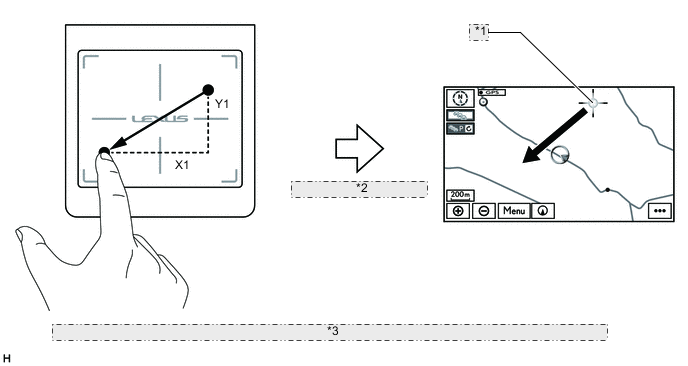
*1 Coordinates (X0, Y0) *2 Sends new coordinate as (X0+X1, Y0+Y1) *3 The illustrations are examples only. The illustrations may differ from the actual vehicle screens.
-
-
Customization
-
A customization function of the remote touch is provided to change settings of the touchpad according to user's preference.
-
The strength of the touchpad vibrations can be changed using the setup menu on the multi-display.
-
All other customization settings of the touchpad can be changed by manually operating the remote touch.
Tech Tips
For details on the manual operation of the customization function, refer to the Repair Manual.
Setting Item Outline Pointer Movement Speed The speed at which the pointer and cursor moves when the touchpad is touched can be set. Flick Operation Judgment Threshold Value The flick operation judgment threshold value can be changed. Flick Operation Scroll Direction The direction the screen (map, list) scrolls when a flick operation is performed can be changed. Pinch Operation The pinch operation function availability can be changed. Flick Operation Flick operation function availability on the map screen and list screen can be changed.
-
-