PARKING ASSIST MONITOR SYSTEM
-
CONSTRUCTION
-
Parking Guide Lines
-
Modes for the parking guide line function can be switched on the back camera guide line setting screen selected from the settings screen.
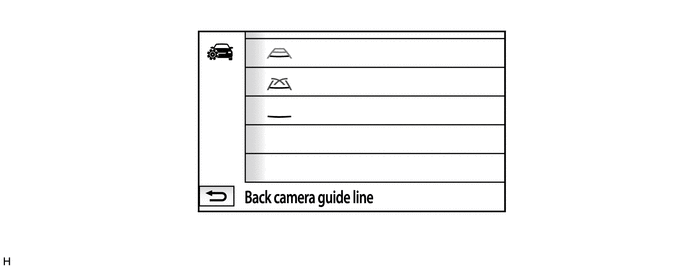
-
The parking guide line function consists of estimated course line display mode, parking assist guide line display mode and distance guide line display mode. The initial (default) setting for perpendicular parking is estimated course line display mode.
-
In each mode, fixed guide lines appear superimposed on a view of the area behind the vehicle. These guide lines can be used to assist the driver while backing up the vehicle.
Tech Tips
The illustrations shown are examples only. The illustrations may differ from the actual vehicle screens.
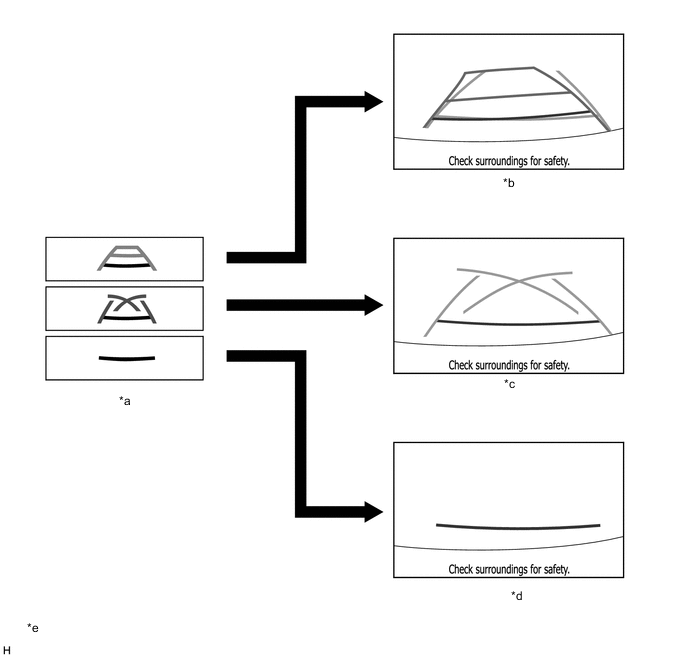
*a Display Mode Screen Button *b Estimated Course Line Display Mode *c Parking Assist Guide Line Display Mode *d Distance Guide Line Display Mode *e The illustrations shown are examples only. The illustrations may differ from the actual vehicle screens. - - -
A description of the estimated course line display mode is provided in the following diagram.
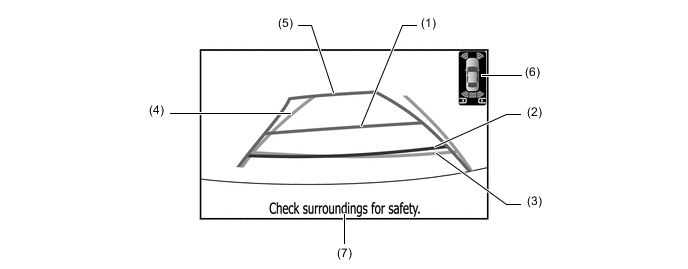
The illustration shown is an example only. The illustration may differ from the actual vehicle screen.
Item Description (1) Distance Guide Line (Yellow) Moves together with estimated course lines in sync with the steering wheel. The center of the line indicates a position on the ground approximately 1.0 m (3.3 ft.) behind the rear bumper. (2) Distance Guide Line (Red) Moves together with estimated course lines in sync with the steering wheel. The center of the line indicates a position on the ground approximately 0.5 m (1.6 ft.) behind the rear bumper. (3) Distance Guide Line (Blue) Indicates a position on the ground approximately 0.5 m (1.6 ft.) behind the rear bumper. (4) Vehicle Width Guide Line (Blue) Indicates the estimated vehicle width. (5) Estimated Course Line (Yellow) Moves in sync with the steering wheel to indicate the estimated reverse course of the vehicle. (6) Clearance Sonar Icon If an obstacle is detected when the TOYOTA parking assist-sensor system is activated, the approximate distance between the vehicle and the obstacle is displayed. RCTA Icon If a vehicle is detected when the blind spot monitor system is activated, the direction of the approaching vehicle is displayed. (7) Warning Message Display Area Area where warning messages are displayed. -
A description of the parking assist guide line display mode is provided in the following diagram.
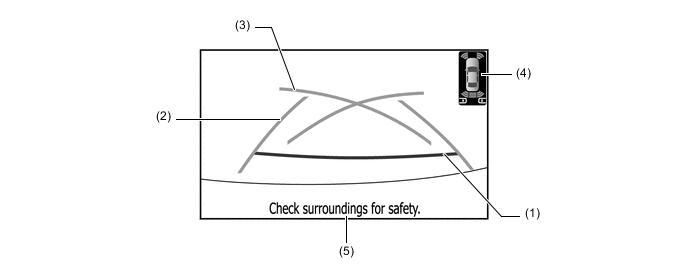
The illustration shown is an example only. The illustration may differ from the actual vehicle screen.
Item Description (1) Distance Guide Line (Red) Indicates a position on the ground approximately 0.5 m (1.6 ft.) behind the rear bumper. (2) Vehicle Width Guide Line (Blue) Indicates the estimated vehicle width. (3) Parking Assist Guide Line (Blue) Indicates the path the vehicle will follow if the driver turns the steering wheel fully. (4) Clearance Sonar Icon If an obstacle is detected when the TOYOTA parking assist-sensor system is activated, the approximate distance between the vehicle and the obstacle is displayed. RCTA Icon If a vehicle is detected when the blind spot monitor system is activated, the direction of the approaching vehicle is displayed. (5) Warning Message Display Area Area where warning messages are displayed. -
A description of the distance guide line display mode is provided in the following diagram.
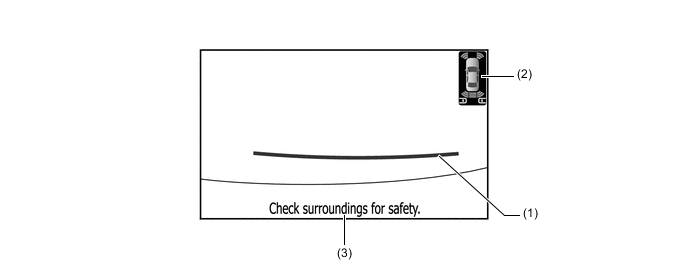
The illustration shown is an example only. The illustration may differ from the actual vehicle screen.
Item Description (1) Distance Guide Line (Red) Indicates a position on the ground approximately 0.5 m (1.6 ft.) behind the rear bumper. (2) Clearance Sonar Icon If an obstacle is detected when the TOYOTA parking assist-sensor system is activated, the approximate distance between the vehicle and the obstacle is displayed. RCTA Icon If a vehicle is detected when the blind spot monitor system is activated, the direction of the approaching vehicle is displayed. (3) Warning Message Display Area Area where warning messages are displayed.
-
-
-
OPERATION
-
Estimated Course Line Display Mode (Perpendicular Parking)
-
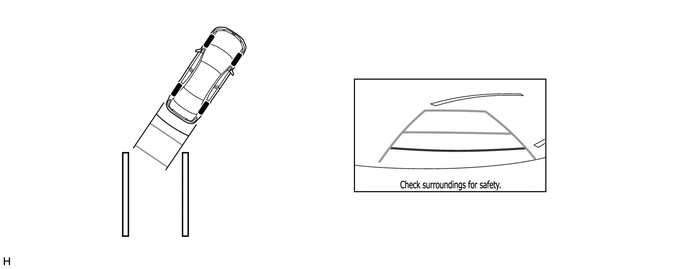
To use estimated course line display mode in perpendicular parking when parking the vehicle in a parking space, perform the following procedure:
-
Move the shift lever to R.
-
An image appears on the multi-display as illustrated below.
-
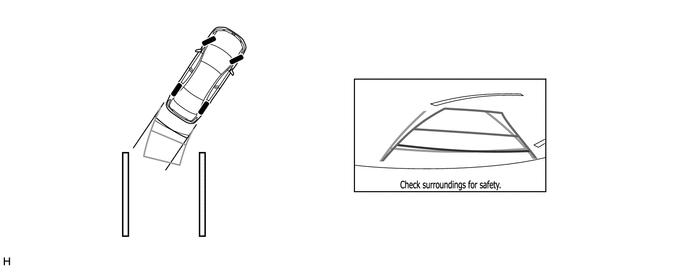
Turn the steering wheel so that the estimated course lines are within the parking space, and back up carefully.
-
When the rear of the vehicle is within the parking space, turn the steering wheel in order to equalize the gap between the left and right sides of the vehicle width extension guide lines and the painted lines of the parking space.
-
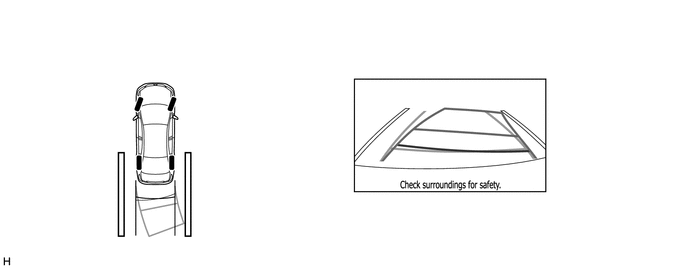
When the vehicle width extension guide lines and the painted lines of the parking space are parallel, straighten the steering wheel and then carefully back up until the entire vehicle is within the parking space.
-
-
-
Parking Assist Guide Line Display Mode (Perpendicular Parking)
-
To use parking assist guide line display mode in perpendicular parking when parking the vehicle in a parking space, perform the following procedure:
-
Move the shift lever to R.
-
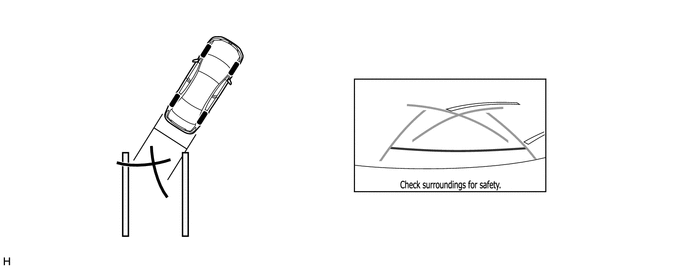
An image appears on the multi-display as illustrated below.
-
Back up the vehicle and stop at the position in which the parking assist guide line comes in contact with the left side of the intended parking position.
-
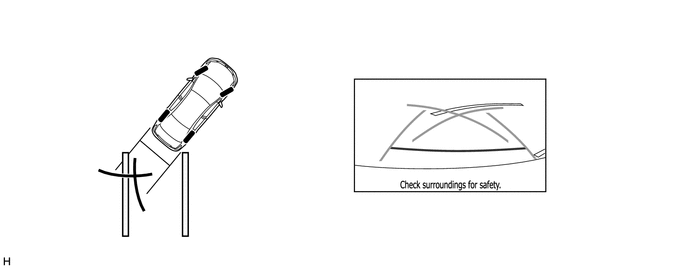
Turn the steering wheel fully to the right and back up the vehicle.
-
Continue backing up the vehicle until the vehicle is parallel to the painted lines.
-
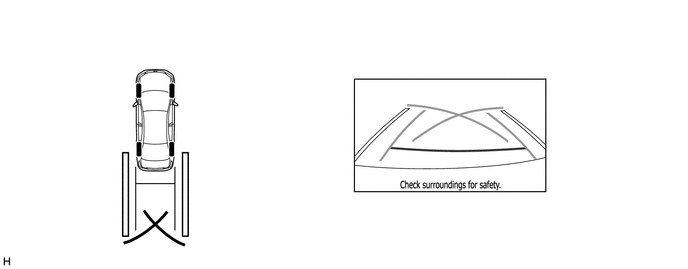
Once the vehicle is parallel, aim the steering wheel straight ahead and back up the vehicle to the target stop position.
-
-
-