NAVIGATION SYSTEM / MULTI INFORMATION SYSTEM
-
CONSTRUCTION
-
Various switches and a switch knob are located on the remote touch. Display of various screens selecting items, moving the pointer, etc. can be performed by operating the switches or knob on the remote touch.
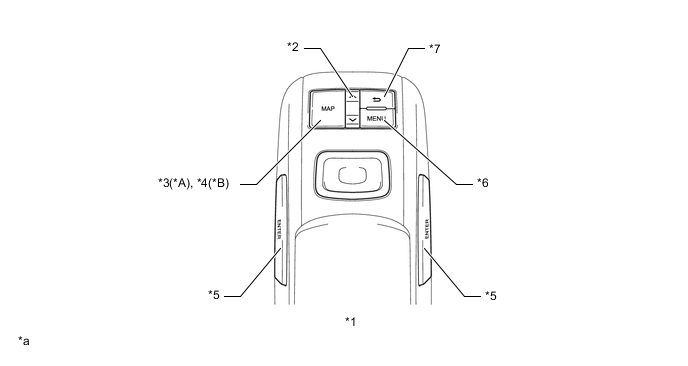
*A Models with 12.3-inch Display *B Models with 8-inch Display *1 Remote Touch *2 Seesaw Switch *3 MAP Switch *4 HOME Switch *5 ENTER Switch *6 MENU Switch *7 Return Switch - - *a The illustrations shown are examples only. The illustrations may differ from the actual vehicle screens. - -
-
-
OPERATION
-
Remote Touch Operation
-
On some screens, such as a map screen, when the switch knob of the remote touch is operated, the pointer will be displayed on the multi-display screen. When the pointer is moved near an icon, the icon will be displayed as a cursor and can be selected by pushing the switch knob.
-
On screens other than those such as map screens, when the switch knob of the remote touch is operated, feedback force, which draws the knob toward the nearest icon, is generated and the nearest icon is highlighted.
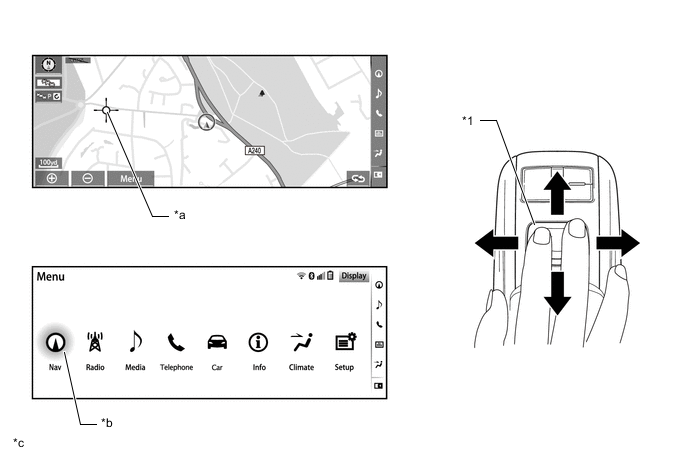
*1 Switch Knob - - *a Pointer *b Cursor *c The illustrations shown are examples only. The illustrations may differ from the actual vehicle screens. - - -
An exclusive hierarchical structure is used for each screen displayed on the multi display in consideration of the remote touch.
Figure 1. Main Screen
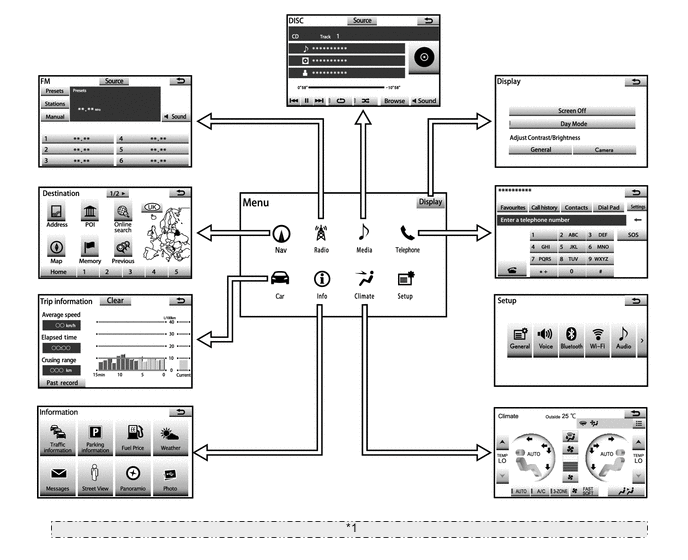
*1 The illustrations shown are examples only. The illustrations may differ from the actual vehicle screens. Figure 2. Side Screen (Models with 12.3-inch Display)
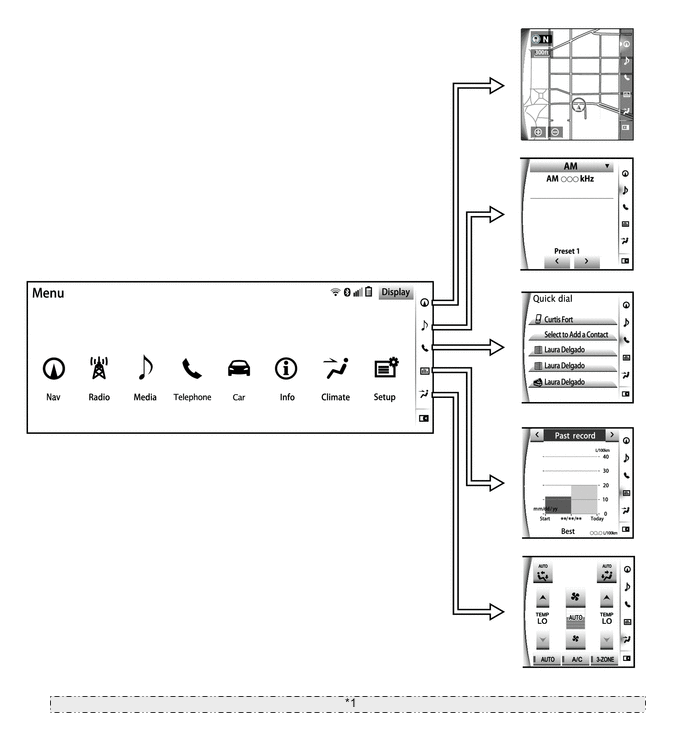
*1 The illustrations shown are examples only. The illustrations may differ from the actual vehicle screens. -
The menu screen is displayed by pressing the MENU switch of the remote touch, and the map screen is displayed by pressing the MAP switch*1 or HOME switch*2 of the remote touch.
-
Also, the map screen or menu screen is displayed on the main screen when the MAP switch or MENU switch on the split-screen display is pressed.*1
*1: Models with 12.3-inch Display
*2: Models with 8-inch display
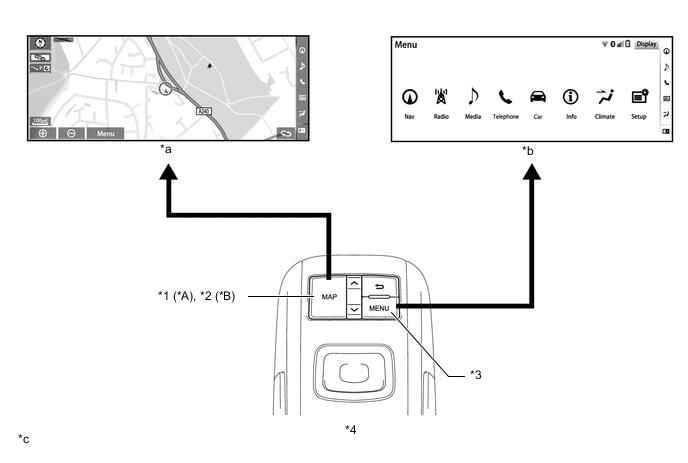
*A Models with 12.3-inch Display *B Models with 8-inch Display *1 MAP Switch *2 HOME Switch *3 MENU Switch *4 Remote Touch *a Map Screen *b Menu Screen *c The illustrations shown are examples only. The illustrations may differ from the actual vehicle screens. - - -
When remote touch is operated, a cursor is displayed near the switch selected on the screen. With the cursor displayed, the switch can be selected by pressing the switch knob or ENTER switch.
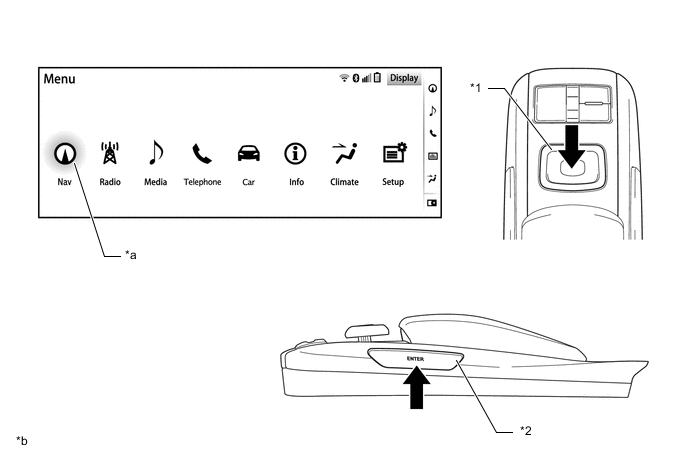
*1 Switch Knob *2 ENTER Switch *a Cursor *b The illustrations shown are examples only. The illustrations may differ from the actual vehicle screens. -
The seesaw switch makes it easy to change the map scale and scroll through pages.
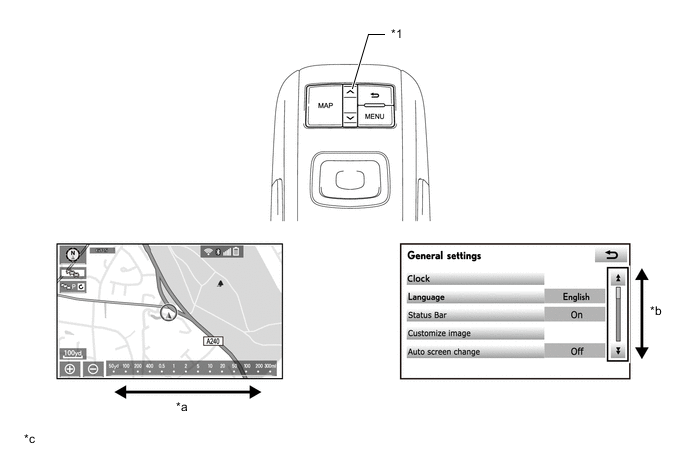
*1 Seesaw Switch - - *a Change Scale *b Scrolls List *c The illustrations shown are examples only. The illustrations may differ from the actual vehicle screens. - - -
The return switch makes it easy to move back one level.
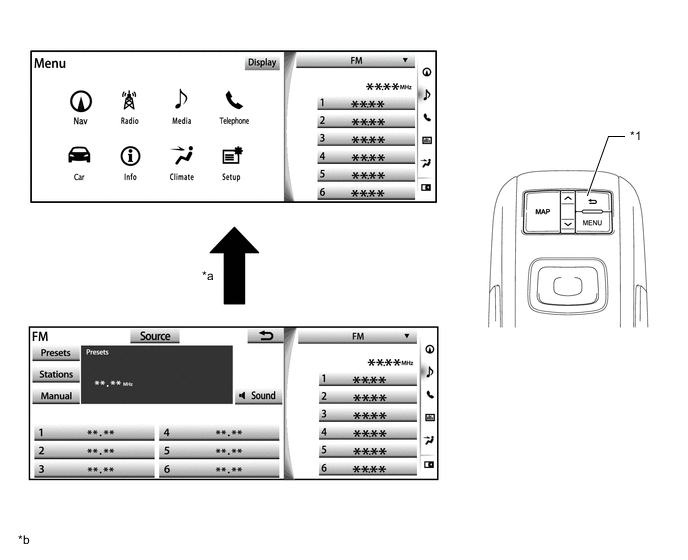
*1 Return Switch - - *a Change Scale *b The illustrations shown are examples only. The illustrations may differ from the actual vehicle screens. -
The feedback force that is generated when an icon is selected is customizable using the remote touch.
-
To inform the user that the cursor has selected a different icon or an operation is accepted, 3 types of beep sounds (selection sound, pointer sound, error sound) are provided in accordance with operation conditions. The ON/OFF setting of each beep sound is individually customizable.
-
-
Feedback Control
-
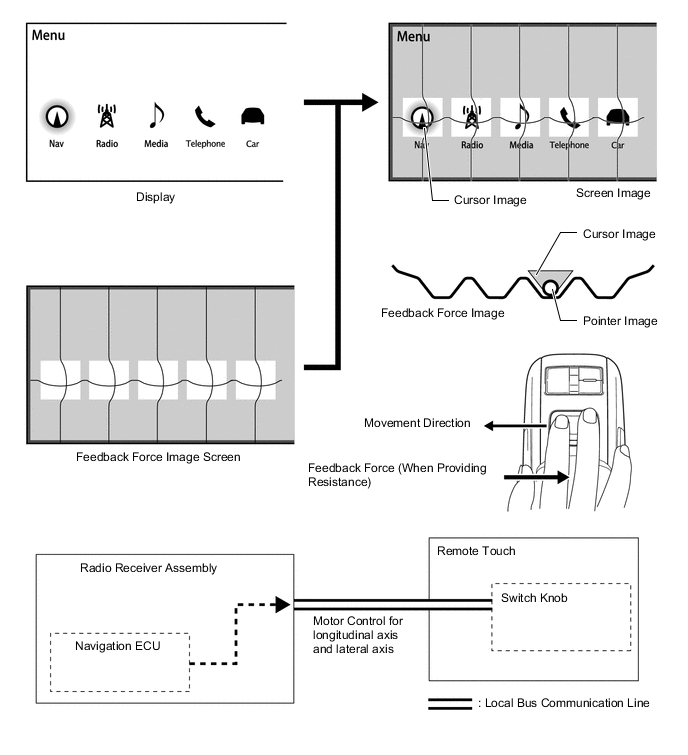
The switch knob of the remote touch consists of the joystick and 2 motors that enable 2-axis control in longitudinal and lateral directions.
-
- The 2 motors generate feedback force according to screen button and icon locations, achieving a 'click' feeling during operation.
-
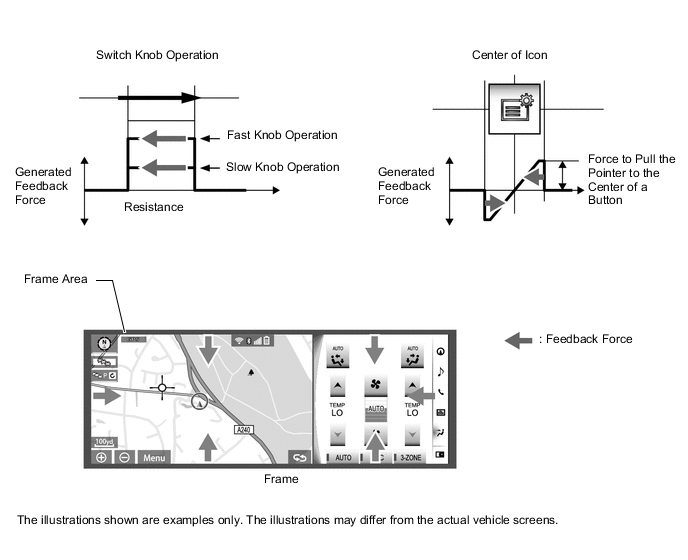
- The 2 motors provide 3 types of feedback force (resistance, icons, frame). Overlapping feedback forces are added together.
Feedback Force Description Resistance Feedback force, which interferes the switch knob operation, is generated in proportion to the switch knob operation speed. Resistance generated on the map screen is stronger than on other screens (MENU screen, etc.)*. Icon Force is provided to pull the pointer toward the center of the set area (near icons). Frame Force is generated to move the pointer toward the inside of the screen when the pointer is close to the edge of the screen. *: When the multiple display function is in use, resistance is generated along the boundaries of the multiple display screens.
-
-
-