METER / GAUGE SYSTEM DETAILS
-
OPERATING CONDITION
-
Eco Driving Indicator Light Operation
-
Eco Driving Indicator Light can operate when all of the following conditions are met:
-
The ignition switch is ON and the engine is running.
-
The vehicle is being driven with the shift lever in D.
-
Temporary S mode is not selected.
-
The vehicle is at a speed of 130 km/h (81 mph) or below.
-
-
-
-
FUNCTION
-
Combination Meter Assembly
-
Buzzer Function
-
The table below shows the warning and reminder functions of the buzzer in the combination meter assembly.
1 Driver Seat Belt Warning (Maximum 5 Times)*1 2 Front Seat Belt Warning (Once)*1 3 Front Seat Belt Warning (Level 2)*1 4 Seat Belt Warning (Level 2)*2 5 Front Seat Belt Warning (Level 1)*1 6 Seat Belt Warning (Level 1)*2 7 EPS Warning 8 Smart Entry and Start System Warning (Continuous)*3 9 Smart Entry and Start System Warning (Intermittent)*3 10 Key Reminder Indicating*4 11 Smart Entry and Start System Warning (Continuous, 9 times at the maximum)*3 12 Smart Entry and Start System Warning (Once)*3 13 Multi-information Display Warning 14 Immobiliser Certification Reminder 15 Speed Warning*1 16 Parking Brake Engaged Warning 17 Door Open while Driving Warning 18 Sport Shift Reject Warning 19 Turn Signal/Hazard Warning Operation - -
-
*1: TMMK Made Models
-
*2: Except TMMK Made Models
-
*3: Models with smart entry and start system
-
*4: Models without smart entry and start system
-
-
-
Multi-information Display
-
Display Function Flow
-
The multi-information display can be switched as shown in the flow chart below:
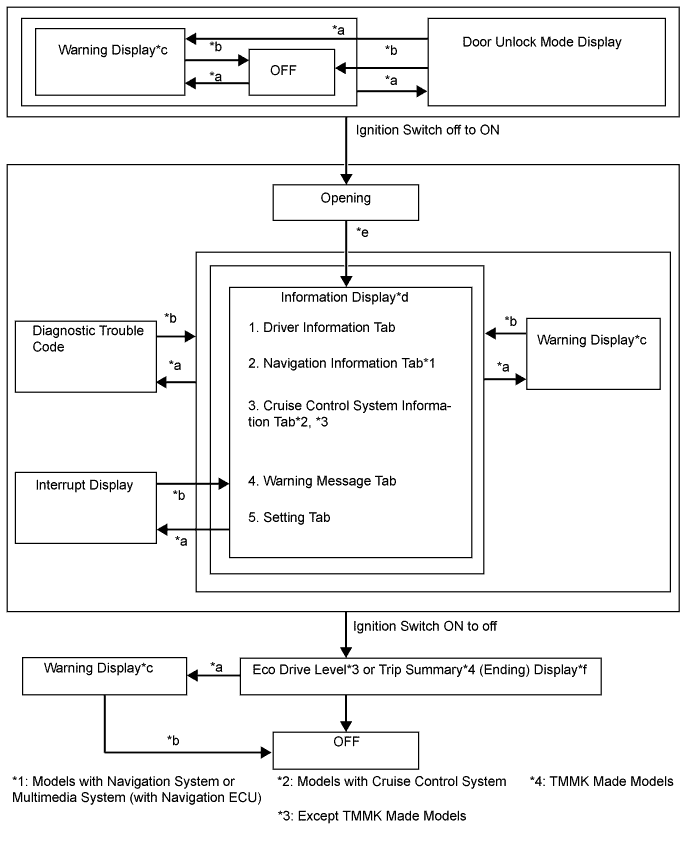
No. Display Change Condition *a Conditions are met. *b Conditions are not met. *c If there are multiple display requests, items will be displayed in sequence. *d An item or display is selected by operating the steering pad switch. *e After ignition switch ON. *f The Eco Drive Level or Trip Summary (ending) display is displayed for a certain period of time after the ignition switch is turned off.
-
-
Information Display Tab Operation
-
The information currently displayed can be switched using the RIGHT (PAGE) switch of the steering pad switch assembly.
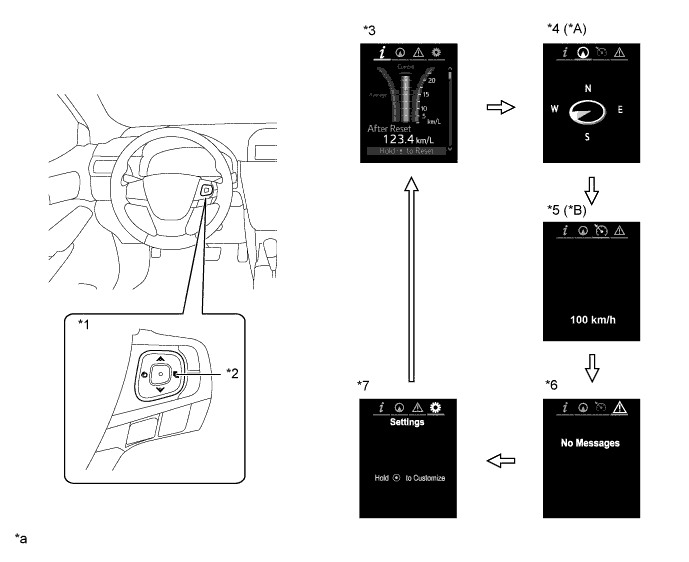
Text in Illustration (Except TMMK Made Models:) *A Models with Navigation System or Multimedia System (with Navigation ECU) *B Models with Cruise Control System *1 Steering Pad Switch Assembly *2 RIGHT (PAGE) Switch *3 Drive information *4 Navigation Information *5 Cruise Control System Information *6 Warning Message *7 Settings - - *a The illustrations shown are examples only. - - 
RIGHT (PAGE) switch operation - - 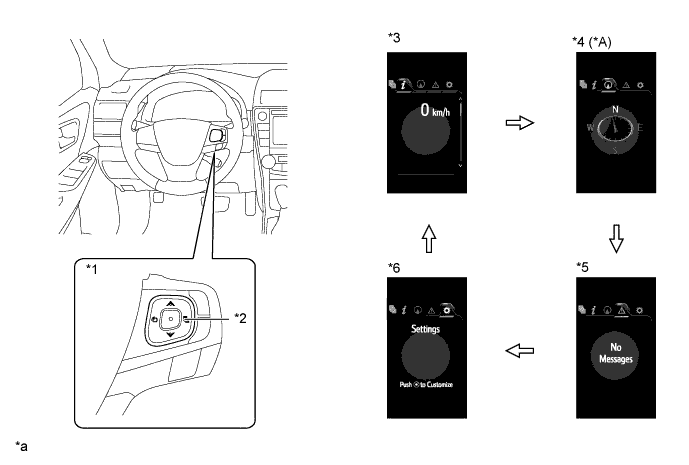
Text in Illustration (TMMK Made Models:) *A Models with Navigation System - - *1 Steering Pad Switch Assembly *2 RIGHT (PAGE) Switch *3 Drive information *4 Navigation Information *5 Warning Message *6 Settings *a The illustrations shown are examples only. - - RIGHT (PAGE) switch operation - - -
-
Drive Information Mode Function
-
The drive information tab shows vehicle information such as drivable range and fuel consumption.
-
The drive information display can be changed by using the UP/DOWN switch of the steering pad switch assembly.
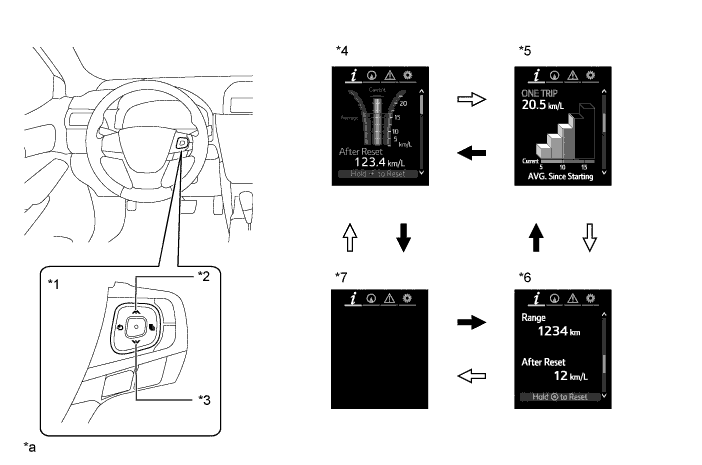
Text in Illustration (Except TMMK Made Models:) *1 Steering Pad Switch Assembly *2 UP Switch *3 DOWN Switch *4 Drive Information 1 *5 Drive Information 2 *6 Drive Information 3 *7 Blank - - *a The illustrations shown are examples only. - - DOWN switch operation 
UP switch operation
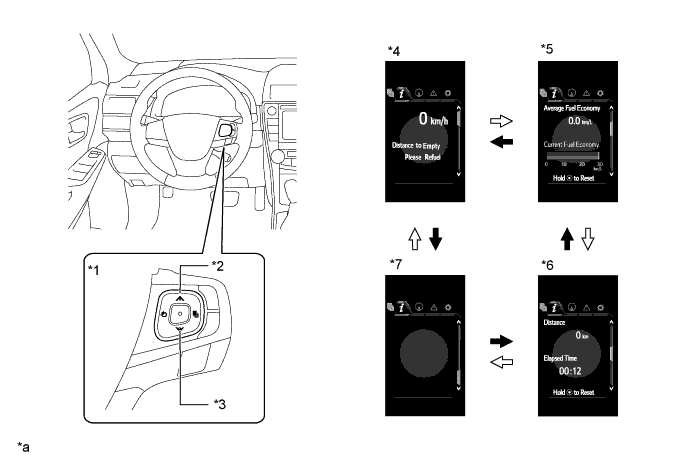
Text in Illustration (TMMK Made Models:) *1 Steering Pad Switch Assembly *2 UP Switch *3 DOWN Switch *4 Drive Information 1 *5 Drive Information 2 *6 Drive Information 3 *7 Blank - - *a The illustrations shown are examples only. - - DOWN switch operation UP switch operation -
-
Eco Drive Level (Except TMMS Made Models)
-
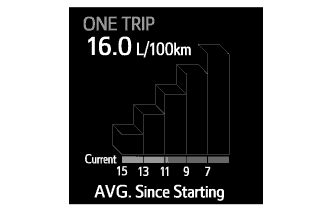
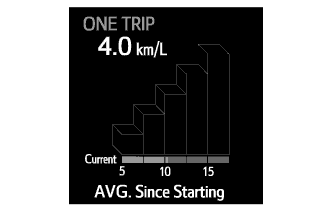
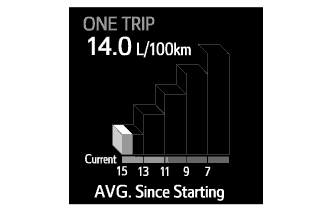
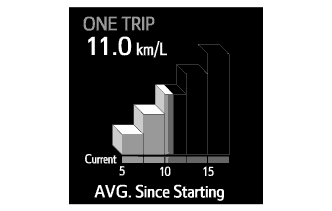
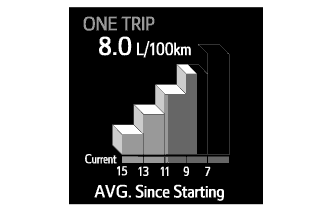
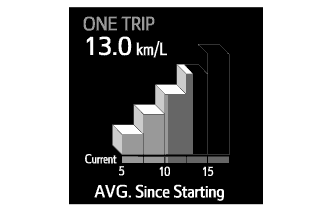
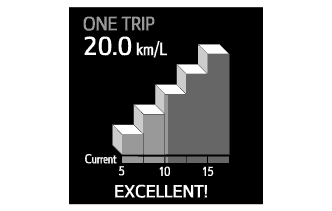
The eco drive level changes among 5 levels to indicate the average fuel consumption and current fuel consumption.
-
After the ignition switch is turned off, the eco drive level display appears for 3 seconds in the multi-information display. When the average fuel consumption is 7.7 L/100 km or less or 13 km/L or higher, the "EXCELLENT!" message flashes.
Average Fuel Consumption Level Multi-information Display (L/100 km) Multi-information Display (km/L) Level 0
(15 L/100 km or higher, or 5 km/L or less)
Level 1
(13 to 15 L/100 km, or 5 to 7.5 km/L)
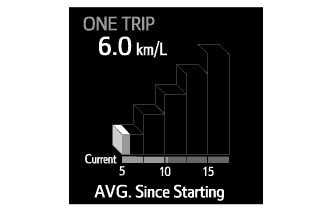
Level 2
(11 to 13 L/100 km, or 7.5 to 10 km/L)
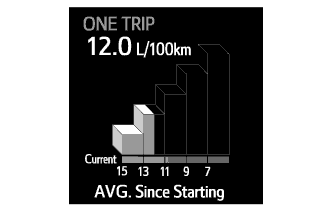
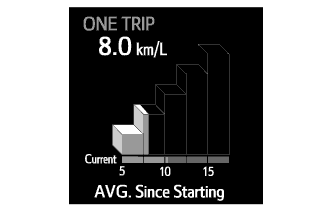
Level 3
(9 to 11 L/100 km, or 10 to 12.5 km/L)
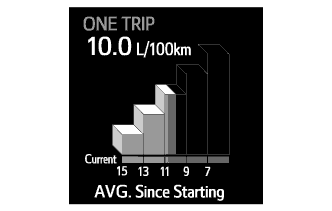
Level 4
(7 to 9 L/100 km, or 12.5 to 15 km/L)
Level 5
(7 L/100 km or less, or 15 km/L or higher)
When driving 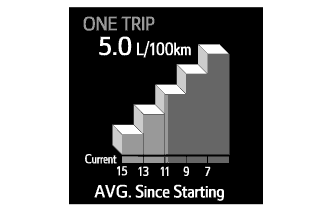
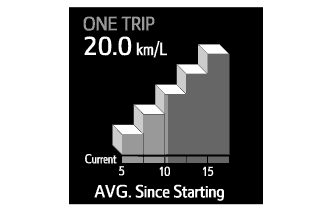
After ignition switch is turned off 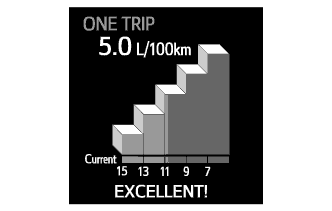
-
-
Setting Function
-
The items displayed on the multi-information display can be customized.
-
The following items can be selected on the information setting screen.
Item Available Setting Language The language used on the multi-information display can be selected:
-
English (Default*1)
-
Russian*2 (Default*2)
-
French*1
-
Spanish*1
Unit The unit displayed on the multi-information display can be selected:
-
km (L/100 km) (Default*3)
-
km (km/L) (Default*4)
-
miles (MPG (US))*4
-
miles (MPG (Imperial))*4
-
°C (Default)*4
-
°F*4
Drive Information 1*4 2 items can be selected among the following:
-
Current Fuel Consumption (Bar Display)
-
Total Average Fuel Consumption between Reset Operations
-
Average Fuel Consumption after Engine Start-up
-
Average Fuel Consumption after Refueling
-
Total Average Vehicle Speed between Reset Operations
-
Average Vehicle Speed after Engine Start-up
-
Total Elapsed Time between Reset Operations
-
Elapsed Time after Engine Start-up
-
Cruising Range (Default of lower area)
-
Cruising Range after Engine Start-up
-
Total Cruising Range between Reset Operations
-
Vehicle Speed (Digital Display) (Default of upper area)
-
Blank
Drive Information 2*4 2 items can be selected among the following:
-
Current Fuel Consumption (Bar Display) (Default of lower area)
-
Total Average Fuel Consumption between Reset Operations (Default of upper area)
-
Average Fuel Consumption after Engine Start-up
-
Average Fuel Consumption after Refueling
-
Total Average Vehicle Speed between Reset Operations
-
Average Vehicle Speed after Engine Start-up
-
Total Elapsed Time between Reset Operations
-
Elapsed Time after Engine Start-up
-
Cruising Range
-
Cruising Range after Engine Start-up
-
Total Cruising Range between Reset Operations
-
Vehicle Speed (Digital Display)
-
Blank
Drive Information 3*4 2 items can be selected among the following:
-
Current Fuel Consumption (Bar Display)
-
Total Average Fuel Consumption between Reset Operations
-
Average Fuel Consumption after Engine Start-up
-
Average Fuel Consumption after Refueling
-
Total Average Vehicle Speed between Reset Operations
-
Average Vehicle Speed after Engine Start-up
-
Total Elapsed Time between Reset Operations (Default of lower area)
-
Elapsed Time after Engine Start-up
-
Cruising Range
-
Cruising Range after Engine Start-up
-
Total Cruising Range between Reset Operations (Default of upper area)
-
Vehicle Speed (Digital Display)
-
Blank
Drive Information 3*3 2 items can be selected among the following:
-
Current Fuel Consumption (Bar Display)
-
Total Average Fuel Consumption between Reset Operations
-
Average Fuel Consumption after Engine Start-up
-
Total Average Vehicle Speed between Reset Operations (Default of lower area)
-
Average Vehicle Speed after Engine Start-up
-
Total Elapsed Time between Reset Operations
-
Elapsed Time after Engine Start-up
-
Cruising Range (Default of upper area)
-
Cruising Range after Engine Start-up
-
Total Cruising Range between Reset Operations
-
Blank
Eco Driving Indicator Light The Eco Driving Indicator Light can be switched:
-
ON (Default*3)
-
OFF (Default*4)
Interruption Display The following displays that appear as soon as the set conditions are met can be switched to ON (default) or OFF:
-
Turn-by-turn Navigation Display*5
-
Incoming Telephone Display
-
Cruise Control Switch Operation Guide*4
-
Rheostat
-
Shift Position Indicator*4
Accent Color The accent color can be changed:
-
Clear Blue (Default)
-
Clear Turquoise
-
Deep Orange
-
Radiant Orange
Initialization The set items can be initialized. *1: Except models for Russia
*2: Models for Russia
*3: Except TMMK Made Models
*4: TMMK Made Models
*5: Models with navigation system or multimedia system (with navigation ECU)
-
-
Warning Mode Function
-
When a warning is necessary, the warning display interrupts the current display on the multi-information display.
-
The master warning light may illuminate or blink and the buzzer in the combination meter assembly may sound depending on the item displayed on the multi-information display.
Except TMMK Made Models Priority Display Master Warning Light Buzzer 1 Door open (while driving) (image display)*1 Blinks Sounds Door open (image display) - - Clearance sonar detection (image display)*2 - - Check Park Sonar System*2 Illuminates - Clean Park Sonar*2 Illuminates - 2 Auto Power OFF to Conserve Battery - - 3 Shift to P position when parked Blinks Sounds 4 Release Parking Brake Blinks Sounds Key not detected*3 Blinks Sounds 5 Charging System Malfunction
See Owner's Manual
- - Check Entry & Start System*3 Blinks Sounds BSM not available*4 Illuminates Sounds Check Cruise Control System*5 Illuminates Sounds Check BSM System*4 Illuminates Sounds Engine Oil Pressure Low Illuminates Sounds 6 Turn Power OFF*3 Blinks Sounds Key detected in vehicle*3 Blinks Sounds Moon Roof opened*6 Blinks Sounds Depress brake pedal, touch engine switch with key*3 Blinks Sounds Depress brake pedal and push engine switch to start*3 Blinks Sounds Shift to P position to start Blinks Sounds 7 Steering Lock active Blinks Sounds 8 Key Battery Low*3 Illuminates Sounds Check Headlight System*7 Illuminates Sounds Engine Oil Level Low*8 Illuminates Sounds 9 Washer Fluid Low - - Fuel Low - - TRC OFF - - Power ON*3 - - Depress brake pedal and push engine switch to start - -
-
*1: If the vehicle has reached a speed of 5 km/h (3 mph)
-
*2: Models with TOYOTA parking assist-sensor system
-
*3: Models with smart entry and start system
-
*4: Models with blind spot monitor system
-
*5: Models with cruise control system
-
*6: Models with sliding roof system
-
*7: Models with automatic headlight beam level control system or automatic high beam system
-
*8: Models with 6AR-FSE engine
TMMK Made Models Priority Display Master Warning Light Buzzer 1 Door open (while driving) (image display)*1 Blinks Sounds Door open (image display) - - 2 Shift to P position Blinks Sounds 3 Check Electronic Power Steering System Illuminates Sounds Release Parking Brake Blinks Sounds Key Not Detected Blinks Sounds 4 Check Anti-lock Brake System - Sounds Check Vehicle Stability Control System - - Check Brake System - - Engine Coolant Temp is High Illuminates Sounds Check Charging System - - Smart Entry & Start System Check Blinks Sounds Check Cruise Control System Illuminates Sounds Low Oil Pressure Illuminates Sounds 5 Turn Power OFF Blinks Sounds Key Detected in Vehicle Blinks Sounds Turn Headlights OFF Blinks Sounds Moon Roof Open*2 Blinks Sounds Key Battery Low
Engine Start:
Press Brake Pedal, Push Engine Switch with Key
Blinks Sounds Key Battery Low
Accessory Mode:
Push Engine Switch with Key
Blinks Sounds Engine Start:
Press Brake Pedal and Push Engine Switch
Blinks Sounds Accessory Mode:
Push Engine Switch
Blinks Sounds Shift to P Position to Start Blinks Sounds 6 Steering Lock ON Blinks Sounds Key Battery Low Illuminates Sounds 7 Check Headlight Leveling System Illuminates Sounds Check Headlight System Blinks Sounds 8 Low Washer Fluid - - Low Fuel - - Traction Control OFF - - Power ON - - Smart key symbol - -
-
*1: If the vehicle has reached a speed of 5 km/h (3 mph)
-
*2: Models with sliding roof system
-
-
-