METER / GAUGE SYSTEM GENERAL
-
OUTLINE
-
A harmonious meter with a blue-green color integrated reflective display, and multi-information display is used.
-
A multi-information display on which the hybrid system information, fuel consumption and warning messages are integrally displayed is used.
-
An EV mode indicator light is used to indicate whether EV mode or HV mode is currently selected in the hybrid system by illuminating only when the EV mode is active.
-
The combination meter uses a touch tracer display to reduce the movement of a driver's line of sight.
-
Vacuum Fluorescent Display (VFD) which have stable operating characteristics and emit very bright light with clear contrast are used to indicate the vehicle speed, fuel, instantaneous fuel consumption, shift position and for the multi-information display.
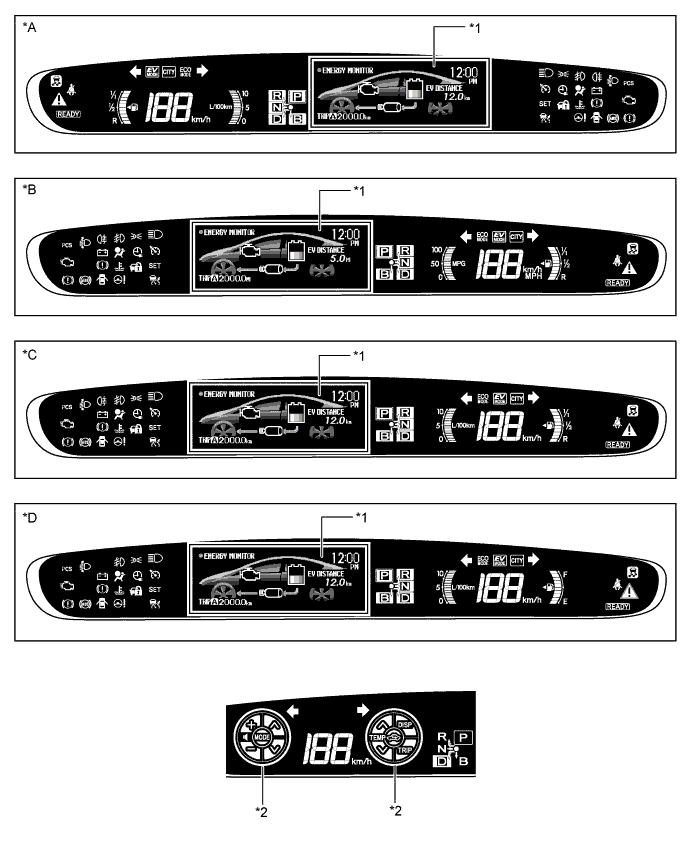
Text in Illustration *A LHD Models for Europe *B LHD Models for United Kingdom *C RHD Models for Europe *D Models for Australia *1 Multi-information Display *2 Touch Tracer Display
-
-
MAIN FEATURES
-
Multi-information Display
-
The multi-information display has various items that can be displayed.
-
The items displayed on the energy monitor and the hybrid system indicator automatically change depending on the EV and HV modes and plug-in charging state in the hybrid system.
Energy Monitor Item Display Outline EV Mode 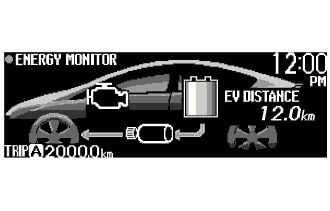
-
Shows the energy flow in the form of an arrow.
-
Shows the State Of Charge (SOC) of the HV battery levels.
-
Displays the distance the vehicle can travel in EV mode.
-
Displays approximate time before the plug-in charging is completed.
HV Mode 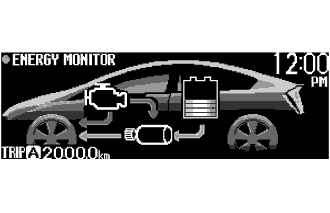
During Plug-in Charging 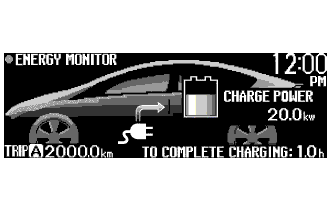
Hybrid System Indicator Item Display Outline EV Mode 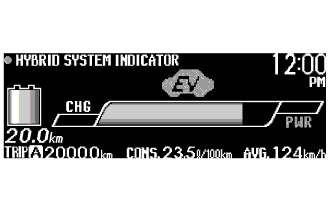
-
Hybrid system indicator displays the hybrid system output status.
-
EV driving indicator light and Eco driving indicator light inform the driver of that the driver performs environmental-friendly acceleration operations.
-
Shows the State Of Charge (SOC) of the HV battery in 8 levels.
-
Displays the distance the vehicle can travel in EV mode.
HV Mode 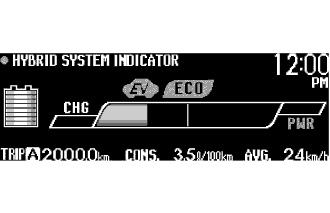
Fuel Consumption Record Item Display Outline 5 min./1 min. Consumption Record 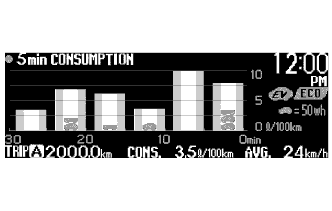
Average fuel consumption in 1 or 5 minutes interval is displayed in a graph. Monthly Fuel Consumption Record 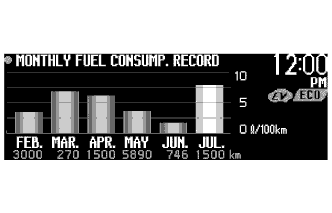
Monthly fuel consumption record shows the monthly average fuel consumption for the current month and previous 5 months in a graph. Plug-in Hybrid Information Item Display Outline EV Driving Ratio 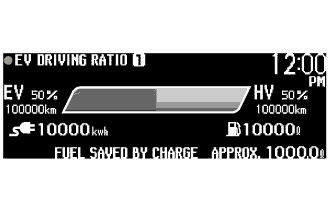
Displays EV and HV mode driving distance ratios for the total driving distance. Plug-in Effect 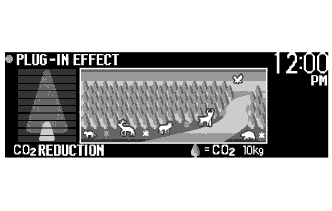
The result of the reduction of CO2, which was realized due to repeated plug-in charge operations, is displayed using a battery charge level indicator and an illustration of trees, flowers and animals.
Others Item Display Outline Rear Seat Seat Belt Indicator 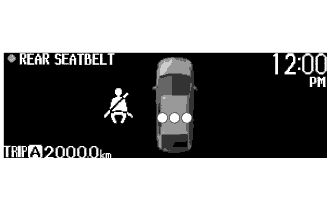
Display that indicates whether the rear seat seat belt is fastened or not. Settings Display 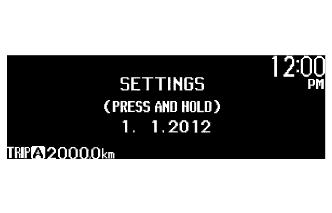
-
Allows for setting the preferred multi-information display screen.
-
Turns on and off the touch tracer display.
Screen Off Display*1 
Displays only the current time and ODO/TRIP meter information. Caution Message Display*2 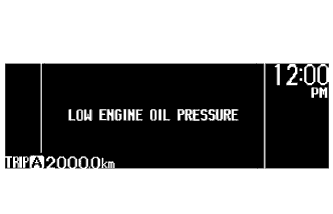
A message display will assist the driver with operation instructions if there is a vehicle system malfunction. Dynamic Radar Cruise Control System / Pre-crash Safety System Display*3 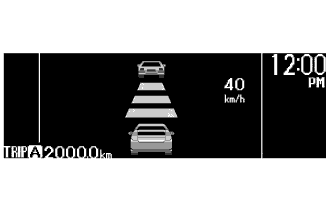
Displays dynamic radar cruise control system and pre-crash safety system conditions.
-
*1: Displayed when the display setting is turned off.
-
*2: Displayed when the necessary conditions are met.
-
*3: Models with dynamic radar cruise control system or pre-crash safety system
-
-
-
Touch Tracer Display
-
The fuel and instant fuel consumption display areas are changed to the touch tracer display when the steering pad switch is touched by the driver, and the position touched by the driver's finger is displayed on the combination meter, thus reducing the movement of the driver's line of sight during the steering pad switch operation.
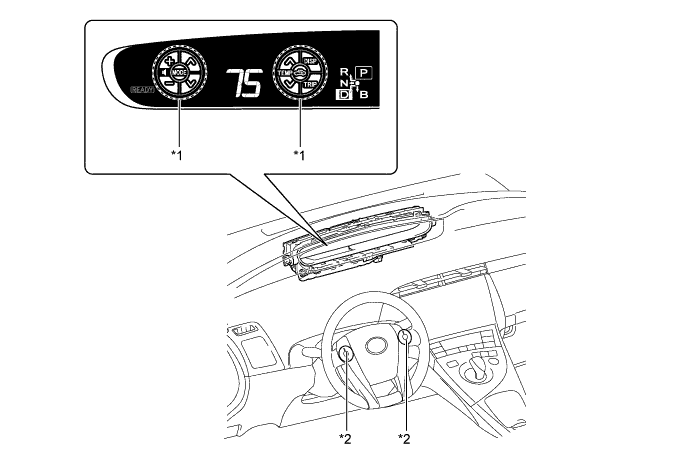
Text in Illustration *1 Touch Tracer Display *2 Steering Pad Switch
-
-
Headup Display
-
The Headup display can show a maximum of 6 types of information.
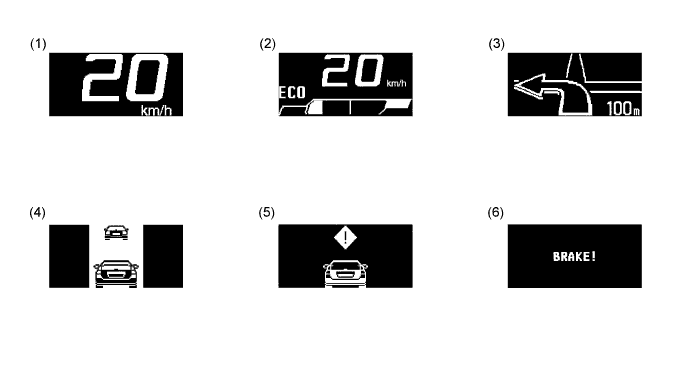
No. Item Outline (1) Vehicle Speed The vehicle speed is always displayed. (2) Vehicle Speed and Hybrid System Indicator
-
The vehicle speed is always displayed.
-
Eco Driving Indicator Light is displayed.
-
Hybrid System Indicator is displayed.
(3) Turn-by-turn Navigation*1 Turn-by-turn navigation information is displayed based on the signal from the display. (4) Dynamic Radar Cruise Control*2 This vehicle approach warning information is displayed when the vehicle approaches close to the vehicle ahead when the vehicle is in the vehicle-to-vehicle distance control mode of the dynamic radar cruise control system. (5) Pre-crash Safety System*2 A pre-crash safety system warning is displayed. (6) Pre-crash Brake System*2 This pre-crash brake system warning display will interrupt the headup display immediately when a warning occurs.
-
*1: The display can be turned on and off if desired.
-
*2: Displayed when the necessary conditions for the display are met.
-
-
-
The headup display may seen dark and hard to see when viewed through sunglasses, especially polarized sunglasses.
-