MULTI-TERRAIN MONITOR SYSTEM
-
GENERAL
-
The multi-terrain monitor system screens displayed on the multi display can be switched by pressing the monitor switch.
-
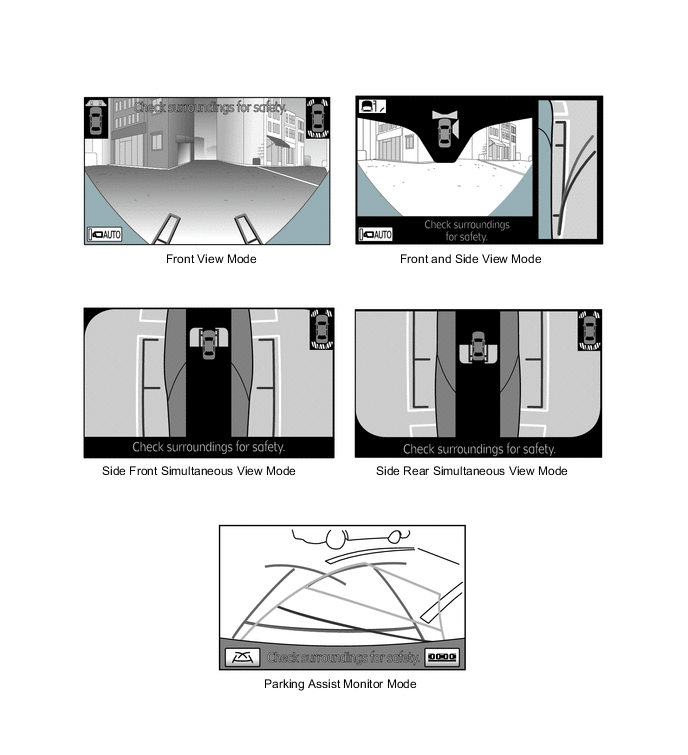
The front view mode shows the area ahead of the vehicle. The front and side view mode shows the area ahead and diagonally below the passenger side of the vehicle. The side front simultaneous view mode shows the area diagonally below the sides of the vehicle (near the front). The side rear simultaneous view mode shows the area diagonally below the sides of the vehicle (near the rear). In the parking assist monitor mode, the area behind the vehicle is shown.
-
-
Display Transition
-
The manual display mode of the multi-terrain monitor system undergoes the following screen transitions:
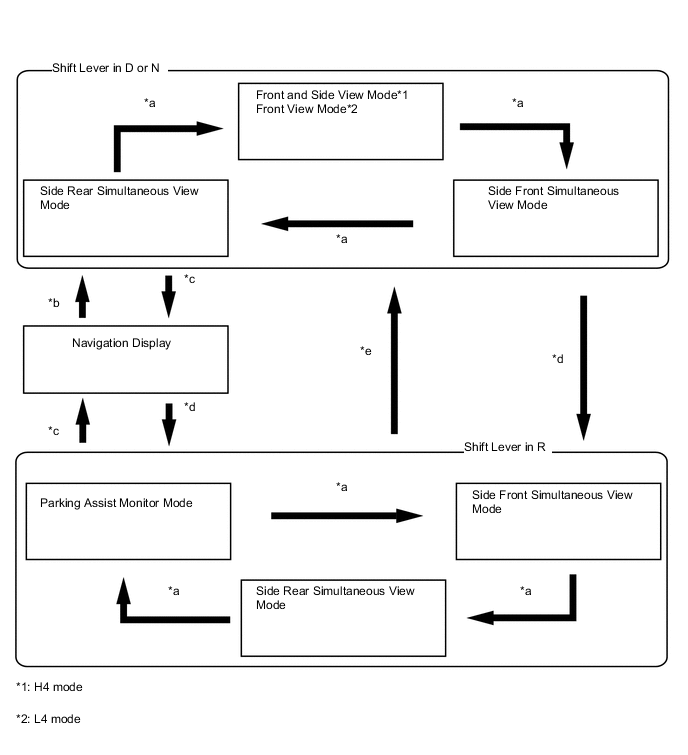
Item Transition Condition *a The monitor switch is operated. *b The monitor switch is pressed when the shift lever is in D or N. *c The map switch is pressed, or the shift lever is moved to P. *d The shift lever is in R. *e The shift lever is in a position other than P and R. -
The auto display mode of the multi-terrain monitor system undergoes the following screen transitions:
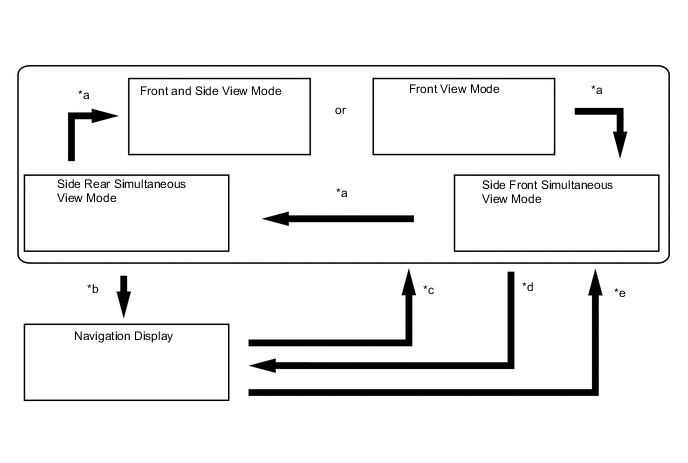
Item Transition Condition *a The monitor switch is operated. *b The map switch is pressed when the shift lever is in D or N. *c The vehicle speed has dropped from more than 10 km/h to 10 km/h or less. *d The vehicle speed has increased from 12 km/h or less to more than 12 km/h. *e The shift lever is moved from P or R to any position other than P and R.
-
Front View Mode
-
The front view mode shows the conditions in front of the vehicle.
-
In the front view mode, the screen displays as shown in the illustration below:
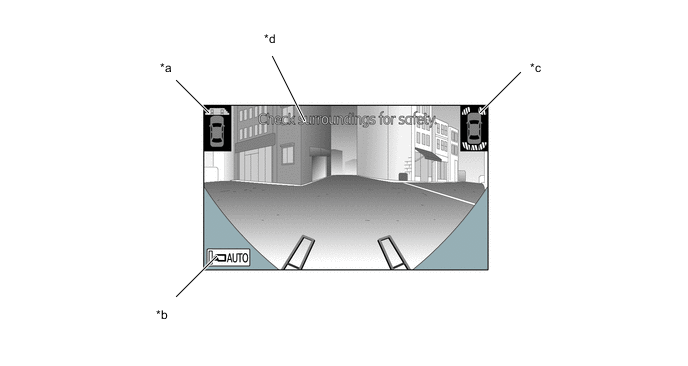
*a Vehicle's Icon *b Auto Mode Switch *c During Simultaneous Operation with TOYOTA Parking Assist-sensor System *d Warning Message
-
-
Front and Side View Mode
-
In the front and side view mode, the screen will simultaneously display the front view and the side view. When the wide view front and side monitor system is started, it will display in the front and side view mode.
-
In the front and side view mode, the screen displays as shown in the illustration below:
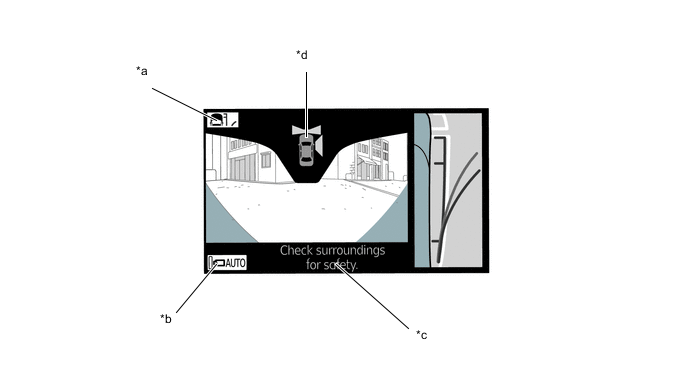
*a Display Mode Switch *b AUTO Mode Switch *c Warning Message *d Vehicle's Icon
-
-
Side Front Simultaneous View Mode
-
The side front simultaneous view mode shows the conditions in the sides of the vehicle.
-
In the side front simultaneous view mode, the screen displays as shown in the illustration below:
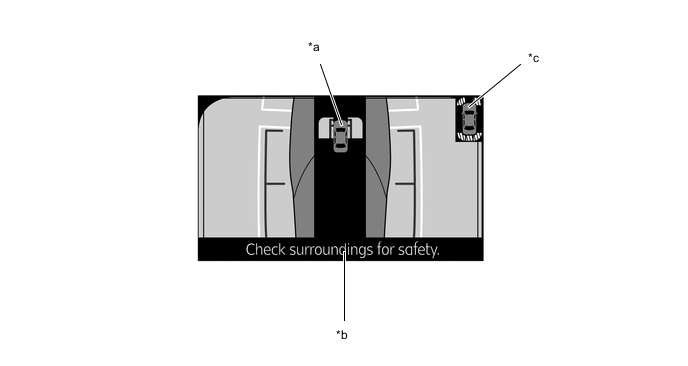
*a Vehicle's Icon *b Warning Message *c During Simultaneous Operation with TOYOTA Parking Assist-sensor System - -
-
-
Side Rear Simultaneous View Mode
-
The side rear simultaneous view mode shows the conditions in the sides of the vehicle.
-
In the side rear simultaneous view mode, the screen displays as shown in the illustration below:
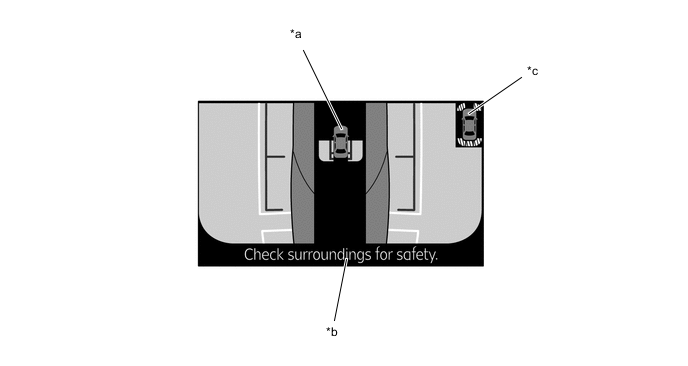
*a Vehicle's Icon *b Warning Message *c During Simultaneous Operation with TOYOTA Parking Assist-sensor System - -
-
-
Parking Assist Monitor Mode
-
The parking assist monitor mode shows the conditions in the rear of the vehicle.
-
In the parking assist monitor mode, the screen displays as shown in the illustration below:
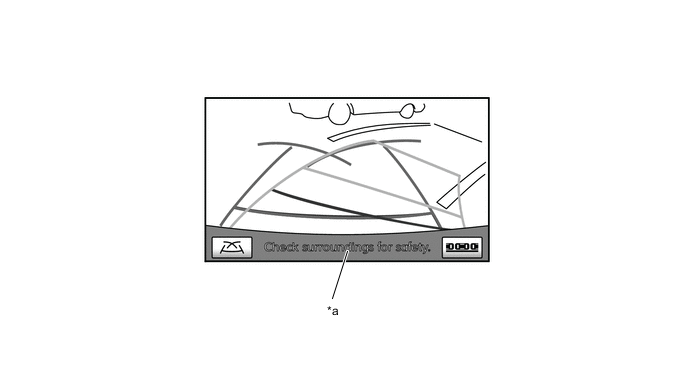
*a Warning Message - -
-
-
Warning Message
-
A warning message appears at the bottom, side or center of the screen under the conditions listed below. The warning message appears in the language that has been selected by the language selector of the navigation screen display.
Messages Appearing at Bottom or Side of Screen Warning Message Outline Check surroundings for safety This message always appears during system operation. Guidance Unavailable This message is displayed when an error in the steering angle sensor occurs.
-
-
-