METER / GAUGE SYSTEM GENERAL
-
OUTLINE
-
Combination Meter Assembly
-
A harmonious meter with a blue-green color integrated reflective display, and multi-information display is used.
-
A multi-information display on which the hybrid system information, fuel consumption and warning messages are integrally displayed is used.
-
The combination meter uses a touch tracer display to reduce the movement of a driver's line of sight.
-
A Vacuum Fluorescent Display (VFD) which has a stable operating characteristic and emits a very bright light with clear contrast is used to indicate the vehicle speed, fuel, instantaneous fuel consumption, shift position and multi-information display.
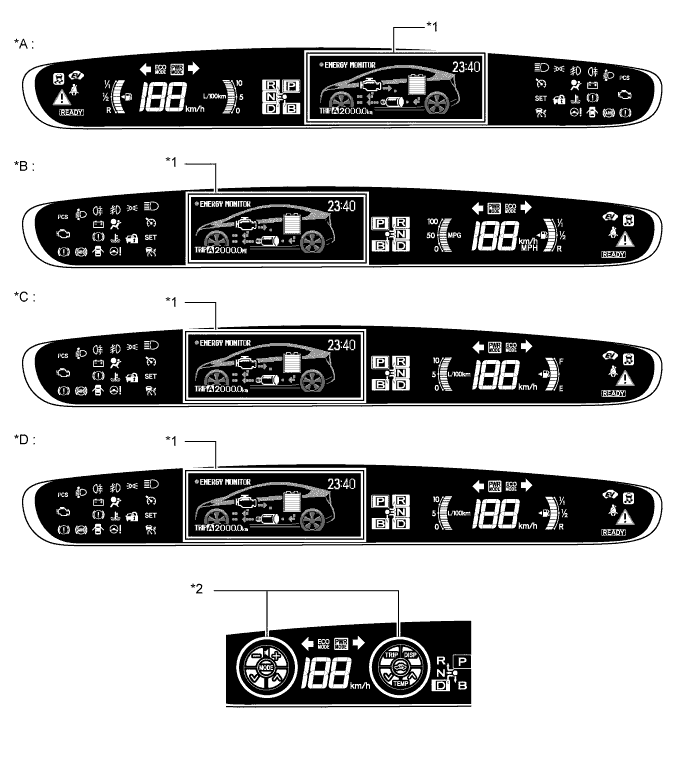
Text in Illustration *A LHD Models for Europe *B RHD Models for England *C Models for Australia *D RHD Models for Europe (Except England) *1 Multi-information Display *2 Touch Tracer Display
-
-
Headup Display
-
A blue-green, dot-matrix type headup display is provided, which is a highly visible information indication tool and minimizes the movement of the driver's line of sight.
-
Vehicle speeds, Hybrid System Indicator, turn-by-turn navigation, dynamic radar cruise warning, and pre-crash safety system are displayed. The turn-by-turn navigation display can be turned off and on by switch operations.
-
A windshield glass structure that eliminates a combiner from the display area is employed.
-
-
-
MAJOR DIFFERENCE
-
The new models have been modified from the previous models, as shown below:
-
The shift operation warning function has been added of the buzzer in the combination meter assembly.
-
The "N POSITION" shift operation warning message has been added for the multi-information display in the combination meter assembly.
-
-
-
MAIN FEATURES
-
Multi-information Display
-
The multi-information display has a maximum of 9 modes that can be displayed.
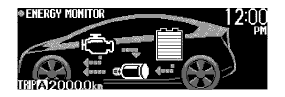
Display Outline Energy Monitor
-
Shows the energy flow in the form of an arrow.
-
Shows the SOC (state of charge) of the HV battery in 8 levels.
Hybrid System Indicator
-
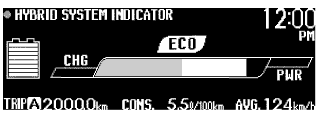
Eco Driving Indicator Light informs the driver of that the driver performs Eco-friendly acceleration.
-
Hybrid System Indicator displays the system power output and regenerative charging of the hybrid system.
-
Shows the SOC (state of charge) of the HV battery in 8 levels.
Past Trip Fuel Consumption Record A graph that displays the calculated average fuel consumption between two different points is adopted. The best record for fuel consumption between previously set points will also be displayed as the record for best fuel consumption. 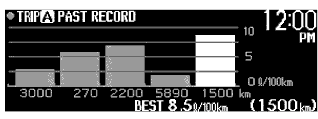
5 min./1 min. Consumption Record Average fuel consumption for the previous one or five minutes is displayed in a graph. 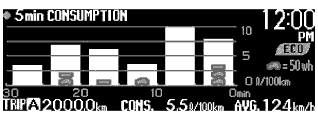
Rear Seat Seatbelt Indicator Adopted a display that indicates whether the rear seat seat belt is fastened or not. 
Settings Display
-
Allows for setting the preferred multi-information display.
-
Turns on and off the touch tracer display.
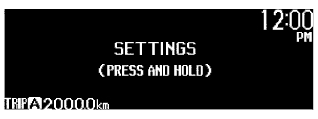
Screen Off Display*1 Displays only the current time and ODO/TRIP meter information. 
Caution Message Display*2 A message display will assist the driver with operation instruction displaying messages if there is a vehicle system malfunction. 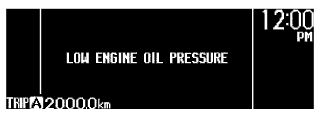
The image shown is an example.
Dynamic Radar Cruise Control System / Pre-crash Safety System Display*2 Displays dynamic radar cruise control system and pre-crash safety system conditions. 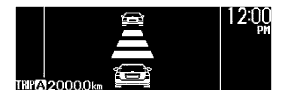
-
*1: Displayed when the setting is turned off on the display.
-
*2: Displayed when the necessary conditions for the display are met.
-
-
-
Touch Tracer Display
-
The fuel and instant fuel consumption display areas are changed to the touch tracer display when the steering pad switch is touched by the driver, and the position touched by the driver's finger is displayed on the combination meter, thus reducing the movement of the driver's line of sight during the steering pad switch assembly operation.
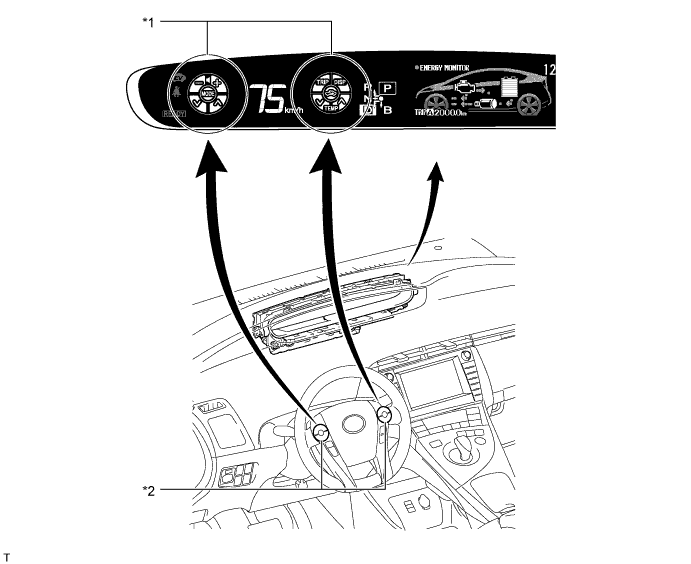
Text in Illustration *1 Touch Tracer Display *2 Steering Pad Switch Assembly
-
-
Headup Display
-
The Headup display can show a maximum of 6 types of information.
Display Outline Vehicle Speed The vehicle speed is always displayed. 
Hybrid System Indicator
-
The vehicle speed is always displayed.
-
Eco Driving Indicator Light is displayed.
-
Hybrid System Indicator is displayed.

Turn-by-turn Navigation*1 Turn-by-turn navigation information is displayed based on the signal from the display. 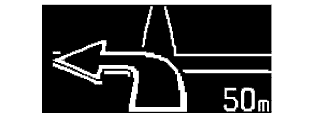
Vehicle Approach Warning*2 This vehicle approach warning information is displayed when the vehicle approaches close to the vehicle ahead when the vehicle is in the vehicle-to-vehicle distance control mode of the dynamic radar cruise control system. 
Pre-crash Safety System*2 The pre-crash safety system warning is displayed. 
Pre-crash Safety Warning*2 Pre-crash safety warning display will interrupt the multi-information display immediately when a warning occurs. 
-
*1: The display can be turned on and off if desired.
-
*2: Displayed when the necessary conditions for the display are met.
-
-
-