METER / GAUGE SYSTEM DETAILS
-
OPERATING CONDITION
-
Eco Driving Indicator Light Operating Conditions
-
When all of the Eco driving conditions are met, the ECM determines that Eco-driving (environmentally-friendly and fuel-efficient driving state) is being performed and activates the Eco Driving Indicator Light. However, if any of the Non-Eco driving conditions is met, the ECM deactivates the Eco Driving Indicator Light.
OPERATES/DOES NOT OPERATE Operating Condition OPERATES
-
The ignition switch is ON.
-
The engine is running.
-
The shift lever is in D.
-
The vehicle is running.
Eco Driving Indicator Light turns on only when the all of the above conditions are met and the accelerator pedal operation degree is less than the Eco driving accelerator upper limit, and turns off if the accelerator pedal operation degree is more than 5% above the Eco driving accelerator upper limit.
DOES NOT OPERATE
-
The ignition switch is off.
-
The engine stops running.
-
The shift lever is in any position other than D.
-
The speed exceeds the speed threshold.
-
-
-
-
SYSTEM CONTROL
-
Front Seat Belt Warning
-
The front seat belt warning turns on the front seat belt warning light and sounds the buzzer in the combination meter to urge the front passenger to fasten their seat belt if it is not fastened.
-
The front seat belt warning blinks each front seat belt warning light individually when the driver does not fasten the driver seat belt or the front passenger does not fasten the front passenger seat belt.
-
The front seat belt warning buzzer sounds when the vehicle speed reaches approximately 20 km/h (12.4 mph) or more while the front seat belt warning light is blinking. If the seat belt is not then fastened after approximately 30 seconds have elapsed since the buzzer sounded, the front seat belt warning buzzer sounds more loudly than normal for approximate 90 seconds.
-
-
Rear Seat Belt Warning
-
The rear seat belt warning turns on the rear seat belt warning light and blinks the buzzer in the combination meter to urge rear passengers to fasten the rear seat belts when either the rear seat belt LH or the rear seat belt RH is not fastened.
-
The rear seat belt warning light turns on for approximately 30 seconds after the ignition switch is turned to ON, and it also turns on if the rear seat belt is released while the ignition switch is turned ON.
-
The rear seat belt warning buzzer sounds when the vehicle speed reaches approximately 20 km/h (12.4 mph) or more while the rear seat warning light is on. If the seat belt is not then fastened after approximately 30 seconds have elapsed since the buzzer sounded, the rear seat belt warning buzzer sounds more loudly than normal for approximately 90 seconds.
-
-
Oil Change Reminder Indicator Light (for 1ND-TV Engine Models)
-
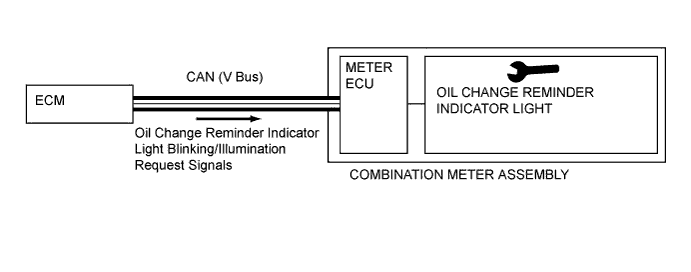
When any of the following conditions are met: the running distance exceeds the engine oil change distance; the engine oil has deteriorated; or the engine oil amount has abnormally increased over the standard value, the ECM outputs indicator light blinking/illumination request signals to the combination meter assembly and blinks/illuminates the oil change remainder indicator light to urge the driver to change the engine oil.
-
For details on the conditions in which the oil change reminder indicator light illuminates or flashes, or on the reset procedure, refer to Engine Control (1ND-TV).
-
-
Eco Driving Indicator Light
-
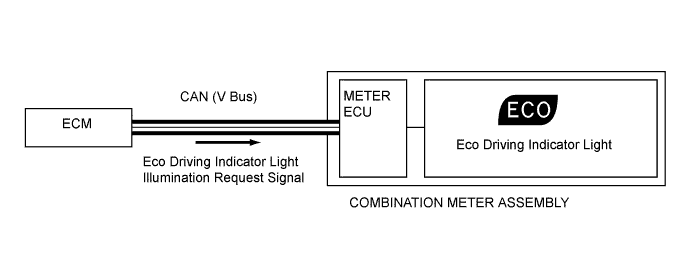
When the ECM determines that Eco driving (environmentally-friendly acceleration operation) is being performed, the ECM outputs the Eco Driving Indicator Light illumination request signal to the combination meter assembly and illuminates the Eco Driving Indicator Light.
-
-
-
FUNCTION
-
Multi-information Display Function
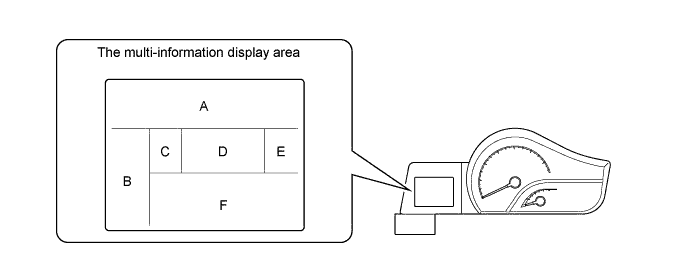
Display Area Display Display Item Outline A 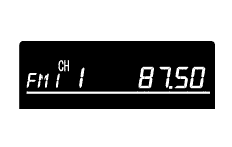
Audio Display Displays the audio information. B 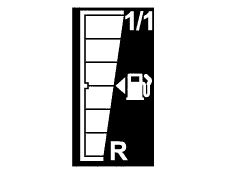
Fuel Gauge Display Displays the remaining fuel amount. C 
Shift Position Indicator (for CVT Models) Displays the shift position. D 
Clock Display The clock is always displayed. E 
Outside Temperature Display The outside temperature is always displayed. F 
Odometer Display Displays the odometer. 
Trip meter Display Displays the tip meter. 
Dimming Mode Display Modulates the meter brightness. 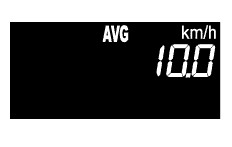
Cruise Information Display
-
In the cruise information display, 3 types of information (Instantaneous Fuel Consumption Display, Average Fuel Consumption after Refueling Display, and Average Vehicle Speed) can be displayed.
-
The display can be switched by using the MODE switch.

Customized Eco Driving Indicator Light Display Displays the customized Eco Driving Indicator Light. -
-
Cruise Information Display Function
Display Display Item Outline 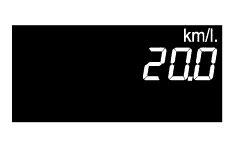
Instantaneous Fuel Consumption Display
-
Displays the instantaneous fuel consumption based on the running distance and fuel injection amount.
-
Displays the instantaneous fuel consumption which is calculated by the meter computer, based on the running distance and amount of fuel used.
-
Displays nothing on the display when there is a communication error or input signal error.
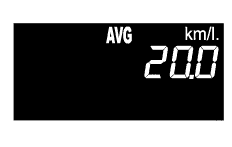
Average Fuel Consumption after Refueling Display
-
Displays the average fuel consumption based on the running distance since the last refueling and the fuel injection amount.
-
Displays the average fuel consumption since the last refueling, which is calculated by the meter computer, based on the accumulated running distance since the battery was reconnected or the data was reset and the accumulated amount of fuel used.
-
This display is updated every 10 seconds.
-
Displays nothing on the display when there is a communication error or an input signal error.
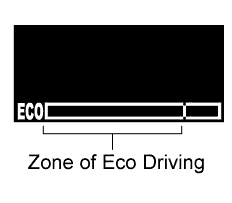
Eco Driving Indicator Zone Display
-
Displays Eco driving state through the movement of the bar on the Eco Driving Indicator Zone Display after the comparison of the Eco driving range with the current accelerator pedal operation and the calculation of Eco driving range based on the running speed by the ECM.
-
Displays Eco driving ratio when the ECM determines that environmentally-friendly and fuel-efficient driving is performed and outputs the Eco-Zone Indicator Level signal to the combination meter assembly.
-
Displays the Eco driving ratio based on the accelerator pedal operation using the bar graph and blinks the right side of Eco Driving Indicator Zone Display when the vehicle exceeds the Eco driving range.
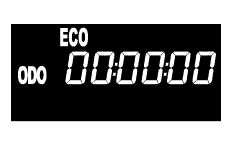
Eco Odo Display Displays the total amount of engine stoppage time occurring since the last reset. To reset, press and hold the MODE switch. 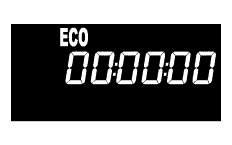
Eco Time Display Displays the total amount of engine stoppage time occurring between on (IG) and the subsequent off. Average Vehicle Speed
-
Displays the average vehicle speed based on the accumulated running distance and the accumulated time elapsed after engine start-up.
-
Displays the average vehicle speed after engine start-up, which is calculated by the meter computer, based on the accumulated distance driven and the accumulated time elapsed since the battery was connected or the data was reset.
-
Resets the average vehicle speed after engine start-up each time the engine is started.
-
This display is updated every 10 seconds.
-
Displays nothing on the display when there is a communication error or an input signal error.
-
-
Dimming Mode Display Function
-
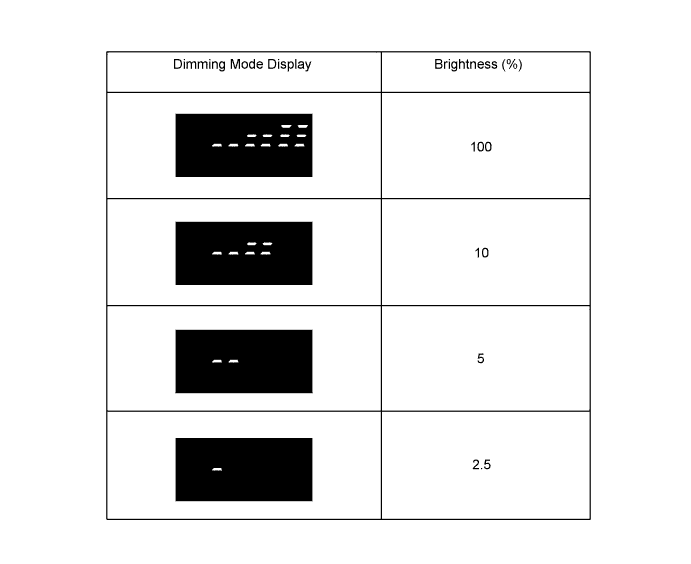
When the F area on the multi-information display is switched to dimming mode display while the taillights are turned on, the brightness of the speed meter, odometer and multi-information display can be modulated by pressing the MODE switch.
-
-
-
OPERATION
-
Switching the F Area on the Multi-information Display
-
The F area display changes in the order shown below by pressing the MODE switch.
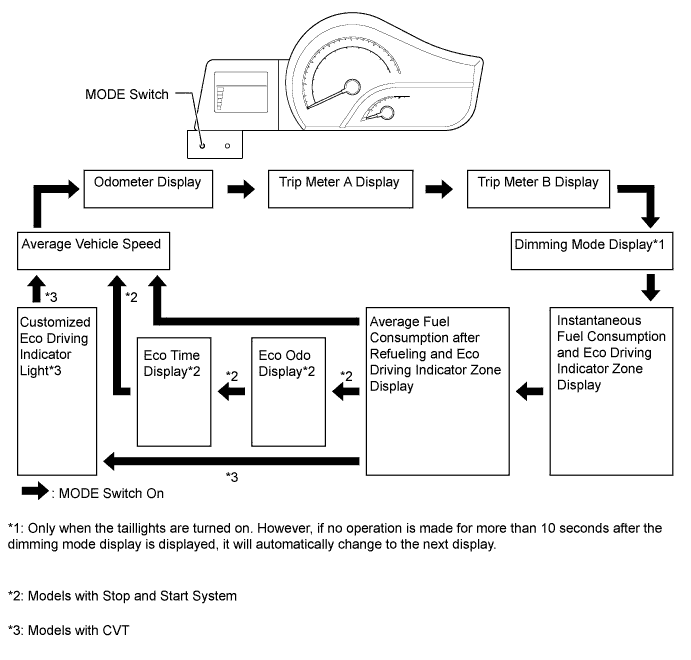
-
-