ROCKER OUTER PANEL CUT AND JOIN REPLACEMENT SECTIONS
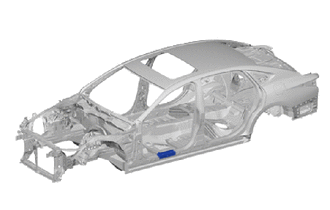
-
REMOVAL
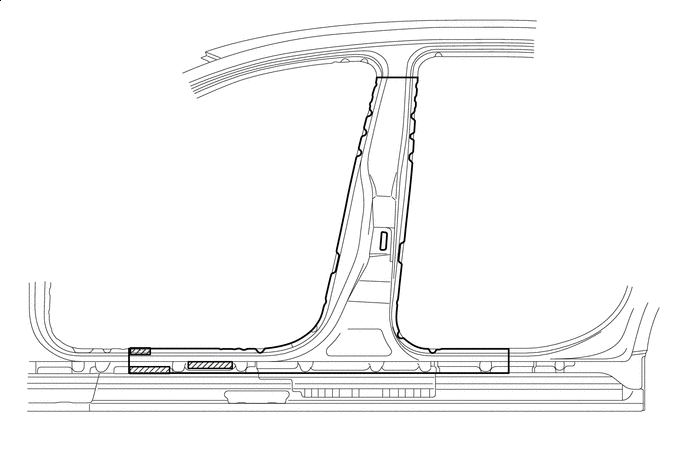
Symbol Meaning 
Remove Weld Points 
Cut and Join Location 
Cut Location for Supply Parts
-
Roughly cut open the panel so that the adhesive can be reached. Cut through the adhesive with a cut chisel to remove the panel.
Tech Tips
In cases where the adhesive cannot be removed with a cut chisel, heat the adhesive with an industrial heater gun or gas burner taking care not to cause panel deformation by overheating.

Adhesive - - 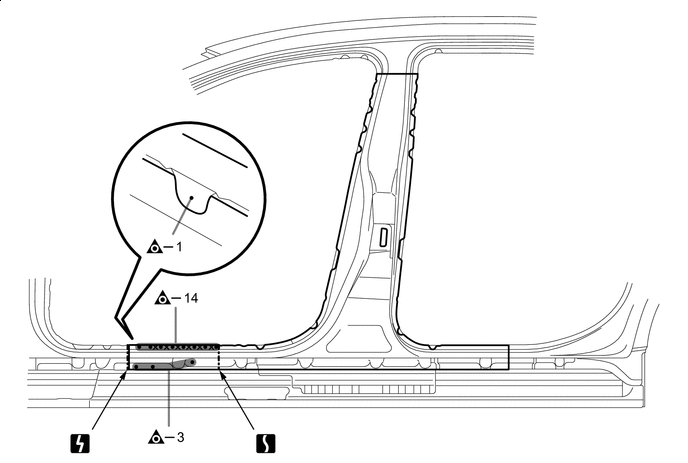

Laser Screw Welding - - 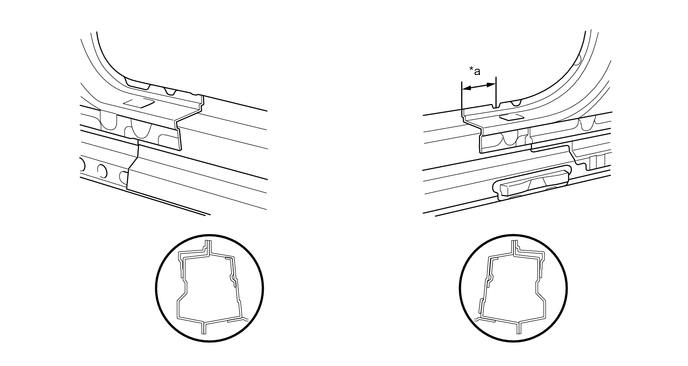
*a 85 mm (3.35 in.) - - -
When replace only the outer panel, please cut off a necessary range depending on a damage range.
-
Carefully cut the outer panel so not to damage the reinforcement.
-
Make sure that butt welding does not heat-affect the reinforcement when welding the outer panel.
-
-
-
INSTALLATION
Symbol Meaning 
Plug Weld 
Butt Weld
-
Inspect the fitting of the related parts around the new parts before welding. This affects the appearance of the finish.
-
Temporarily install the new parts and measure each part of the new parts in accordance with the body dimension diagram. (See the body dimensions)
-
Apply adhesive (3MTMAutomixTMPanel Bonding Adhesive #8115).
Tech Tips
-
Apply a light coat of adhesive around the plug welding points.
-
Apply enough adhesive to the panels.
Adhesive - - 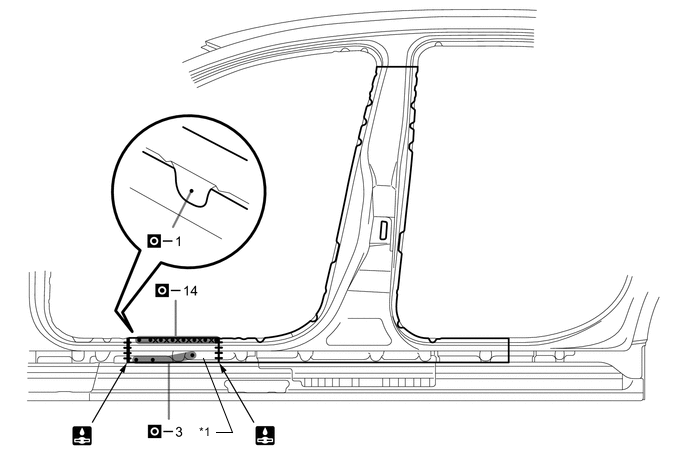
*1 CENTER BODY PILLAR OUTER - - -
-
After welding, apply body sealer to the corresponding parts. (See the painting/coating)
-
After applying the top coat, apply anti-rust agent to the internal panel portion of the closed section structural weld points.
-