REAR FLOOR PAN ASSEMBLY REPLACEMENT
-
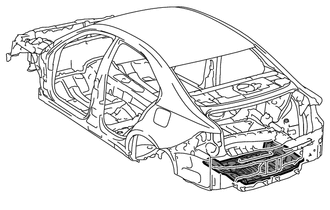
-
With the body lower back panel removed.
-
REMOVAL
Symbol Meaning 
Remove Weld Points
-
*a in illustration indicates where the adhesive is located.
-
Roughly cut open the panel so that the adhesive can be reached. Cut through the adhesive with a cut chisel to remove the panel.
Tech Tips
In cases where the adhesive cannot be removed with a cut chisel, heat the adhesive with an industrial heater gun or gas burner taking care not to cause panel deformation by overheating.
REMOVAL POINT
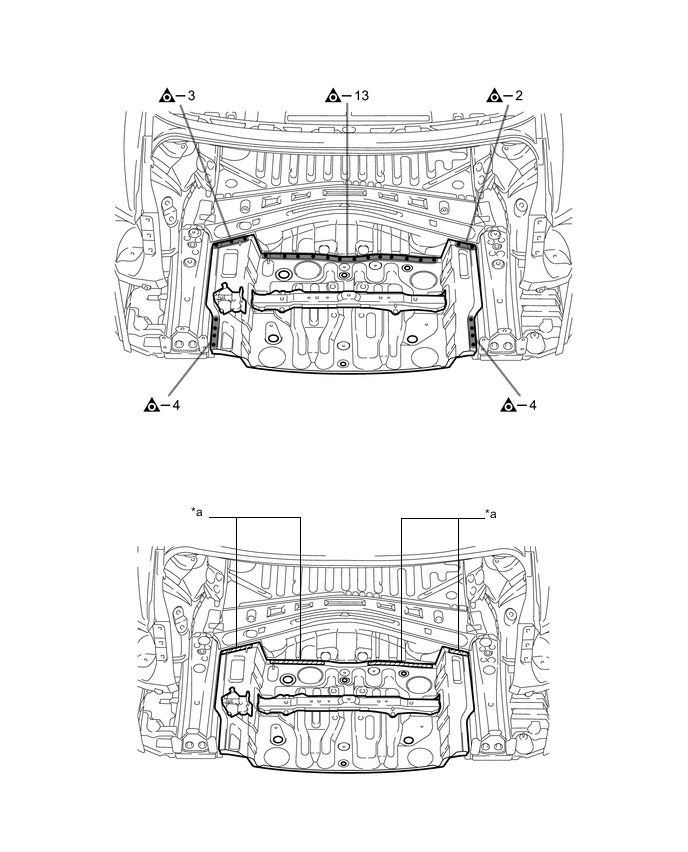
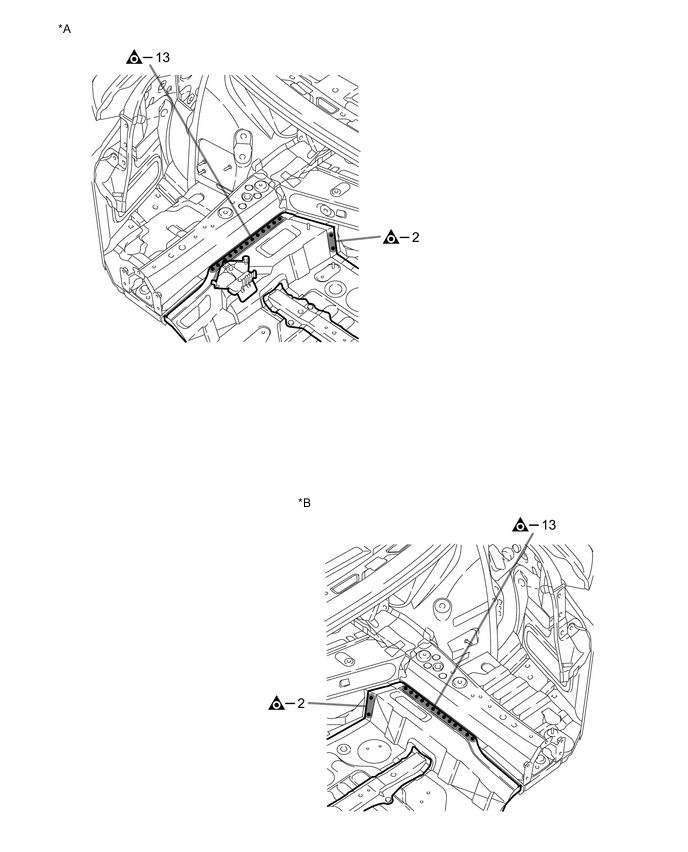
*A LH Side *B RH Side -
-
INSTALLATION
Symbol Meaning 
Plug Weld 
Fillet Weld
-
Temporarily install the new parts and measure each part of the new parts in accordance with the body dimension diagram. (See the body dimensions)
-
Before temporarily installing the new parts, weld the rear floor pan, rear floor crossmember bracket sub-assembly, jack carrier assembly and weld bolts with the standard number of welding points.
-
Apply adhesive (3MTMAutomixTMPanel Bonding Adhesive #8115) to the area indicated by *a in the illustration.
Tech Tips
-
Apply a light coat of adhesive around the plug welding points.
-
Apply enough adhesive to the panels.
-
-
After welding, apply body sealer and undercoating to the corresponding parts. (See the painting / coating)
-
After applying the top coat, apply anti-rust agent to the internal panel portion of the closed section structural weld points.
INSTALLATION POINT
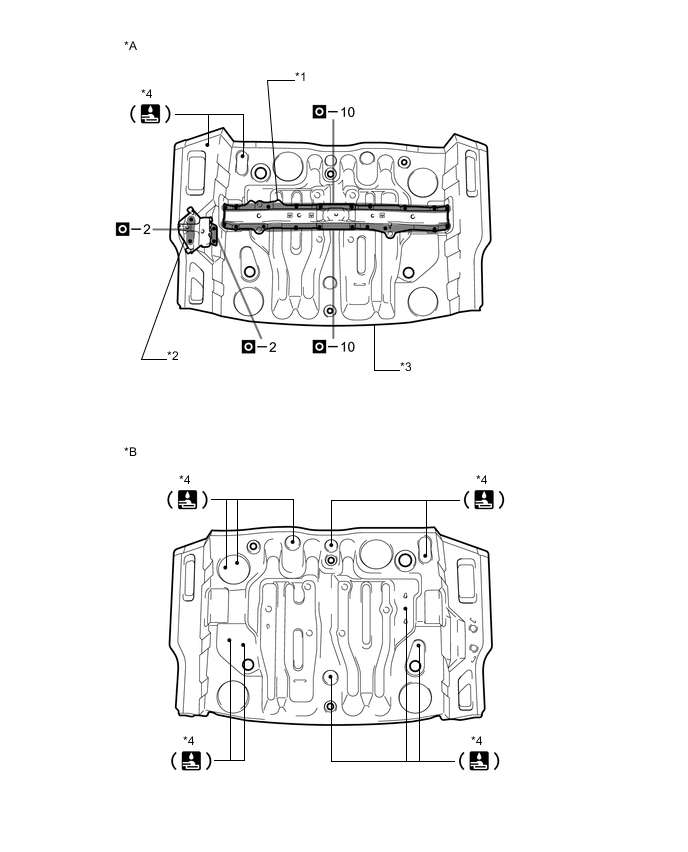
*A Upper Face *B Lower Face *1 REAR FLOOR CROSSMEMBER BRACKET SUB-ASSEMBLY *2 JACK CARRIER ASSEMBLY *3 REAR FLOOR PAN *4 WELD BOLTS 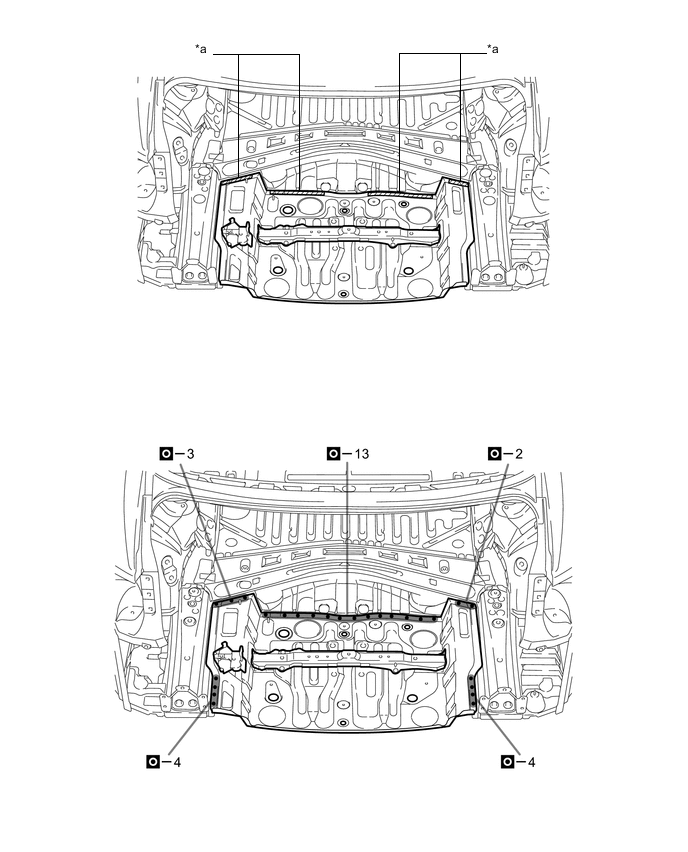
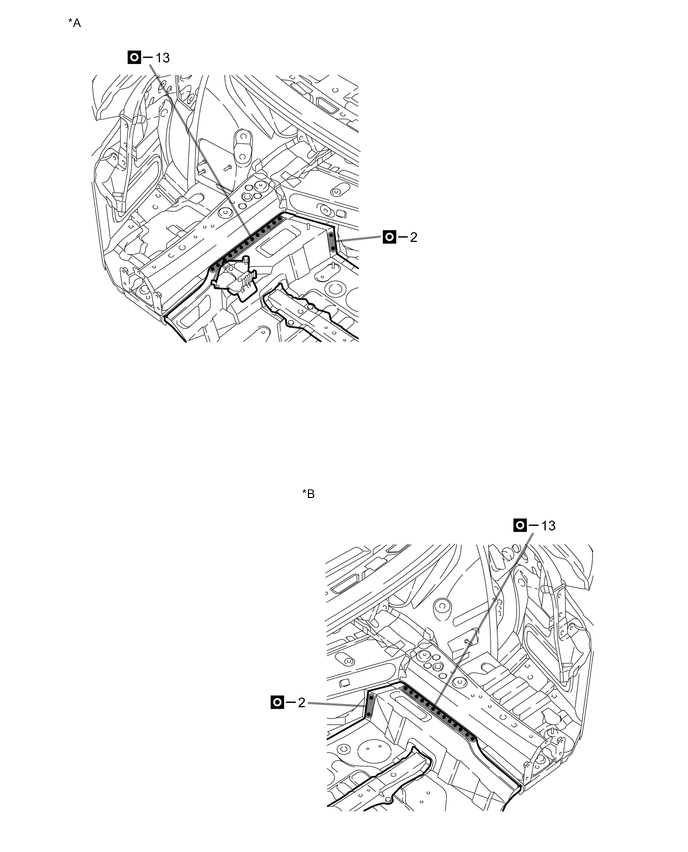
*A LH Side *B RH Side -