FRONT CONSOLE BOX DISASSEMBLY

-
REMOVE REAR CONSOLE END PANEL
-
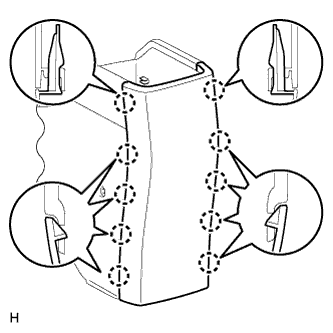
w/o Console Box Lid:
Detach the 10 claws and remove the rear console end panel.
-
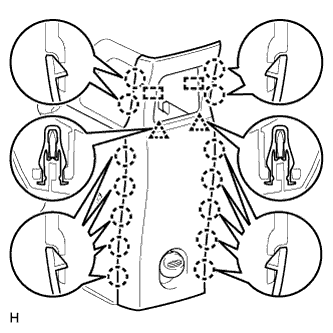
w/ Console Box Lid:
Detach the 14 claws, 2 clips and 2 guides, and remove the rear console end panel.
-
-
REMOVE CONSOLE BOX CUP HOLDER
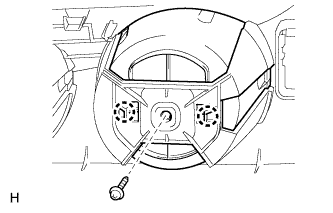
Tech Tips
Use the same procedure to remove the console box cup holder on the other side.
-
Remove the screw.
-
Detach the 2 claws and remove the console box cup holder.
-
-
REMOVE FRONT UPPER CONSOLE PANEL GARNISH
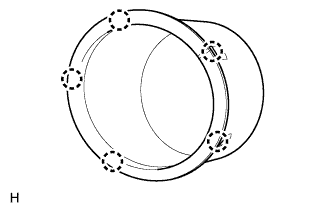
Tech Tips
Use the same procedure to remove the front upper console panel garnish on the other side.
-
Detach the 5 claws and remove the front upper console panel garnish.
-