METER / GAUGE SYSTEM OPERATION CHECK

-
CHECK INDICATOR/WARNING LIGHT
-
Check the following indicators and warning lights.
Indicator/Warning Light Switch Condition Specified Condition ABS warning light Ignition switch off → ON Comes on for 3 seconds SLIP indicator light Eco driving indicator light*1 BRAKE warning light LEVELING indicator light*2 VSC OFF indicator light Tire pressure warning light*3 Stop and start cancel indicator light*4 Stop and start indicator light*4 SRS warning light Ignition switch off → ON Comes on for 6 seconds CHARGE warning light Ignition switch off → ON
-
Illuminates when ignition switch turned to ON
-
Turns off when engine started
EPS warning light MIL
-
*1: for CVT
-
*2: w/ HID Headlight System
-
*3: w/ Tire Pressure Warning System
-
*4: w/ Stop and Start System
-
-
-
CHECK SPEEDOMETER
-
Using a speedometer tester, check that the speedometer reading is within the allowable range shown in the table below. Also, check for proper operation of the odometer.
If the result is not as specified, the speedometer may have a malfunction.
Note
Do not use worn, underinflated or overinflated tires, as the speedometer reading will be inaccurate.
-
Check the deflection width of the speedometer indicator.
-
-
CHECK TACHOMETER
-
Connect a tune-up tachometer and start the engine.
-
Compare the test results with the tachometer indicator.
If the result is not as specified, the tachometer may have a malfunction.
-
-
CHECK METER/GAUGE
-
Connect the intelligent tester to the DLC3.
-
Perform the Active Test Click here.
-
-
CHECK WARNING/INDICATOR LIGHT
-
Connect the intelligent tester to the DLC3.
-
Perform the Active Test Click here.
-
-
INSPECT MULTI-INFORMATION DISPLAY
-
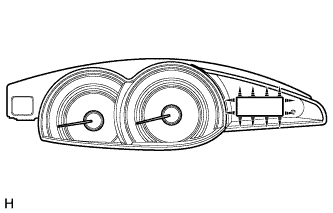
Connect the intelligent tester to the DLC3.
-
Perform the Active Test Click here.
Tech Tips
If this Active Test is being performed and the ignition switch is turned off and then to ON, the clock and ODO/TRIP display background may turn white. If this occurs, end the Active Test and turn the ignition switch off.
-