POWER OUTLET SOCKET (for Console Box Rear Side) REMOVAL

-
REMOVE REAR CONSOLE BOX ASSEMBLY
-
REMOVE CONSOLE COIN BOX
-
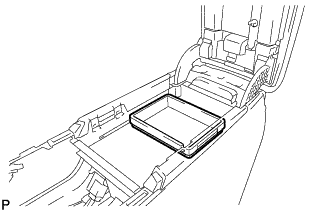
Remove the console coin box.
-
-
REMOVE NO. 1 STEREO JACK ADAPTER ASSEMBLY
-
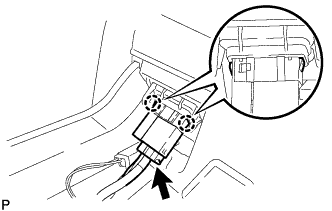
Disconnect the connector.
-
Disengage the 2 claws and remove the No. 1 stereo jack adapter assembly.
-
-
REMOVE NO. 1 POWER POINT SOCKET ASSEMBLY
-
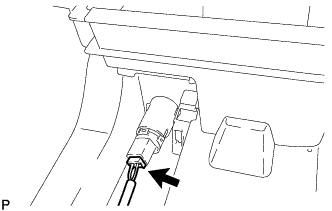
Disconnect the connector.
-
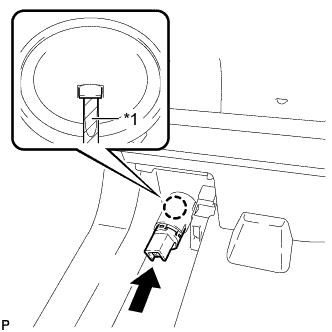
Text in Illustration *1 Protective Tape Using a screwdriver, disengage the claw and remove the No. 1 power outlet socket assembly as shown in the illustration.
Tech Tips
Tape a screwdriver tip before use.
-
-
REMOVE NO. 1 POWER OUTLET SOCKET COVER
-
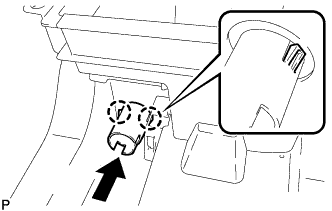
Disengage the 2 claws and remove the No. 1 power outlet socket cover as shown in the illustration.
-