PARKING BRAKE CABLE REMOVAL

-
PRECAUTION (w/ Navigation System for HDD)
Note
After the engine switch is turned off, the display and navigation module display (HDD navigation system) records various types of memory and settings. As a result, after turning the engine switch off, make sure to wait for the time specified in the following table before disconnecting the cable from the negative (-) battery terminal.
Waiting Time before Disconnecting Cable from Negative (-) Battery Terminal Specification Waiting Time w/o Telematics transceiver 60 sec. w/ Telematics transceiver 120 sec. -
PRECAUTION (w/ Air Suspension)
Note
Be sure to read Precaution thoroughly before servicing Click here.
-
REMOVE PARKING BRAKE CONTROL PEDAL ASSEMBLY (for LHD)
Tech Tips
Refer to the instructions for Removal of the parking brake pedal Click here.
-
REMOVE PARKING BRAKE CONTROL PEDAL ASSEMBLY (for RHD)
Tech Tips
Refer to the instructions for Removal of the parking brake pedal Click here.
-
REMOVE NO. 1 PARKING BRAKE CABLE ASSEMBLY (for LHD)
-
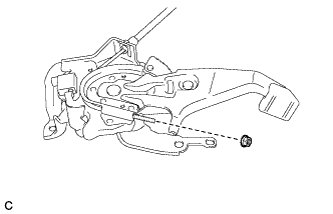
Remove the adjusting nut.
-
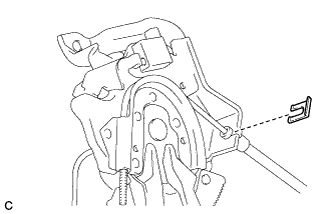
Remove the clip.
-
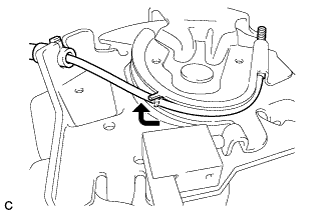
Pull up the parking brake pedal claw and remove the No. 1 parking brake cable assembly.
-
-
REMOVE NO. 1 PARKING BRAKE CABLE ASSEMBLY (for RHD)
-
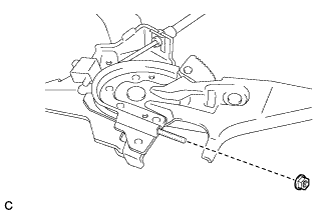
Remove the adjusting nut.
-
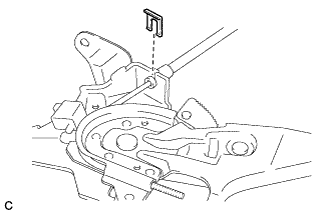
Remove the clip.
-
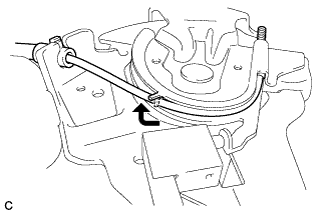
Pull up the parking brake pedal claw and remove the No. 1 parking brake cable assembly.
-
-
REMOVE NO. 2 PARKING BRAKE SHOE ASSEMBLY WITH PARKING BRAKE SHOE LEVER
Tech Tips
Refer to the procedures up to "Remove No. 2 Parking Brake Shoe Assembly with Parking Brake Shoe Lever" Click here.
-
REMOVE NO. 3 PARKING BRAKE CABLE ASSEMBLY
-
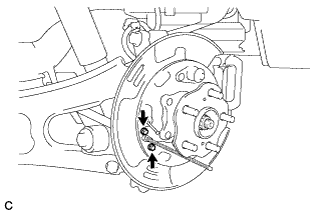
Remove the 2 bolts and separate the No. 3 parking brake cable assembly from the backing plate.
-
Remove the 4 bolts, nut and No. 3 parking brake cable assembly.
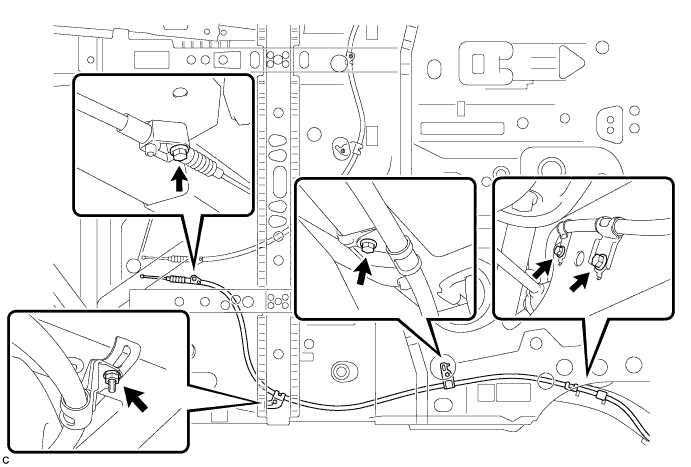
-
Remove the No. 1 parking brake cable support bracket, No. 2 parking brake cable support bracket and No. 2 cable support bracket from the No. 3 parking brake cable assembly.
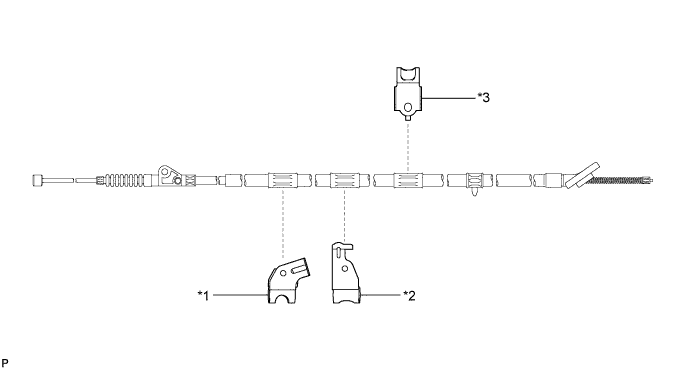
Text in Illustration *1 No. 1 Parking Brake Cable Support Bracket *2 No. 2 Parking Brake Cable Support Bracket *3 No. 2 Cable Support Bracket - -
-
-
REMOVE NO. 2 PARKING BRAKE CABLE ASSEMBLY
-
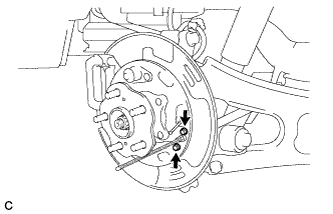
Remove the 2 bolts and separate the No. 2 parking brake cable assembly from the backing plate.
-
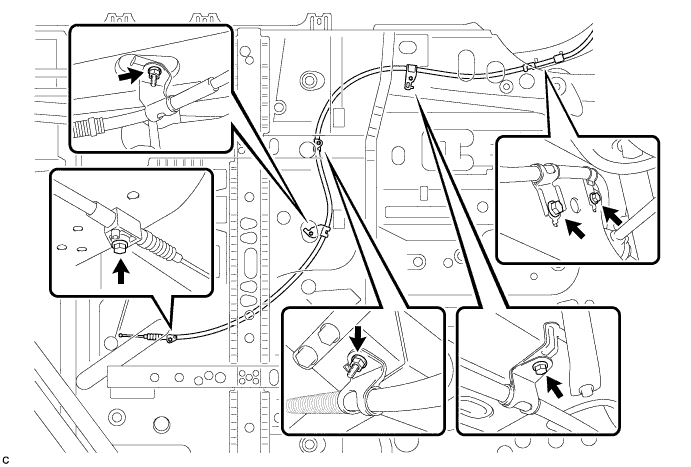
Remove the 4 bolts, 2 nuts and No. 2 parking brake cable assembly.
-
Remove the parking brake cable support bracket, 2 cable support brackets and No. 2 cable support bracket from the No. 2 parking brake cable assembly.
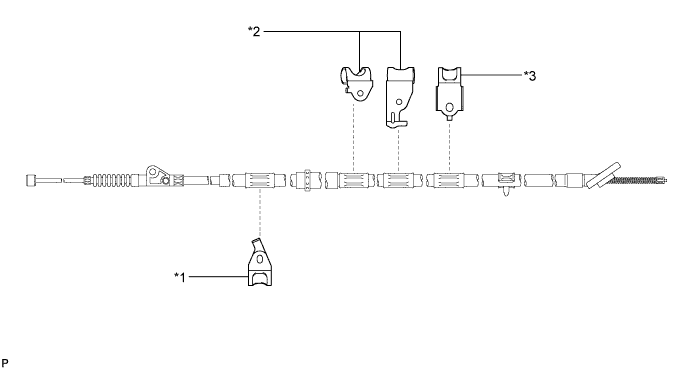
Text in Illustration *1 Parking Brake Cable Support Bracket *2 Cable Support Bracket *3 No. 2 Cable Support Bracket - -
-