CLUTCH PEDAL(for RHD) REMOVAL
PROCEDURE
-
DISCONNECT CABLE FROM NEGATIVE BATTERY TERMINAL
-
REMOVE LOWER NO. 1 INSTRUMENT PANEL AIRBAG ASSEMBLY (w/ Knee Airbag)
-
DISCONNECT CLUTCH MASTER CYLINDER ASSEMBLY
-
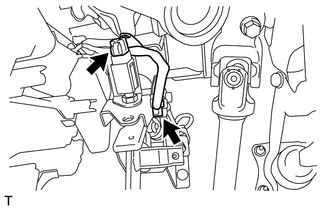
Disconnect the 2 connectors.
-
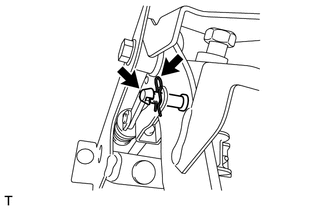
Remove the clip and the clevis pin, and separate the clutch master cylinder push rod clevis from the clutch pedal sub-assembly.
-
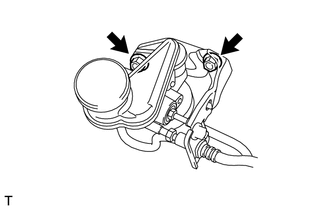
Remove the 2 nuts and separate the clutch master cylinder assembly from the clutch pedal support sub-assembly.
-
-
REMOVE CLUTCH PEDAL SUPPORT SUB-ASSEMBLY
-
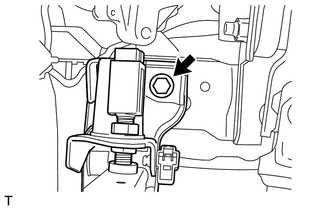
Remove the bolt and the clutch pedal support sub-assembly.
-
-
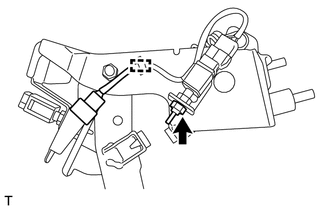
REMOVE CLUTCH START SWITCH ASSEMBLY
-
Disconnect the clamp.
-
Remove the nut and the clutch start switch assembly from the clutch pedal support sub-assembly.
-
-
REMOVE CLUTCH SWITCH ASSEMBLY
-
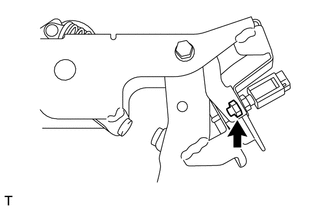
Remove the nut and the clutch switch assembly from the clutch pedal support sub-assembly.
-
-
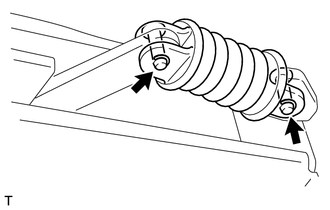
REMOVE CLUTCH PEDAL SPRING
-
Remove the 2 E-rings and the 2 clevis pins.
-
Remove the assist rod A, assist rod B, clutch pedal spring and assist bush.
-
-
REMOVE CLUTCH PEDAL SUB-ASSEMBLY
-
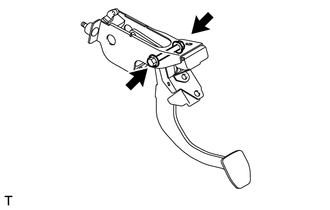
Remove the bolt, the nut and the clutch pedal sub-assembly from the clutch pedal support sub-assembly.
Note
Turn the nut while holding the bolt.
-
-
REMOVE CLUTCH PEDAL SHAFT COLLAR
-
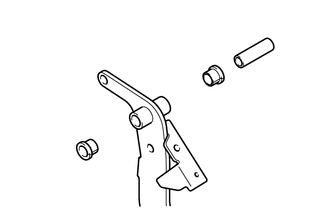
Remove the 2 clutch pedal bushes and the clutch pedal shaft collar from the clutch pedal sub-assembly.
-
-
REMOVE BUSH
-
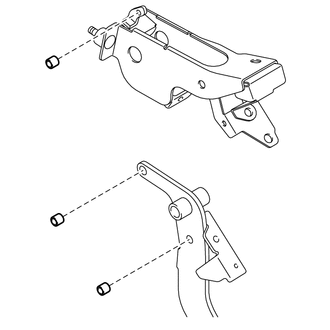
Remove the 3 bushes.
-
-
REMOVE NO. 1 CLUTCH PEDAL CUSHION
-
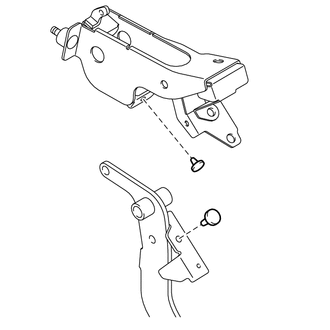
Remove the 2 No. 1 clutch pedal cushions.
-
-
REMOVE NO. 2 CLUTCH PEDAL CUSHION
-
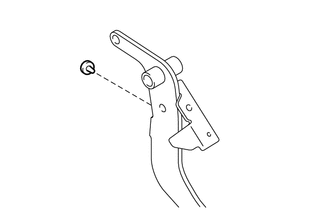
Remove the No. 2 clutch pedal cushion from the clutch pedal sub-assembly.
-
-
REMOVE CLUTCH PEDAL PAD
-
Remove the clutch pedal pad from the clutch pedal sub-assembly.
-