CAMSHAFT POSITION SENSOR REMOVAL

-
REMOVE V-BANK COVER SUB-ASSEMBLY
-
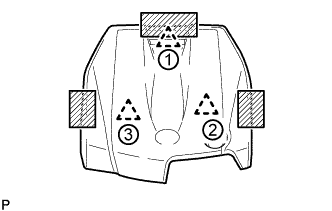
Place one hand on the rear of the cover as shown in the illustration and detach the clip near the rear. Then, place both hands on the sides of the cover and lift the cover to detach the 2 clips near the front in the order shown in the illustration to remove the cover.
Text in Illustration 
Areas to place hands when lifting cover Note
If the cover is lifted rearward or forward and to the right or left at the same time, the cover maybe damaged.
-
-
REMOVE VVT SENSOR (for Intake Side of Bank 1)
-
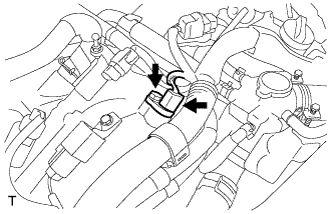
Disconnect the VVT sensor connector.
-
Remove the bolt and VVT sensor.
-
-
REMOVE VVT SENSOR (for Exhaust Side of Bank 1)
-
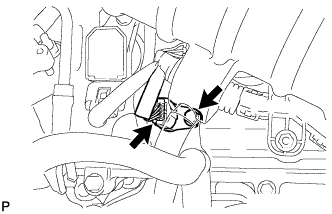
Disconnect the VVT sensor connector.
-
Remove the bolt and VVT sensor.
-
-
REMOVE VVT SENSOR (for Intake Side of Bank 2)
-
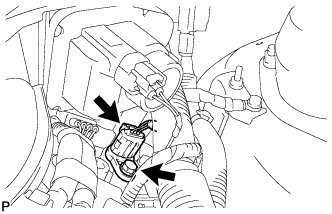
Disconnect the VVT sensor connector.
-
Remove the bolt and VVT sensor.
-
-
REMOVE VVT SENSOR (for Exhaust Side of Bank 2)
-
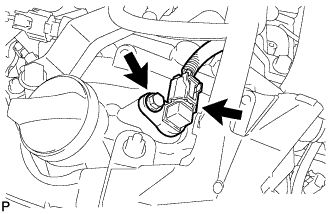
Disconnect the VVT sensor connector.
-
Remove the bolt and VVT sensor.
-