PROPELLER SHAFT ASSEMBLY (for 2GR-FSE 2WD) DISASSEMBLY

-
REMOVE PROPELLER INTERMEDIATE SHAFT ASSEMBLY
-
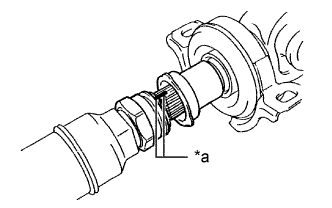
Text in Illustration *a Matchmark Put matchmarks on the propeller intermediate shaft assembly and propeller shaft assembly.
-
Disconnect the propeller intermediate shaft assembly and propeller shaft assembly.
Note
Be careful not to damage the spline.
-
Remove the adjusting nut from the propeller intermediate shaft assembly.
-
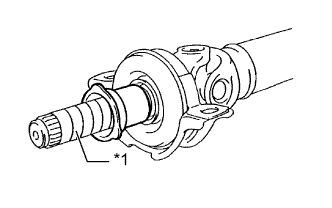
Text in Illustration *1 Protective Tape Remove the dust boot from the propeller shaft assembly.
Tech Tips
If the dust boot is to be reused, remove it after wrapping protective tape around the spline, so it will not be damaged.
-
-
REMOVE NO. 1 CENTER SUPPORT BEARING ASSEMBLY
-
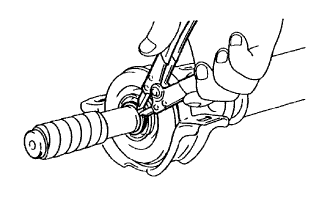
Using a snap ring expander, remove the No. 2 propeller shaft dust deflector snap ring.
-
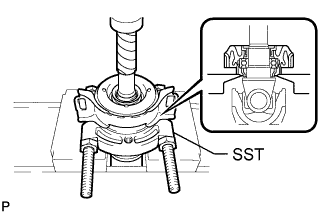
Using SST and a press, press out the No. 1 center support bearing assembly and No. 2 propeller shaft dust deflector.
- SST
- 09950-00020
-
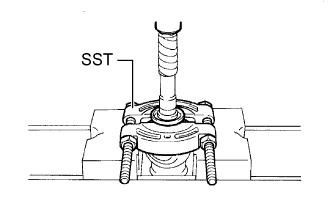
Using SST and a press, press out the No. 1 propeller shaft dust deflector.
- SST
- 09950-00020
-