FRONT DOOR SPEAKER INSPECTION
PROCEDURE
-
INSPECT FRONT NO. 1 SPEAKER ASSEMBLY
Note
Do not touch the cone part of the front No. 1 speaker assembly.
-
Check the speaker installation.
OK The speaker is securely installed. If the result is not as specified, reinstall the front No. 1 speaker assembly.
-
Check the speaker visual.
OK The cone paper of the speaker is not torn. If the result is not as specified, replace the front No. 1 speaker assembly.
-
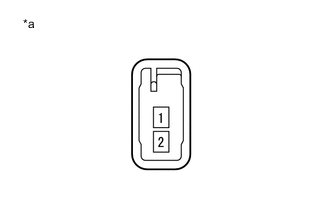
Text in Illustration *a Component without harness connected
(Front No. 1 Speaker Assembly)
Check the speaker resistance.
-
Disconnect the front No. 1 speaker assembly connector.
-
Measure the resistance according to the value(s) in the table below.
Standard Resistance Tester Connection Condition Specified Condition 1 - 2 Always 4 Ω If the result is not as specified, replace the front No. 1 speaker assembly.
-
-
-
INSPECT FRONT NO. 2 SPEAKER ASSEMBLY (for 6 Speakers)
Note
Do not touch the cone part of the front No. 2 speaker assembly.
-
Check the speaker installation.
OK The speaker is securely installed. If the result is not as specified, reinstall the front No. 2 speaker assembly.
-
Check the speaker visual.
OK The cone paper of the speaker is not torn. If the result is not as specified, replace the front No. 2 speaker assembly.
-