GARAGE DOOR OPENER SYSTEM ON-VEHICLE INSPECTION
-
INSPECT GARAGE DOOR OPENER
-
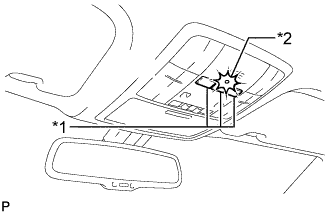
Text in Illustration *1 Garage Door Opener Switch *2 LED To inspect the garage door opener system, press each switch and check that the LED in the "HomeLink" logo illuminates as illustrated. If one or more of the switches do not cause the LED to illuminate, confirm that the fuse and the wiring to the garage door opener transmitter are normal. If the fuse and wiring are normal, and the LED does not illuminate, replace the garage door opener transmitter that is located in the map light assembly.
-
-
INSPECT GARAGE DOOR OPENER REGISTRATION AND TRANSMITTING
Tech Tips
Use the KENT-MOORE "HomeLink" tester, and the KENT-MOORE handheld transmitter for this test. First clear the customer's transmitter codes, and then register the code of the KENT-MOORE handheld transmitter to the garage door opener system.
-
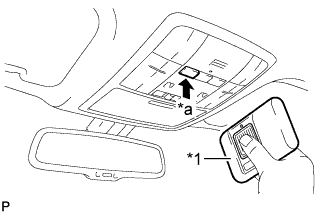
Text in Illustration *1 Handheld Transmitter *a Press Check if the code of the KENT-MOORE handheld transmitter was successfully registered.
Tech Tips
If the code of the KENT-MOORE handheld transmitter cannot be registered, replace the garage door opener transmitter located in the map light assembly.
-
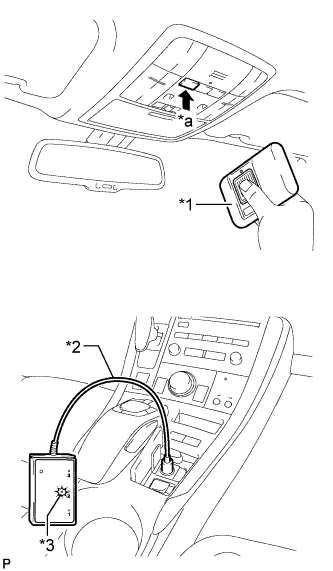
Text in Illustration *1 Handheld Transmitter *2 "HomeLink Tester" *3 Green LED *a Press Press the garage door opener switch that was used to copy the signal from the handheld transmitter. Check if the green LED of the "HomeLink" tester illuminates.
Tech Tips
If the green LED does not illuminate, replace the garage door opener transmitter that is located in the map light assembly.
-
When the inspection is complete, re-register the customer's handheld transmitter codes.
-