- Click here
INSTALL MULTI-DISPLAY
- Click here
INSTALL MULTI-DISPLAY CONTROLLER BRACKET A
-
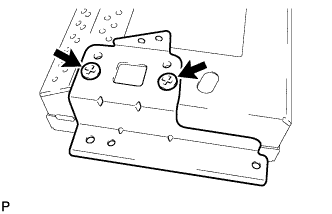
Install the multi-display controller bracket A with the 2 screws.
-
- Click here
INSTALL MULTI-DISPLAY CONTROLLER BRACKET B
-
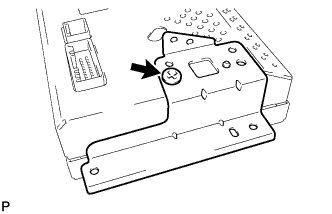
Install the multi-display controller bracket B with the screw.
-
- Click here
INSTALL NO. 2 EARTH WIRE
-
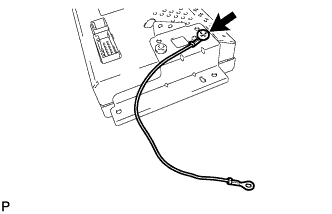
Install the No. 2 earth wire with the screw.
-
- Click here
INSTALL MULTI-MEDIA MODULE WIRE
-
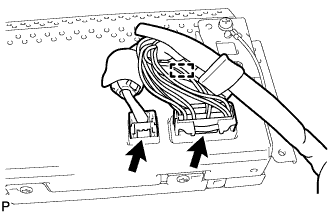
Engage the clamp and install the multi-media module wire.
-
Connect the 2 connectors.
-
- Click here
INSTALL MULTI-DISPLAY ASSEMBLY
-
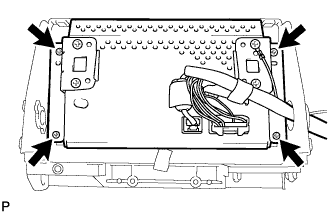
Install the multi-display assembly with the 4 screws.
-
- Click here
INSTALL MULTI-DISPLAY CONTROLLER SUB-ASSEMBLY
-
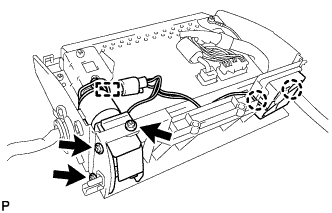
Install the multi-display controller sub-assembly with the 3 screws.
-
Engage the 2 claws and clamp.
-
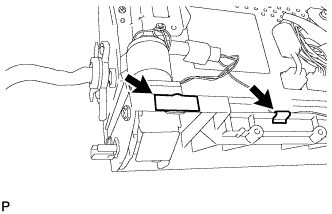
Install the new 2 tapes.
-
- Click here
INSTALL UPPER INSTRUMENT CLUSTER FINISH PANEL
-
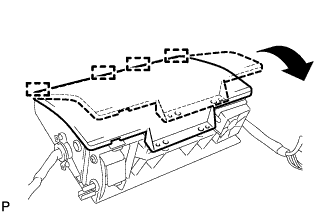
Engage the 4 guides and temporarily install the upper instrument cluster finish panel as shown in the illustration.
-
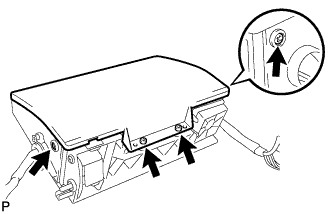
Install the upper instrument cluster finish panel with the 4 screws.
-
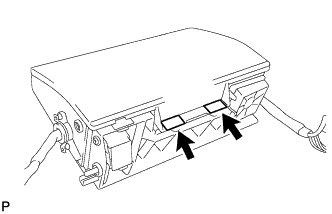
Install the 2 new tapes.
-
- Click here
INSTALL INSTRUMENT PANEL REGISTER CONTROL GEAR
-
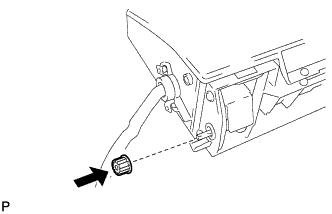
Install the instrument panel register control gear.
-
- Click here
INSTALL NO. 2 INSTRUMENT PANEL FINISH PANEL RETAINER
-
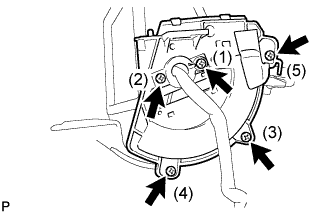
Install the No. 2 instrument panel finish panel retainer and No. 1 instrument panel finish panel retainer with the 5 screws.
Tip:Install the screws in the order shown in the illustration.
-
- Click here
INSTALL NO. 3 INSTRUMENT PANEL FINISH PANEL RETAINER
-
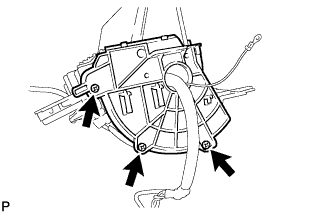
Install the No. 3 instrument panel finish panel retainer with the 3 screws.
-
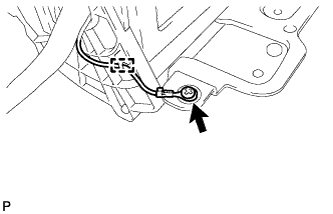
Engage the clamp and install the screw.
-
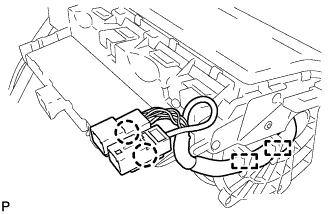
Engage the 2 clamps and connect the 2 claws.
-
- Click here
INSTALL SENSOR WIRE
-
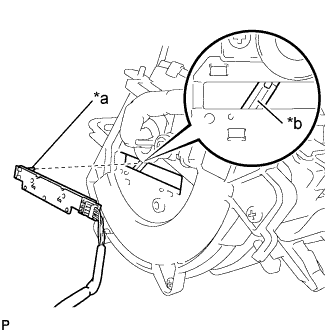
Align the pin of the sensor wire with the groove of the center instrument cluster finish panel assembly, and then install the sensor wire.
Table 1. Text in Illustration *a Pin *b Groove Note:
-
If the pin is damaged, replace it with a new one.
-
Make sure that the pin fits into the groove securely.
-
-
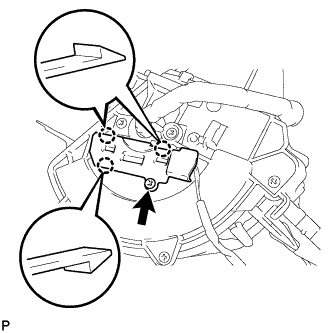
Engage the 3 claws.
-
Install the sensor wire cover with the screw.
-
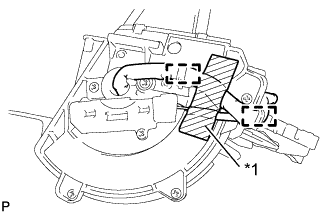
Engage the 2 clamps.
Table 2. Text in Illustration *1 Tape -
Using tape, secure the wire harness at the position shown in the illustration.
Tip:
-
If the tape has lost adhesion, replace it using tape that has enough adhesion to secure the harness.
-
Install the tape at the position shown in the illustration.
-
-
- Click here
INSTALL INSTRUMENT CLUSTER FINISH PANEL COVER
-
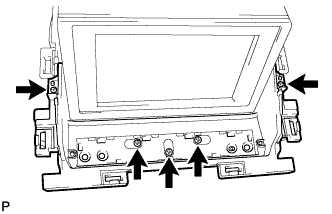
Install the instrument cluster finish panel cover with the 5 screws.
-
- Click here
INSTALL DISPLAY MODULE BOARD
-
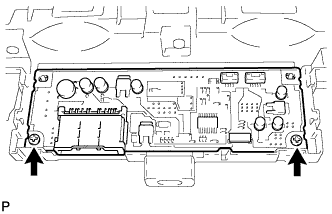
Install the display module board with the 2 screws.
-
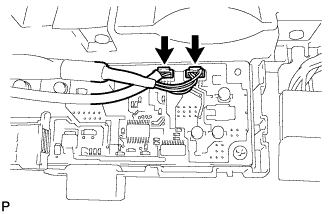
Connect the 2 connectors.
-
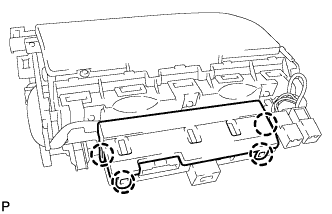
Engage the 4 claws to install the lower center instrument cover.
-