NAVIGATION SYSTEM Screen Flicker or Color Distortion
INSPECTION PROCEDURE
PROCEDURE
-
CHECK DISPLAY SETTING
-
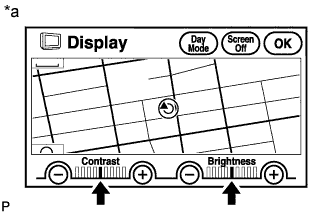
Text in Illustration *a Example Enter the display quality adjustment screen by pressing the "DISPLAY" switch.
-
Reset display settings (contrast, brightness) and check that the screen appears normal.
OK The display returns to normal.
NG 
CHECK CABIN Click here
OK 
END
-
-
CHECK CABIN
-
Check that the cabin temperature is warmer than -20°C (-4.0°F).
OK Cabin is warmer than -20°C (-4.0°F).
NG 
HEAT CABIN AND RECHECK TEMPERATURE
OK 
-
-
CHECK COLOR BAR (DISPLAY CHECK MODE)
-
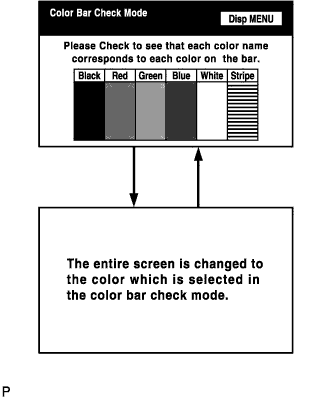
Enter the "Display Check" mode (Color Bar Check) Click here.
-
Check that the color bars match the displayed names.
OK Color bars match the displayed names.
NG
REPLACE NAVIGATION RECEIVER ASSEMBLY Click here
OK
-
-
CHECK NAVI COLOR BAR (NAVIGATION CHECK MODE)
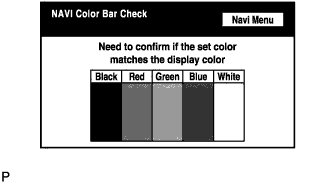
-
Enter the "Navigation Check" mode (NAVI Color Bar Check) Click here.
-
Check that the color bars match the displayed names.
OK Color bars match the displayed names.
NG
REPLACE NAVIGATION RECEIVER ASSEMBLY Click here
OK
PROCEED TO NEXT SUSPECTED AREA SHOWN IN PROBLEM SYMPTOMS TABLE Click here
-