NAVIGATION RECEIVER REMOVAL
-
EJECT MAP DISC
-
Turn the power switch on (IG).
-
Push the "OPEN" button.
-
Push the "MAP" button to eject the map disc.
-
-
REMOVE INSTRUMENT PANEL FINISH PANEL END LH
-
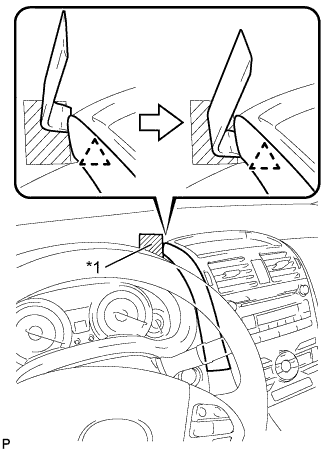
Text in Illustration *1 Protective Tape Apply protective tape to the area shown in the illustration.
-
Insert a roof moulding remover and slide the remover toward the clip.
-
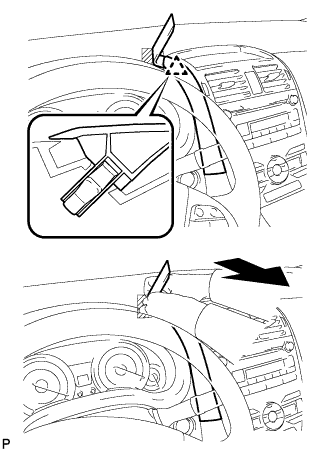
Pull the remover with both hands to disengage the clip as shown in the illustration.
-
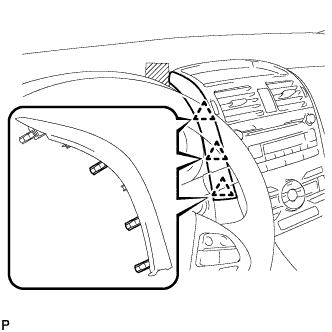
Disengage the 3 clips and remove the instrument panel finish panel end LH.
-
-
REMOVE INSTRUMENT PANEL FINISH PANEL END RH
-
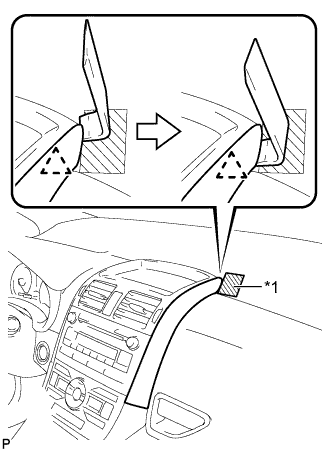
Text in Illustration *1 Protective Tape Apply protective tape to the area shown in the illustration.
-
Insert a roof moulding remover and slide the remover toward the clip.
-
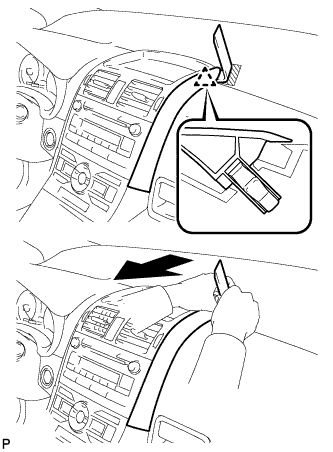
Pull the remover with both hands to disengage the clip as shown in the illustration.
-
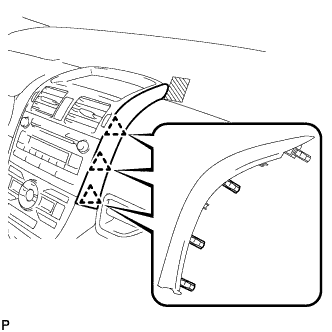
Disengage the 3 clips and remove the instrument panel finish panel end RH.
-
-
REMOVE CENTER INSTRUMENT PANEL REGISTER ASSEMBLY
-
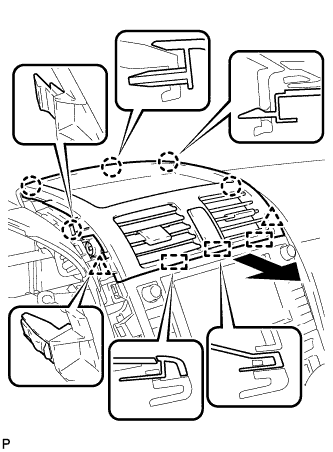
Disengage the 5 claws, 2 clips, and 3 guides.
-
Disconnect the connector and remove the center instrument panel register assembly.
-
-
REMOVE NAVIGATION RECEIVER WITH BRACKET
-
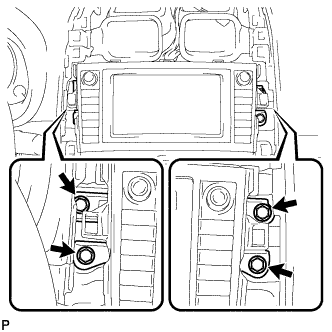
Remove the 4 bolts.
-
Pull the navigation receiver with bracket toward the rear of the vehicle and disengage the 4 clips.
-
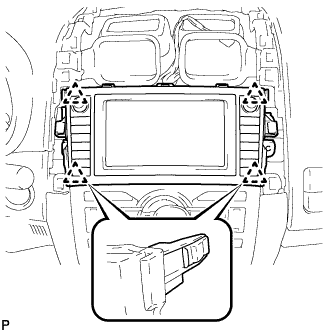
Disconnect each connector and remove the navigation receiver with bracket.
-
-
REMOVE NO. 2 RADIO BRACKET
-
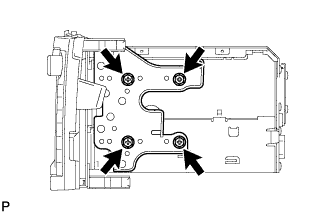
Remove the 4 screws and No. 2 radio bracket.
-
-
REMOVE NO. 1 RADIO BRACKET
-
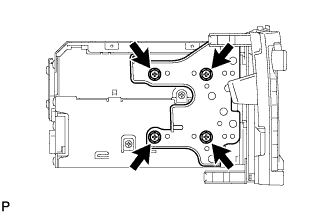
Remove the 4 screws and No. 1 radio bracket.
-
-
REMOVE NAVIGATION RECEIVER ASSEMBLY